25Chapter 25 of 74
Simulating the Robot in Gazebo
In the Chapter 23, we used RViz2 to visualize our BumperBot.
But RViz2 mainly answers:
“What does my robot look like, and where are its frames?”
Gazebo answers a different question:
“How does my robot behave in a physical world?”
For example, Gazebo can simulate things such as:
- Gravity
- Friction
- Collision
- Movement
- Contact with the ground
- Robot dynamics
- Sensors
- Virtual environments
Create the Gazebo Xacro File
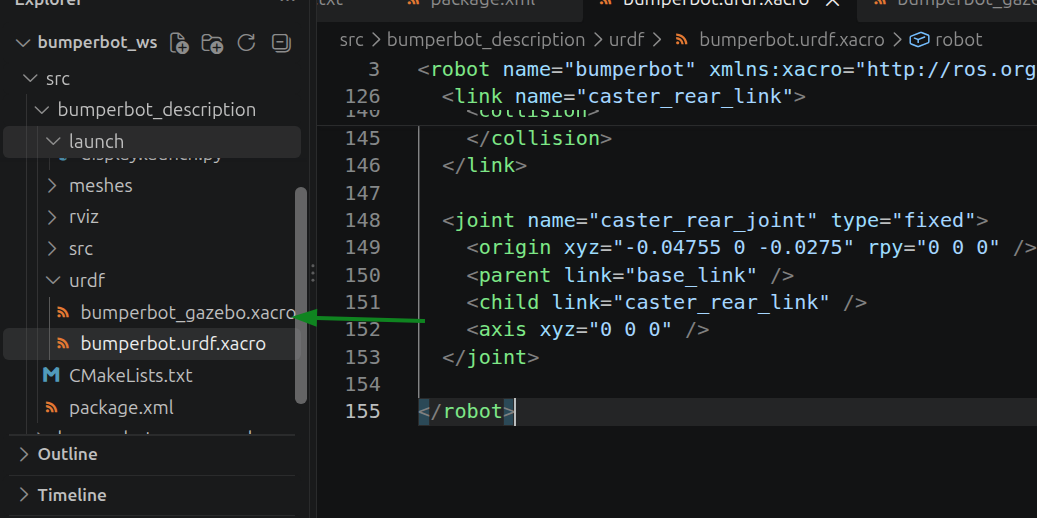
Inside:
bumperbot_description
└── urdf
create:
bumperbot_gazebo.xacroWrite the bumperbot.urdf.xacro File
<robot name="bumperbot" xmlns:xacro="http://ros.org/wiki/xacro">
<!-- Include Gazebo Parameters -->
<xacro:include filename="$(find bumperbot_description)/urdf/bumperbot_gazebo.xacro" />
<link name="base_footprint"/>
<link name="base_link">
<inertial>
<origin xyz="0 0 0.04" rpy="0.0 0.25 0.3" />
<mass value="8.2573504e-01"/>
<inertia ixx="2.2124416e-02" ixy="-1.2294101e-04" ixz="3.4938785e-04"
iyy="2.1193702e-02" iyz="-5.0120904e-05"
izz="2.0064271e-02" />
</inertial>
<visual>
<origin xyz="0 0 0" rpy="0 0 0" />
<geometry>
<mesh filename="package://bumperbot_description/meshes/base_link.STL" />
</geometry>
</visual>
<collision>
<origin xyz="0 0 0" rpy="0 0 0" />
<geometry>
<mesh filename="package://bumperbot_description/meshes/base_link.STL" />
</geometry>
</collision>
</link>
<joint name="base_joint" type="fixed">
<parent link="base_footprint"/>
<child link="base_link" />
<origin xyz="0 0 0.033" rpy="0 0 0"/>
</joint>
<link name="wheel_right_link">
<inertial>
<origin xyz="0 -0.014 0" rpy="0 0 0" />
<mass value="0.0530086090966721" />
<inertia ixx="1.88176298336665E-05" ixy="-4.8444933029987E-10" ixz="1.88163708851143E-08"
iyy="3.11510738647764E-05" iyz="-6.93560663069607E-11"
izz="1.8801969558182E-05" />
</inertial>
<visual>
<origin xyz="0 0 0" rpy="1.57 0 0" />
<geometry>
<mesh filename="package://bumperbot_description/meshes/wheel_right_link.STL" />
</geometry>
</visual>
<collision>
<origin xyz="0 -0.015 0" rpy="1.57 0 0" />
<geometry>
<sphere radius="0.033"/>
</geometry>
</collision>
</link>
<joint name="wheel_right_joint" type="continuous">
<origin xyz="0 -0.0701101849418637 0" rpy="0 0 0" />
<parent link="base_link" />
<child link="wheel_right_link" />
<axis xyz="0 1 0" />
</joint>
<link
name="wheel_left_link">
<inertial>
<origin xyz="0 0.014 0" rpy="0 0 0" />
<mass value="0.0530086043217644" />
<inertia ixx="1.8792911368909E-05" ixy="3.31256392204584E-10" ixz="-1.14082001662767E-08"
iyy="3.11510738759073E-05" iyz="-3.60499245082192E-10"
izz="1.88266886146847E-05" />
</inertial>
<visual>
<origin xyz="0 0 0" rpy="-1.57 0 0" />
<geometry>
<mesh filename="package://bumperbot_description/meshes/wheel_left_link.STL" />
</geometry>
</visual>
<collision>
<origin xyz="0 0.015 0" rpy="-1.57 0 0" />
<geometry>
<sphere radius="0.033"/>
</geometry>
</collision>
</link>
<joint name="wheel_left_joint" type="continuous">
<origin xyz="0 0.0701101849418642 0" rpy="0 0 0" />
<parent link="base_link" />
<child link="wheel_left_link" />
<axis xyz="0 1 0" />
</joint>
<link name="caster_front_link">
<inertial>
<origin xyz="3.89968128948481E-07 2.40073004698083E-07 0.00219173397061506" rpy="0 0 0" />
<mass value="1.44379265037903E-06" />
<inertia ixx="7.23075276010246E-11" ixy="-6.10956883467859E-16" ixz="2.22849693525031E-15"
iyy="3.8713793085917E-11" iyz="2.93909858781952E-15"
izz="1.00967486676306E-10" />
</inertial>
<visual>
<origin xyz="0 0 0" rpy="0 0 0" />
<geometry>
<mesh filename="package://bumperbot_description/meshes/caster_front_link.STL" />
</geometry>
</visual>
<collision>
<origin xyz="0 0 0" rpy="0 0 0" />
<geometry>
<sphere radius="0.005"/>
</geometry>
</collision>
</link>
<joint name="caster_front_joint" type="fixed">
<origin xyz="0.04755 0 -0.0275" rpy="0 0 0" />
<parent link="base_link" />
<child link="caster_front_link" />
<axis xyz="0 0 0" />
</joint>
<link name="caster_rear_link">
<inertial>
<origin xyz="3.8996812895542E-07 2.40073004698083E-07 0.00219173397061509" rpy="0 0 0" />
<mass value="1.44379265037902E-06" />
<inertia ixx="7.23075276010246E-11" ixy="-6.10956872363424E-16" ixz="2.22849693527207E-15"
iyy="3.87137930859167E-11" iyz="2.939098587861E-15"
izz="1.00967486676306E-10" />
</inertial>
<visual>
<origin xyz="0 0 0" rpy="0 0 0" />
<geometry>
<mesh filename="package://bumperbot_description/meshes/caster_rear_link.STL" />
</geometry>
</visual>
<collision>
<origin xyz="0 0 0" rpy="0 0 0" />
<geometry>
<sphere radius="0.005"/>
</geometry>
</collision>
</link>
<joint name="caster_rear_joint" type="fixed">
<origin xyz="-0.04755 0 -0.0275" rpy="0 0 0" />
<parent link="base_link" />
<child link="caster_rear_link" />
<axis xyz="0 0 0" />
</joint>
</robot>Write the bumperbot_gazebo.xacro File
<robot name="bumperbot" xmlns:xacro="http://ros.org/wiki/xacro">
<!-- Wheels -->
<gazebo reference="wheel_left_link">
<mu1>1000000000000000.0</mu1>
<mu2>1000000000000000.0</mu2>
<kp>1000000000000.0</kp>
<kd>10.0</kd>
<minDepth>0.001</minDepth>
<maxVel>0.1</maxVel>
<fdir1>1 0 0</fdir1>
</gazebo>
<gazebo reference="wheel_right_link">
<mu1>1000000000000000.0</mu1>
<mu2>1000000000000000.0</mu2>
<kp>1000000000000.0</kp>
<kd>10.0</kd>
<minDepth>0.001</minDepth>
<maxVel>0.1</maxVel>
<fdir1>1 0 0</fdir1>
</gazebo>
<!-- Caster Wheels -->
<gazebo reference="caster_rear_link">
<mu1>0.1</mu1>
<mu2>0.1</mu2>
<kp>1000000.0</kp>
<kd>100.0</kd>
<minDepth>0.001</minDepth>
<maxVel>1.0</maxVel>
</gazebo>
<gazebo reference="caster_front_link">
<mu1>0.1</mu1>
<mu2>0.1</mu2>
<kp>1000000.0</kp>
<kd>100.0</kd>
<minDepth>0.001</minDepth>
<maxVel>1.0</maxVel>
</gazebo>
</robot>Explanation
Create Launch File
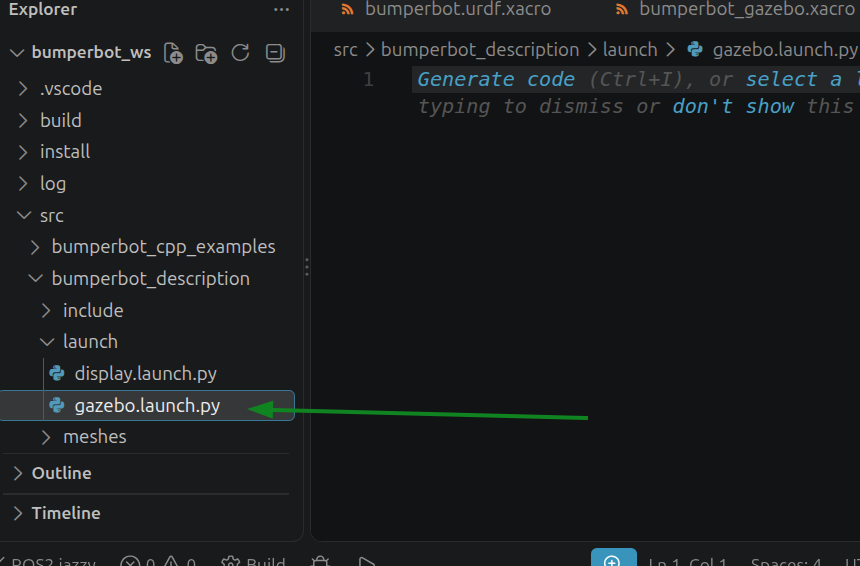
Inside:
bumperbot_description
└── launch
create:
gazebo.launch.pyWrite the Launch File
import os
from pathlib import Path
from ament_index_python.packages import get_package_share_directory

from launch import LaunchDescription
from launch.actions import DeclareLaunchArgument, IncludeLaunchDescription, SetEnvironmentVariable
from launch.substitutions import Command, LaunchConfiguration
from launch.launch_description_sources import PythonLaunchDescriptionSource

from launch_ros.actions import Node
from launch_ros.parameter_descriptions import ParameterValue


def generate_launch_description():
    bumperbot_description = get_package_share_directory("bumperbot_description")

    model_arg = DeclareLaunchArgument(name="model", default_value=os.path.join(
                                        bumperbot_description, "urdf", "bumperbot.urdf.xacro"
                                        ),
                                      description="Absolute path to robot urdf file"
    )

    gazebo_resource_path = SetEnvironmentVariable(
        name="GZ_SIM_RESOURCE_PATH",
        value=[
            str(Path(bumperbot_description).parent.resolve())
            ]
        )

    robot_description = ParameterValue(Command([
            "xacro ",
            LaunchConfiguration("model")
        ]),
        value_type=str
    )

    robot_state_publisher_node = Node(
        package="robot_state_publisher",
        executable="robot_state_publisher",
        parameters=[{"robot_description": robot_description,
                     "use_sim_time": True}]
    )

    gazebo = IncludeLaunchDescription(
                PythonLaunchDescriptionSource([os.path.join(
                    get_package_share_directory("ros_gz_sim"), "launch"), "/gz_sim.launch.py"]),
                launch_arguments=[
                    ("gz_args", [" -v 4", " -r", " empty.sdf"]
                    )
                ]
             )

    gz_spawn_entity = Node(
        package="ros_gz_sim",
        executable="create",
        output="screen",
        arguments=["-topic", "robot_description",
                   "-name", "bumperbot"],
    )

    gz_ros2_bridge = Node(
        package="ros_gz_bridge",
        executable="parameter_bridge",
        arguments=[
            "/clock@rosgraph_msgs/msg/Clock[gz.msgs.Clock",
        ]
    )

    return LaunchDescription([
        model_arg,
        gazebo_resource_path,
        robot_state_publisher_node,
        gazebo,
        gz_spawn_entity,
        gz_ros2_bridge,
    ])
Explanation
Package.XML
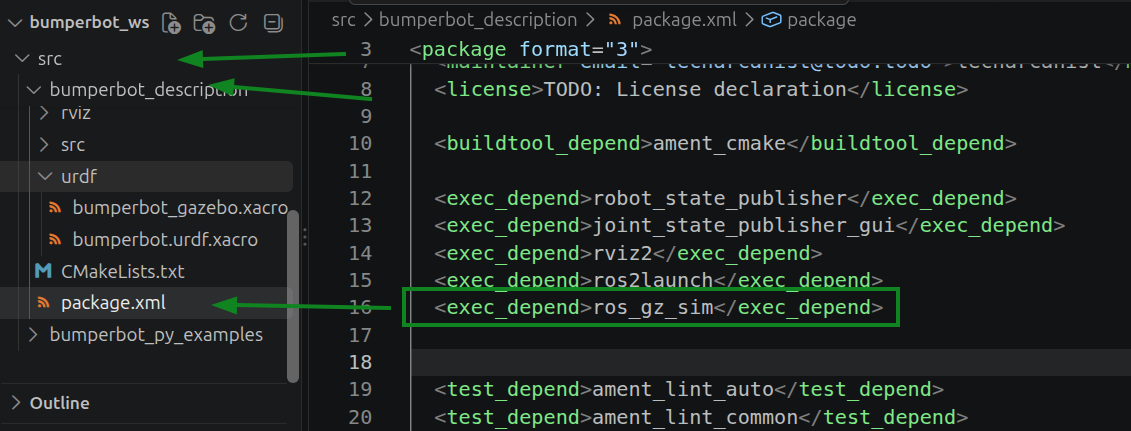
Because our launch file now uses Gazebo-related ROS 2 packages, our package needs to declare the dependency.
Add:
<exec_depend>ros_gz_sim</exec_depend>Why Do We Add This to package.xml?
Think about package.xml as the package's dependency list.
Our launch file says:
package="ros_gz_sim"So our package needs to say:
"When someone uses this package, it needs
ros_gz_sim."
Therefore:
gazebo.launch.py
       │
       │ uses
       ▼
ros_gz_sim
       ▲
       │
       │ dependency declared
       │
package.xml
This is the same idea we used earlier when adding dependencies for rcl_interfaces.
A newly used Gazebo dependency also needs to be declared in package.xml.
Build the Workspace
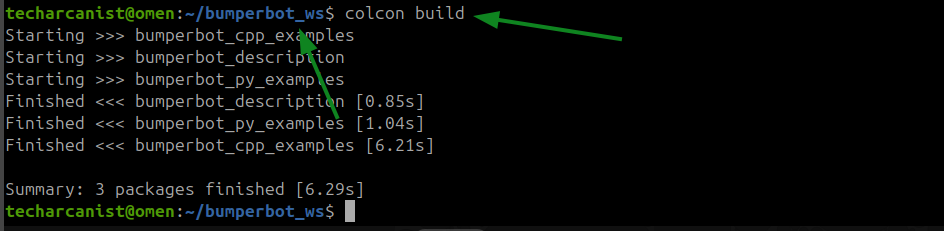
After modifying the package:
cd bumperbot_ws
colcon build
Source the Workspace &
Launch the Simulation
Open a new terminal:
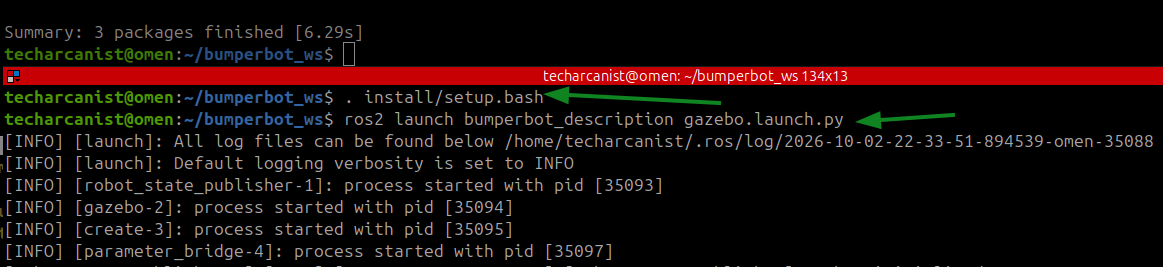
. install/setup.bash
ros2 launch bumperbot_description gazebo.launch.py
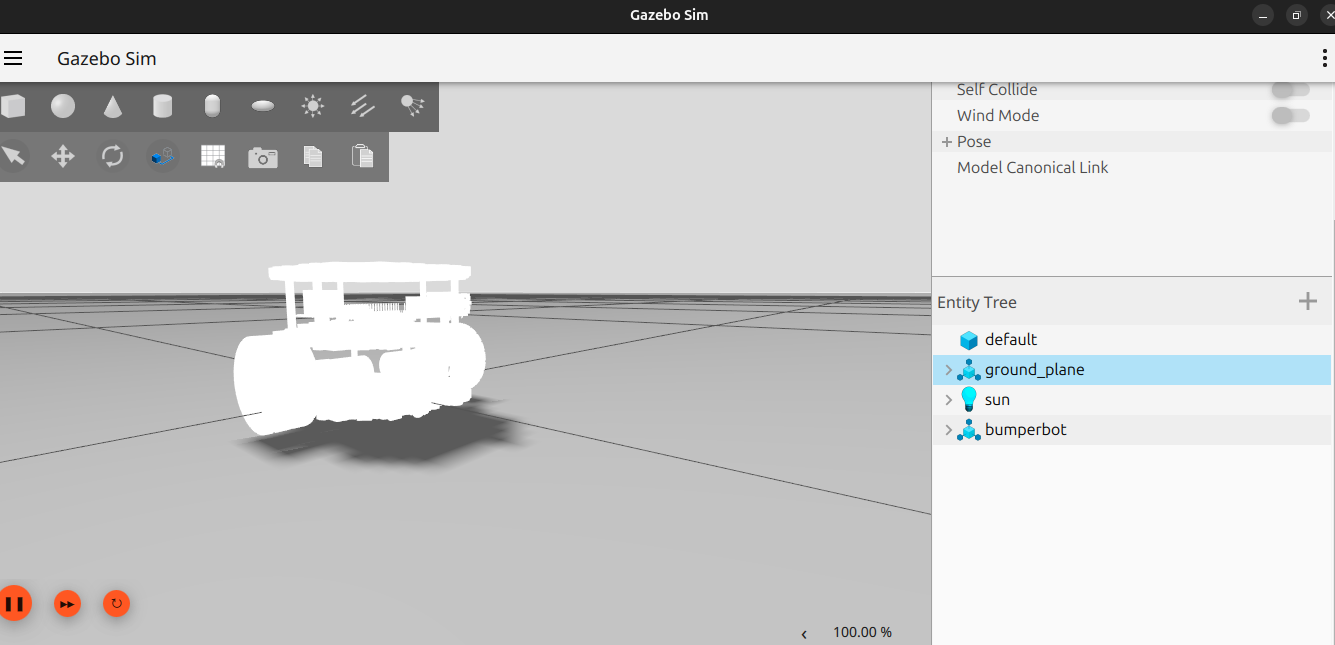
The Result
Gazebo should open with our BumperBot inside the simulation.