
07Chapter 7 of 51
ROS 2 C++ Publisher
NOTE: I will be prioritizing Python and temporarily pausing C++ implementations after Chapter 36. You can go through the C++ chapters covered up to Chapter 36. After that, I will complete the remaining topics in Python first, then revisit the skipped chapters to add their C++ implementations.
Open Visual Studio Code
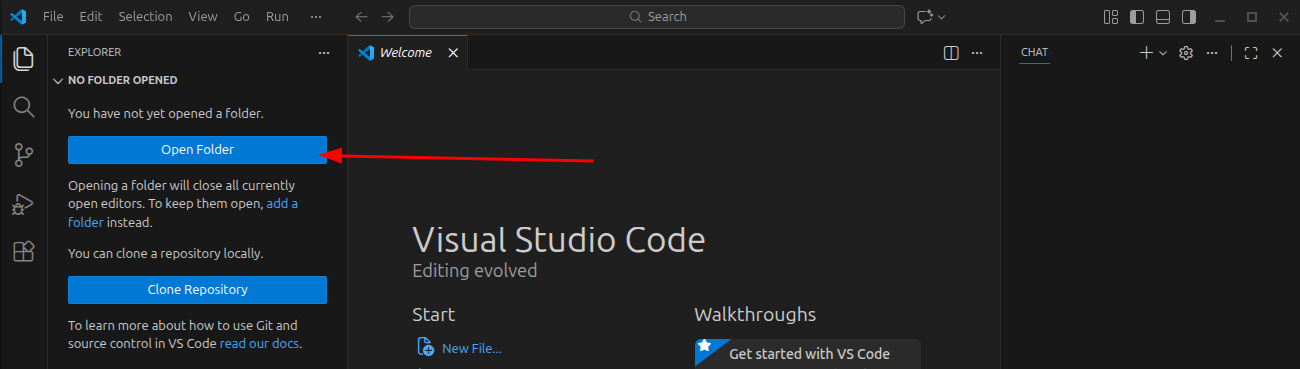
What you do
- Open Visual Studio Code
- Click Open Folder
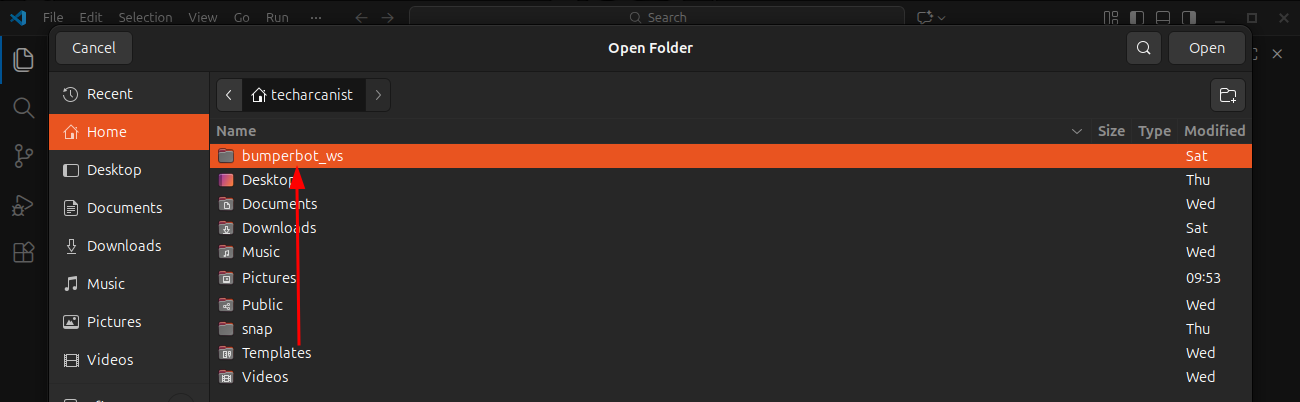
Now
- Select: bumperbot_ws
- Click Yes, I trust the authors
Navigate to the C++ Package
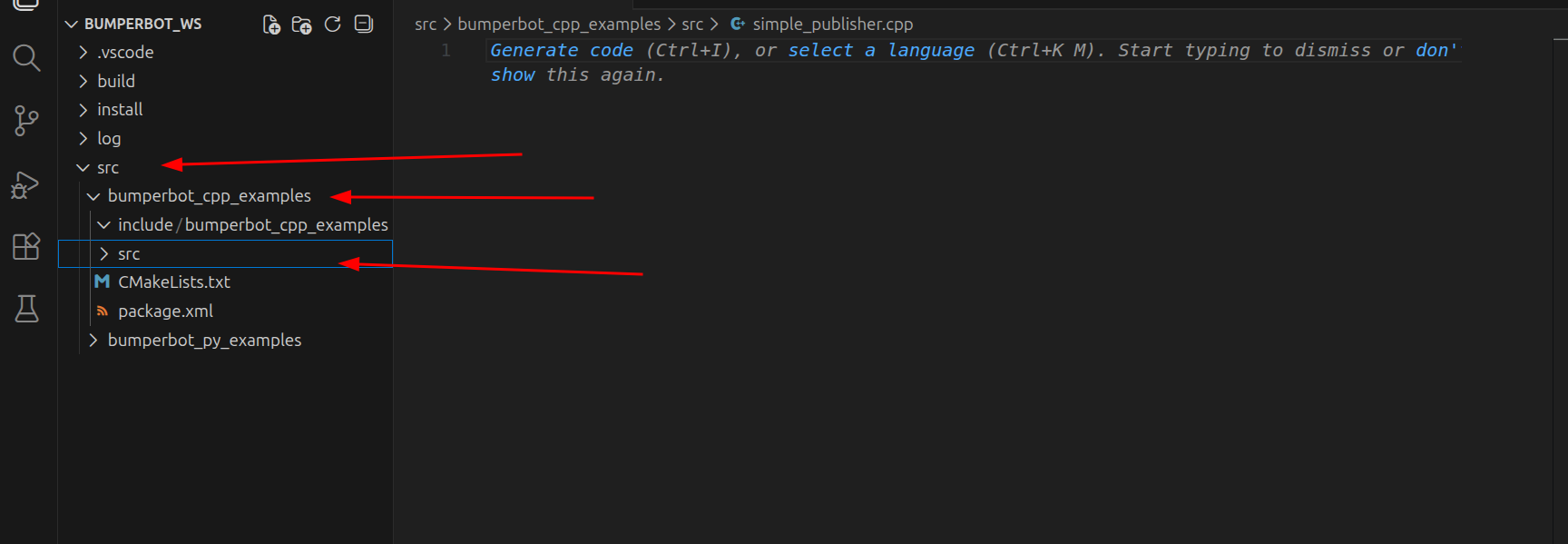
Inside VS Code, go step by step:
src
└── bumperbot_cpp_examples
└── src
Create the C++ Node File
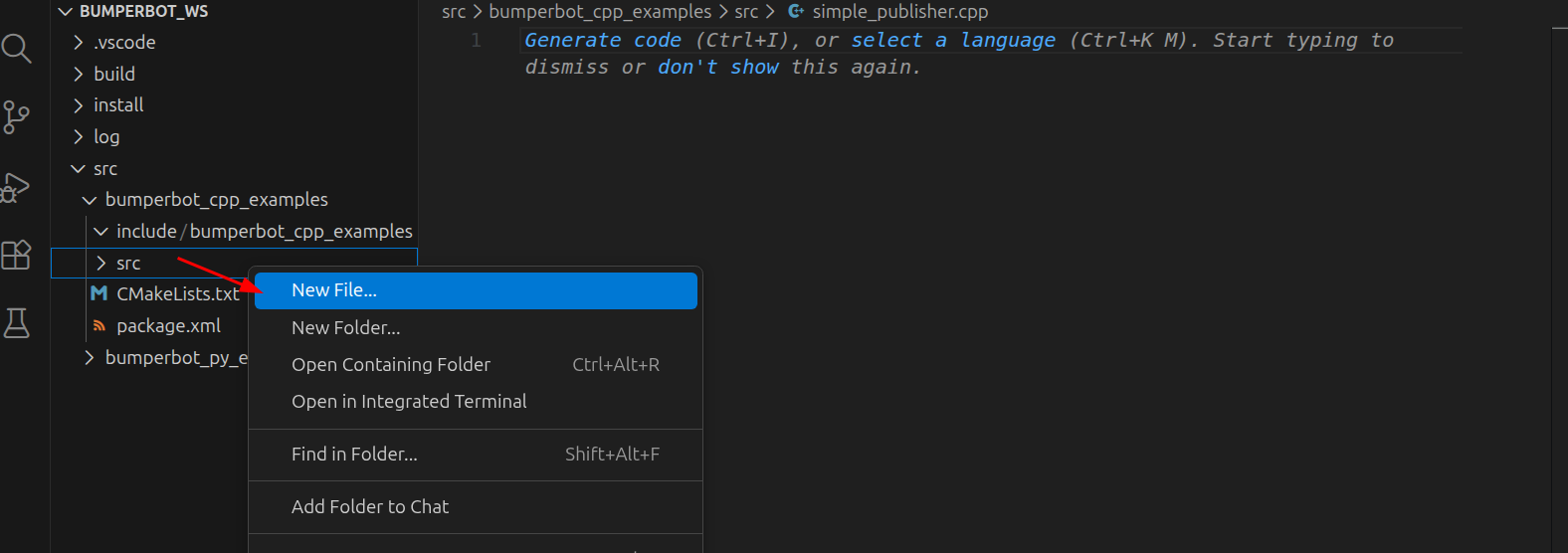
What you do
- Right-click on src
- Click New File
- Name it:
simple_publisher.cpp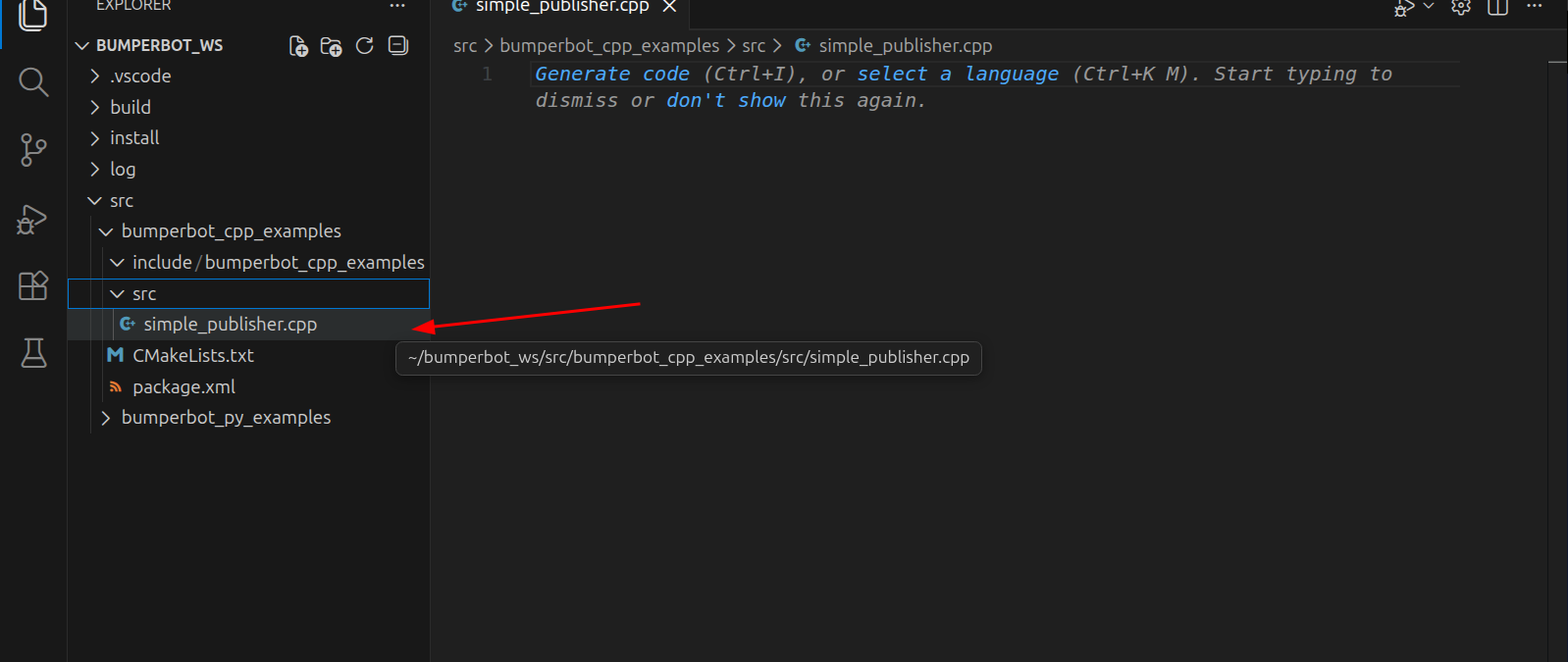
This file will contain our ROS 2 node code.
C++ Node Implementation
<rclcpp/rclcpp.hpp>
<std_msgs/msg/string.hpp>
<chrono>
using namespace std::chrono_literals;
class SimplePublisher : public rclcpp::Node
{
public:
SimplePublisher() : Node("simple_publisher"), counter_(0)
{
pub_ = create_publisher<std_msgs::msg::String>("chatter", 10);
timer_ = create_wall_timer(1s, std::bind(&SimplePublisher::timerCallback, this));
RCLCPP_INFO(get_logger(), "Publishing at 1 Hz");
}
void timerCallback()
{
auto message = std_msgs::msg::String();
message.data = "Hello ROS 2 - counter:" + std::to_string(counter_++);
pub_->publish(message);
}
private:
rclcpp::Publisher<std_msgs::msg::String>::SharedPtr pub_;
rclcpp::TimerBase::SharedPtr timer_;
unsigned int counter_;
};
int main(int argc, char* argv[])
{
rclcpp::init(argc, argv);
auto node = std::make_shared<SimplePublisher>();
rclcpp::spin(node);
rclcpp::shutdown();
return 0;
}simplepublisher.cpp code
CMakeLists.txt
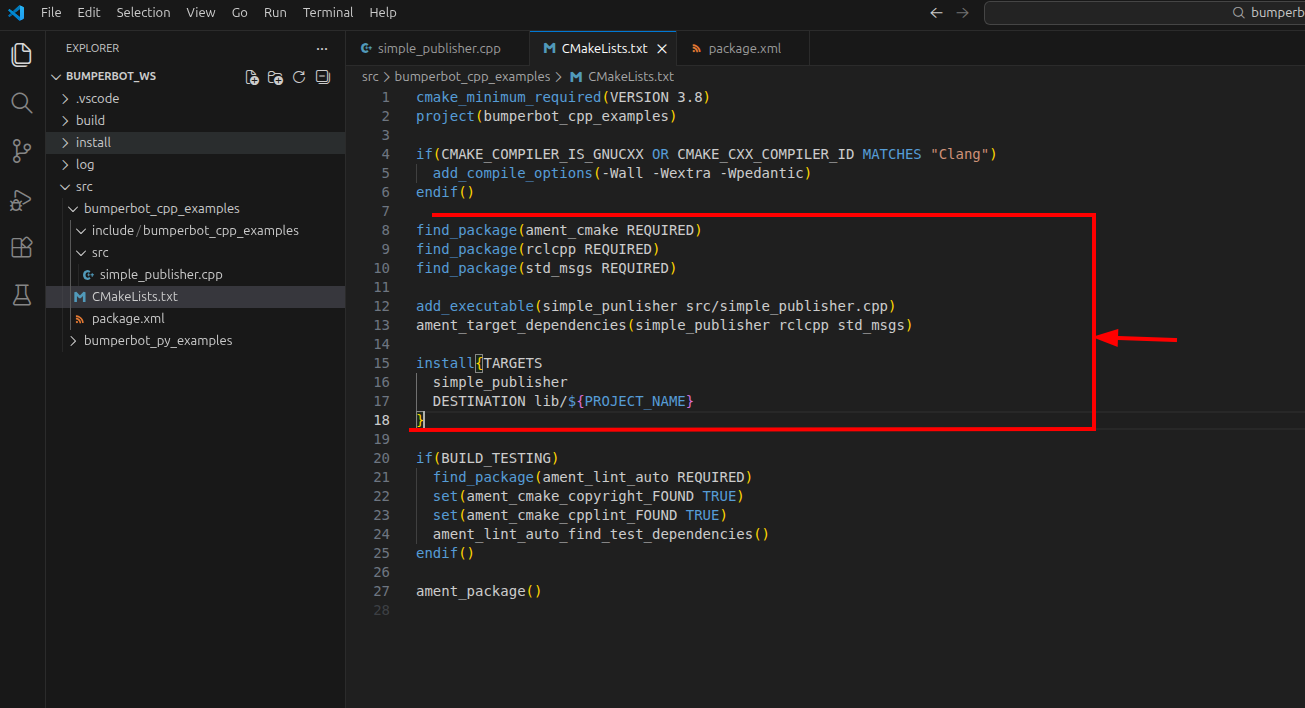
Open: CMakeLists.txt
find_package(ament_cmake REQUIRED)
find_package(rclcpp REQUIRED)
find_package(std_msgs REQUIRED)

add_executable(simple_publisher src/simple_publisher.cpp)
ament_target_dependencies(simple_publisher rclcpp std_msgs)

install(TARGETS
  simple_publisher
  DESTINATION lib/${PROJECT_NAME}
)
Explanation
Short version
find_package(ament_cmake REQUIRED)
find_package(rclcpp REQUIRED)
find_package(std_msgs REQUIRED)
These find the ROS 2 packages/dependencies your code needs.
add_executable(simple_publisher src/simple_publisher.cpp)Means:
simple_publisher→ your executable/target namesrc/simple_publisher.cpp→ your C++ source file
You can change simple_publisher to anything:
add_executable(my_publisher src/simple_publisher.cpp)But then change it everywhere else too:
ament_target_dependencies(my_publisher rclcpp std_msgs)

install(TARGETS
  my_publisher
  DESTINATION lib/${PROJECT_NAME}
)
Finally:
${PROJECT_NAME}is a CMake variable containing the name from:
project(bumperbot_cpp_examples)So ${PROJECT_NAME} = bumperbot_cpp_examples.
Remember:
rclcpp / std_msgs       → ROS 2 dependencies
simple_publisher        → YOUR executable name
simple_publisher.cpp    → YOUR source file
${PROJECT_NAME}         → CMake variable
package.xml
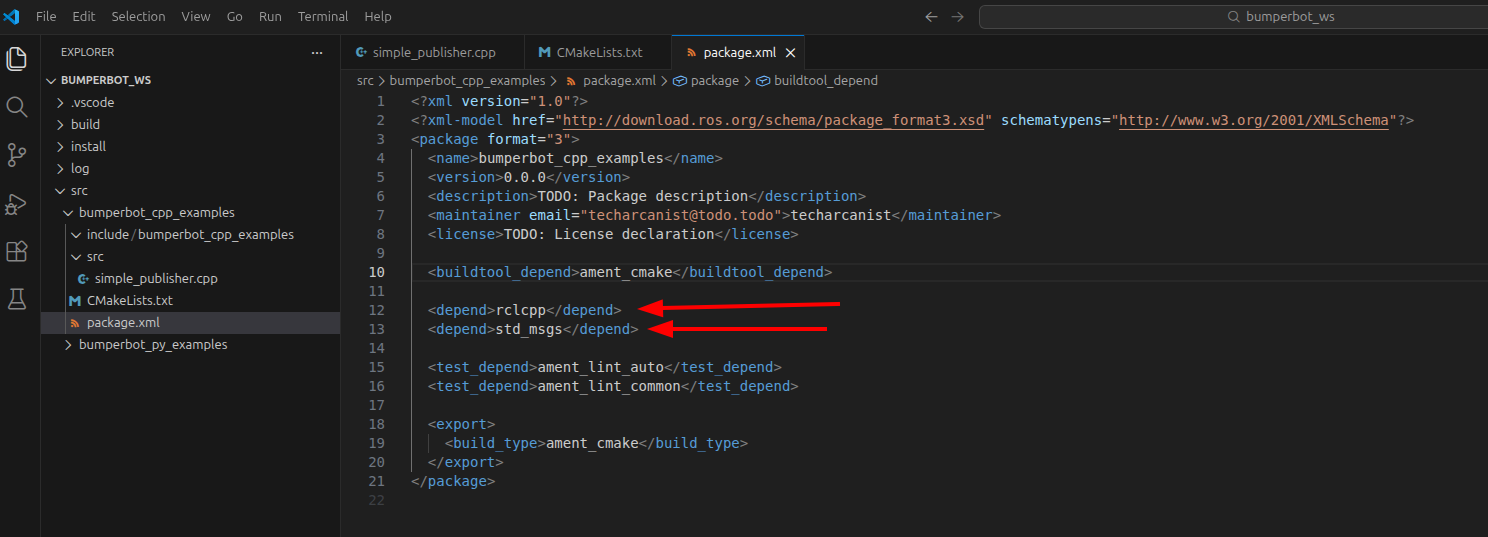
Open: bumperbot_py_examples/package.xml
  <depend>rclcpp</depend>
  <depend>std_msgs</depend>
Explanation
| Word | Meaning |
|---|---|
install | Copies compiled file to install folder |
TARGETS | Which executable to install |
DESTINATION | Where to place it |
lib/${PROJECT_NAME} | Standard ROS 2 install path |
Build the Workspace
cd bumperbot_ws/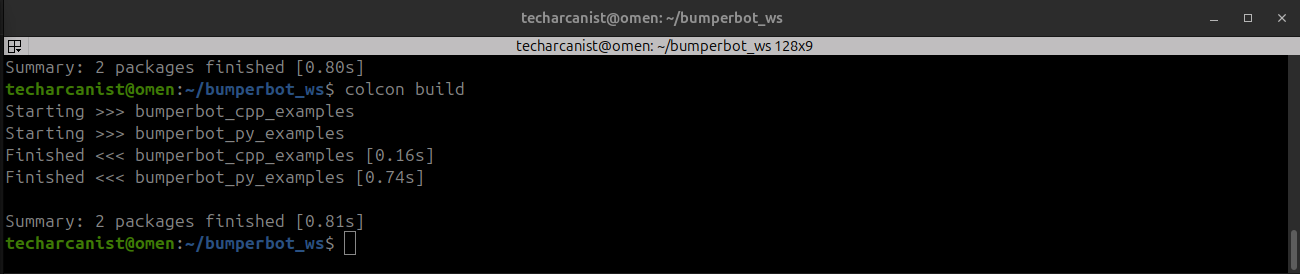
colcon buildConverts cpp script into ROS 2 executable
Activate the Workspace
. install/setup.bashros2 run bumperbot_cpp_examples simple_publisher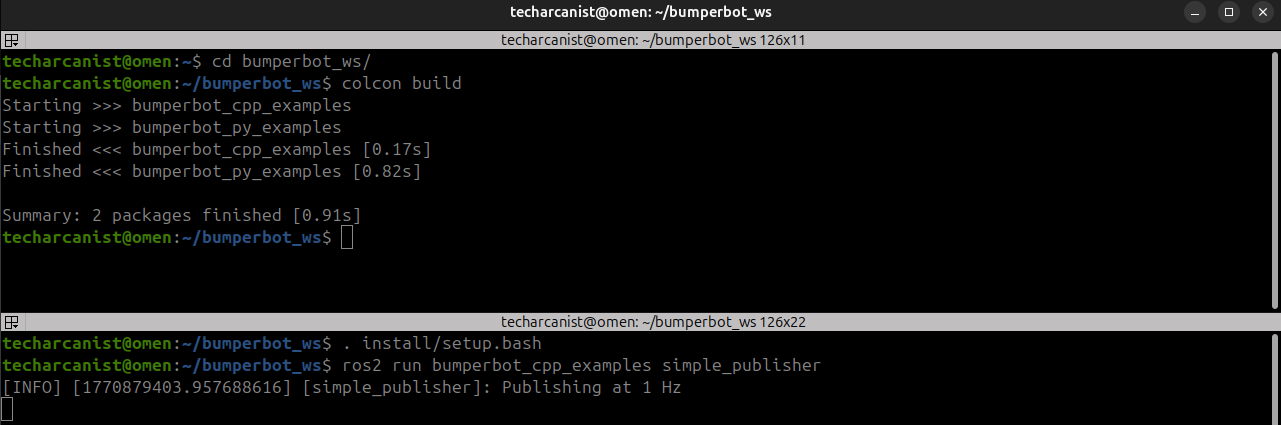
Inspect Topics
ros2 topic list- Shows all active topics in the ROS 2 system
- Topics appear only if some node is using them
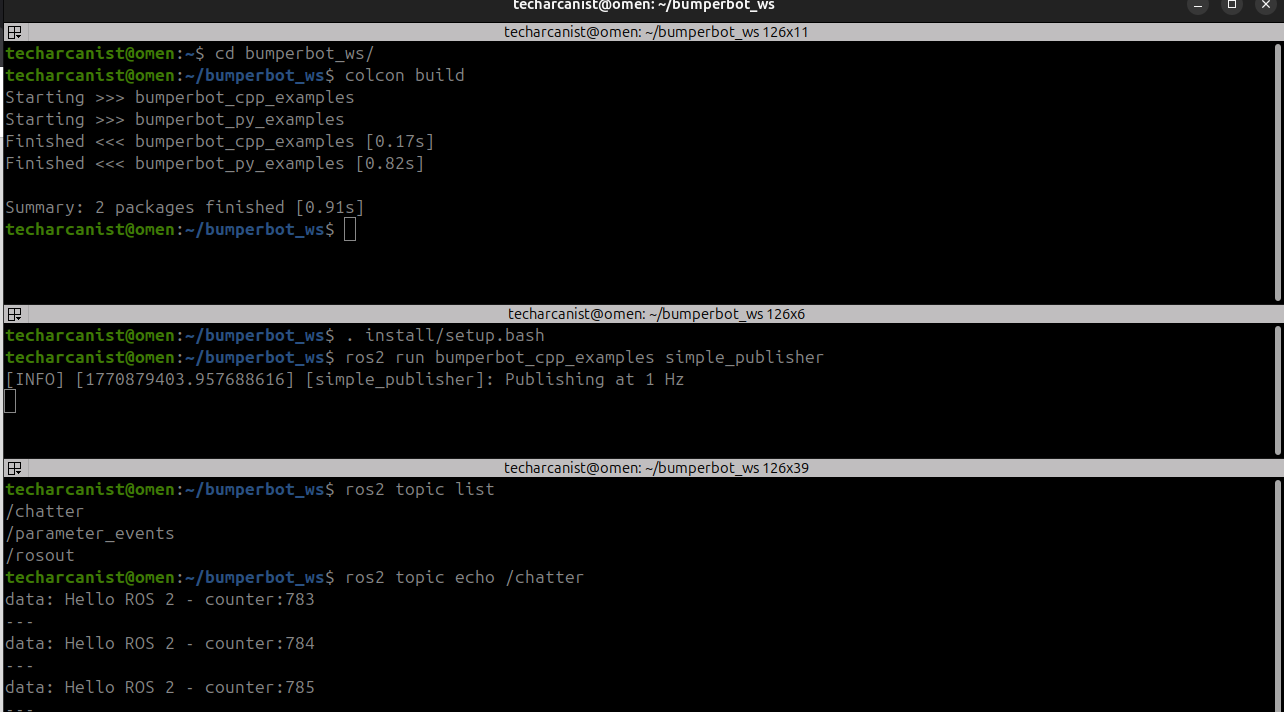
ros2 topic echo /chatter/chatter→ your publisher is running- If
/chatteris NOT listed → publisher is not active
Use this when
- You want to check which topics exist
- You want to verify your node is publishing