
52Chapter 52 of 74
Service Server in Python: AddTwoInts
Introduction
The previous chapter explained what a service is: one node asks with a request, another node does the work and answers with a response. This chapter builds a real one in Python: a service server that adds two whole numbers.
A service needs a description of what goes in and what comes out. ROS 2 has ready-made ones, but here we write our own, called AddTwoInts. It goes in a new package, bumperbot_msgs, that holds only message and service definitions.
The plan:
- Create the package
bumperbot_msgs. - Describe the service in
srv/AddTwoInts.srv: two numbers in, one number out. - Tell
CMakeLists.txtandpackage.xmlto turn that file into code, then build. - Write the server node
simple_service_server.pyand register it insetup.pyandpackage.xml. - Run it and call it from the terminal: 7 and 5 come back as 12.
Why a separate package? As far as I know, ROS 2 generates message and service code with CMake tools (rosidl), so interface files live in an ament_cmake package. A Python package like bumperbot_py_examples then simply uses them.
Create the interface package
Go to the src folder of the workspace and create an ament_cmake package named bumperbot_msgs:
cd ~/bumperbot_ws/srcros2 pkg create --build-type ament_cmake bumperbot_msgs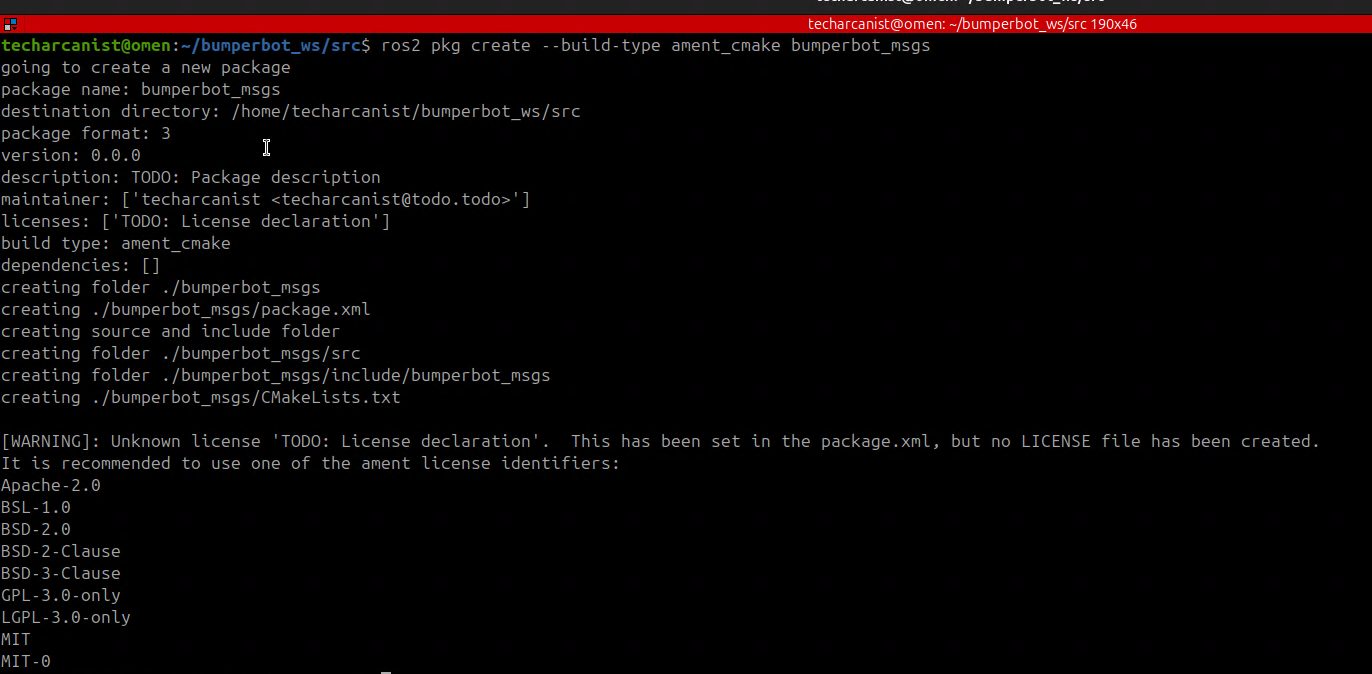
Describe the service: AddTwoInts.srv
Inside bumperbot_msgs, make a folder called srv, and in it a file called AddTwoInts.srv.
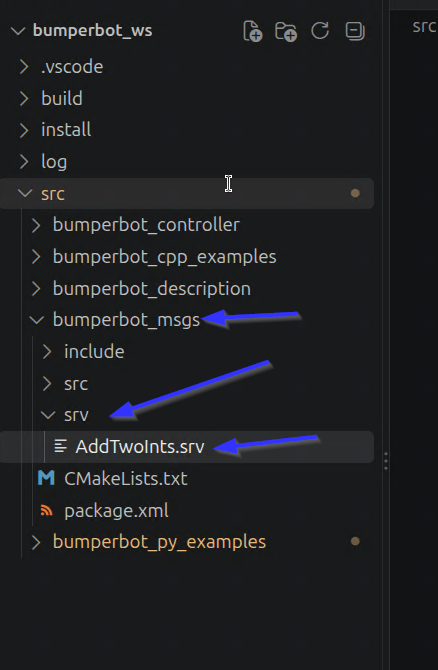
Write this in the file:
# Request
int64 a
int64 b
---
# Response
int64 sum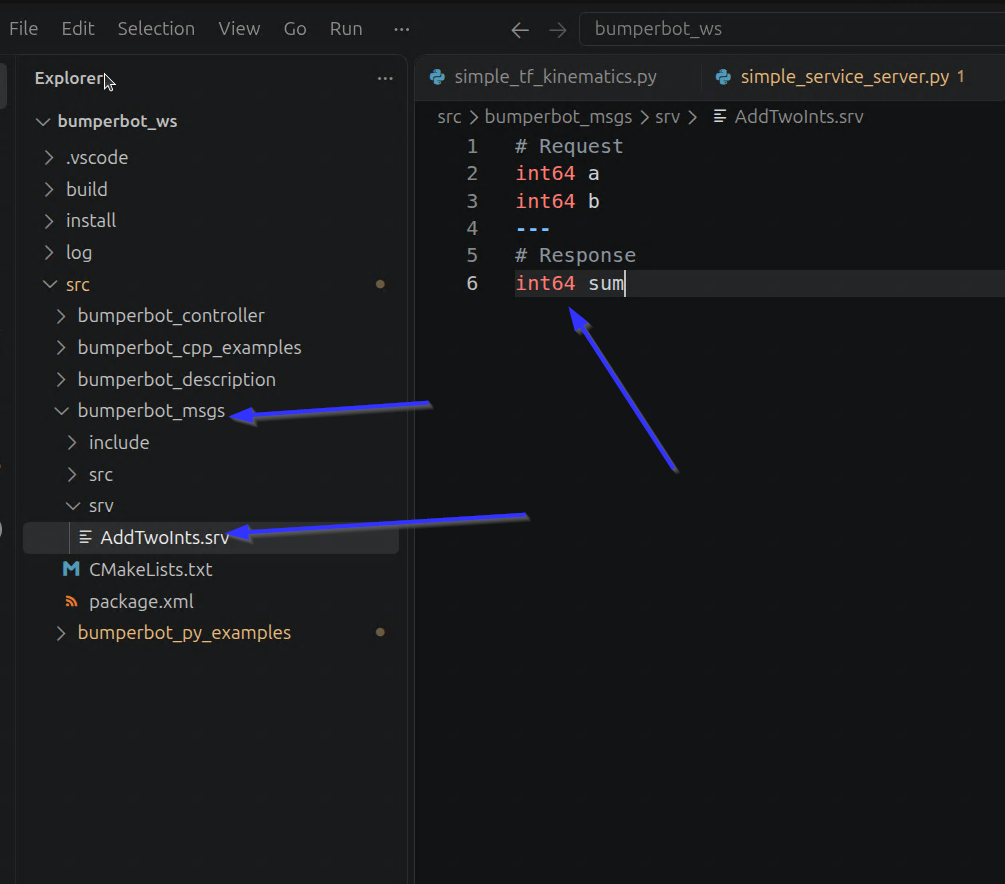
How to read it
- Everything above the line
---is the request: what the caller sends. Here two fields,aandb. - Everything below
---is the response: what the server sends back. Here one field,sum. - Each field is a type and a name.
int64is a whole number that can be very large, positive or negative. - Lines starting with
#are comments for people; the build ignores them.
When the package is built, this small file becomes real Python classes: AddTwoInts.Request with a and b, and AddTwoInts.Response with sum. The picture below shows that step.
Tell the build about it
CMakeLists.txt
Open CMakeLists.txt of bumperbot_msgs.
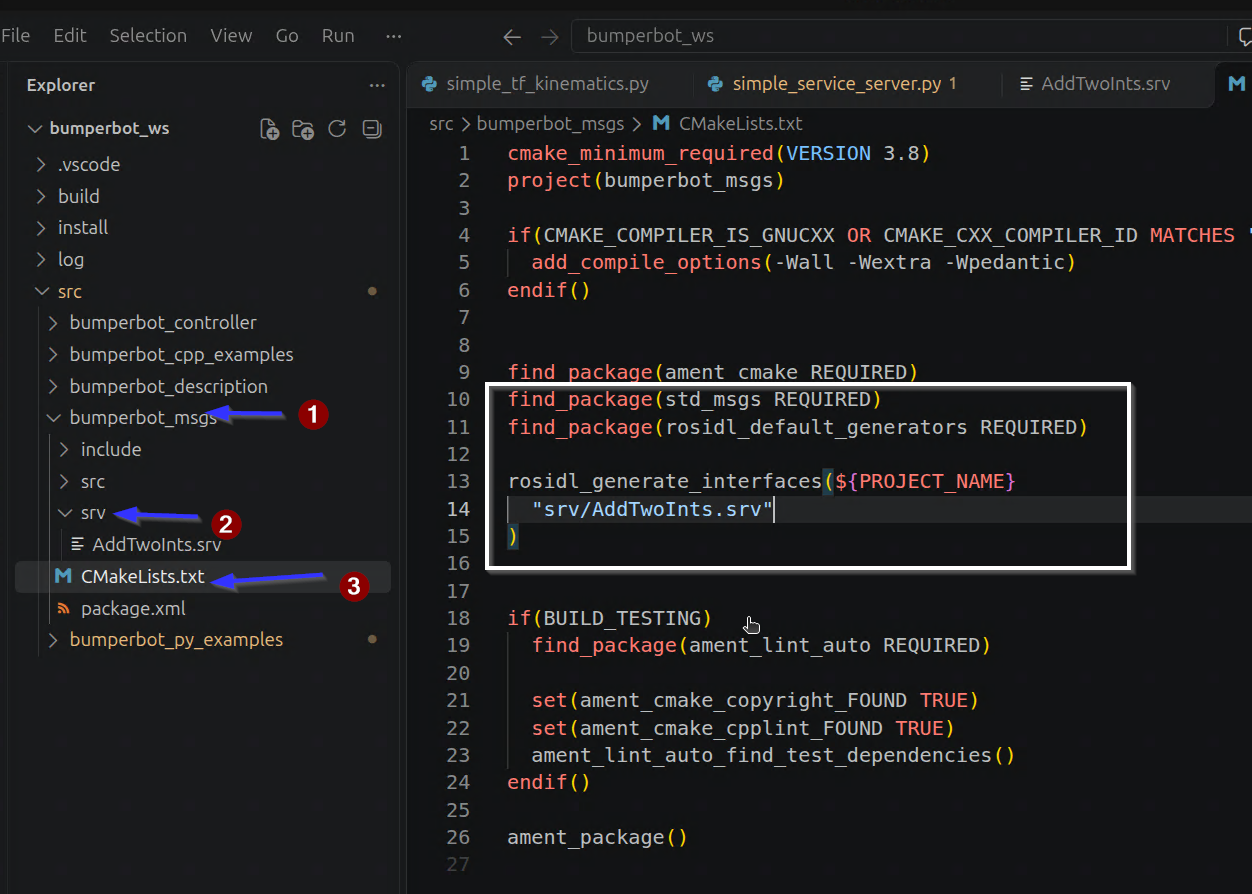
Make it look like this:
cmake_minimum_required(VERSION 3.8)
project(bumperbot_msgs)

if(CMAKE_COMPILER_IS_GNUCXX OR CMAKE_CXX_COMPILER_ID MATCHES "Clang")
  add_compile_options(-Wall -Wextra -Wpedantic)
endif()


find_package(ament_cmake REQUIRED)
find_package(std_msgs REQUIRED)
find_package(rosidl_default_generators REQUIRED)

rosidl_generate_interfaces(${PROJECT_NAME}
  "srv/AddTwoInts.srv"
)


if(BUILD_TESTING)
  find_package(ament_lint_auto REQUIRED)

  set(ament_cmake_copyright_FOUND TRUE)
  set(ament_cmake_cpplint_FOUND TRUE)
  ament_lint_auto_find_test_dependencies()
endif()

ament_package()
The new parts:
find_package(rosidl_default_generators REQUIRED)loads the tools that turn interface files into code.rosidl_generate_interfaces(${PROJECT_NAME} "srv/AddTwoInts.srv")names the file to convert.${PROJECT_NAME}isbumperbot_msgs, set byproject()on line 2.find_package(std_msgs REQUIRED)is not used by this service (it only usesint64), but it does no harm and is handy when later messages use standard types.
package.xml
Open package.xml of bumperbot_msgs.
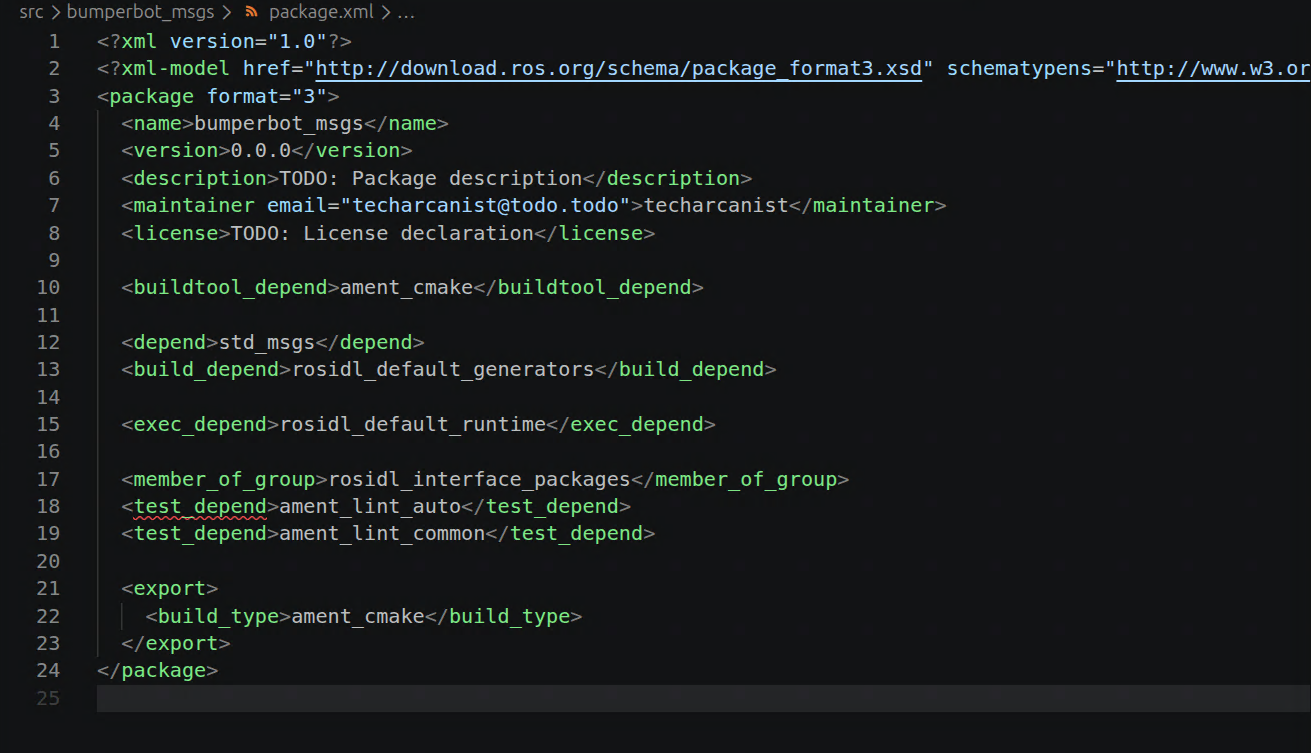
Make it look like this:
<package format="3">
<name>bumperbot_msgs</name>
<version>0.0.0</version>
<description>TODO: Package description</description>
<maintainer email="techarcanist@todo.todo">techarcanist</maintainer>
<license>TODO: License declaration</license>
<buildtool_depend>ament_cmake</buildtool_depend>
<depend>std_msgs</depend>
<build_depend>rosidl_default_generators</build_depend>
<exec_depend>rosidl_default_runtime</exec_depend>
<member_of_group>rosidl_interface_packages</member_of_group>
<test_depend>ament_lint_auto</test_depend>
<test_depend>ament_lint_common</test_depend>
<export>
<build_type>ament_cmake</build_type>
</export>
</package>The new parts:
<build_depend>rosidl_default_generators</build_depend>: the generators are needed while building.<exec_depend>rosidl_default_runtime</exec_depend>: the generated code needs these libraries when it runs.<member_of_group>rosidl_interface_packages</member_of_group>: marks this package as one that holds interfaces. As far as I know, the build refuses to generate interfaces without it.
Build
Go back to the workspace and build, so the Python code can use the new service type:
cd ~/bumperbot_wscolcon build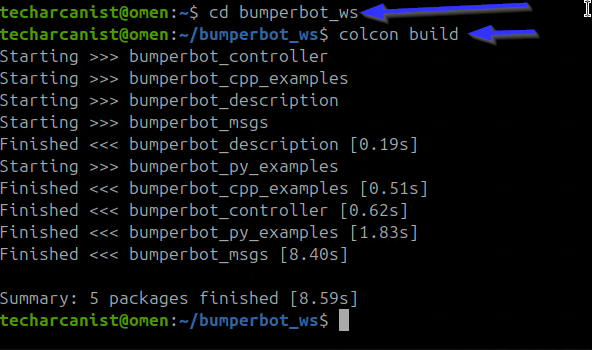
Check that the new type exists. Source the workspace, then show the interface:
. install/setup.bashros2 interface show bumperbot_msgs/srv/AddTwoIntsWhat you should see (newer versions also print the # comment lines)
int64 a
int64 b
---
int64 sum
Write the service server
Create simple_service_server.py inside bumperbot_py_examples/bumperbot_py_examples, next to the other example nodes.
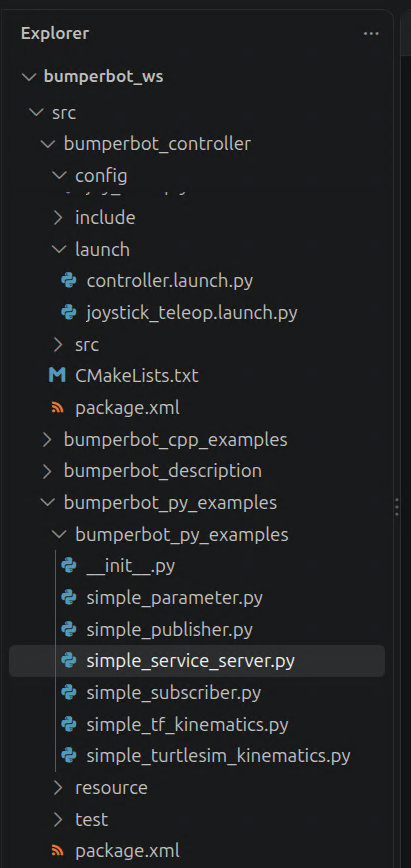
Write this code:
import rclpy
from rclpy.node import Node
from bumperbot_msgs.srv import AddTwoInts


class SimpleServiceServer(Node):

    def __init__(self):
        super().__init__("simple_service_server")
        self.service_ = self.create_service(AddTwoInts, "add_two_ints", self.serviceCallback)
        self.get_logger().info("Service add_two_ints Ready")


    def serviceCallback(self, req, res):
        self.get_logger().info("New Request Received a: %d, b: %d" % (req.a, req.b))
        res.sum = req.a + req.b
        self.get_logger().info("Returning sum: %d" % res.sum)
        return res


def main():
    rclpy.init()

    simple_service_server = SimpleServiceServer()
    rclpy.spin(simple_service_server)

    simple_service_server.destroy_node()
    rclpy.shutdown()


if __name__ == '__main__':
    main()
What it does, in short
- Line 3 imports the service type generated from
AddTwoInts.srv. - Line 10 creates the server: type
AddTwoInts, nameadd_two_ints, and the function to call for every request,serviceCallback. - Lines 14 to 18: for each request, ROS 2 passes the request (
req) and an empty response (res). The callback logs the numbers, fillsres.sumand returnsres, which ROS 2 sends back to the caller. main()starts ROS 2, creates the node and keeps it waiting for requests withrclpy.spin.
How the code works, line by line
The visualizer below covers this file and the four files around it: AddTwoInts.srv, CMakeLists.txt, package.xml and the two lines added in setup.py and package.xml. Pick a level, click any line, follow a request through the code, or break something on purpose.
Register the node
In setup.py of bumperbot_py_examples, add the new executable to console_scripts:
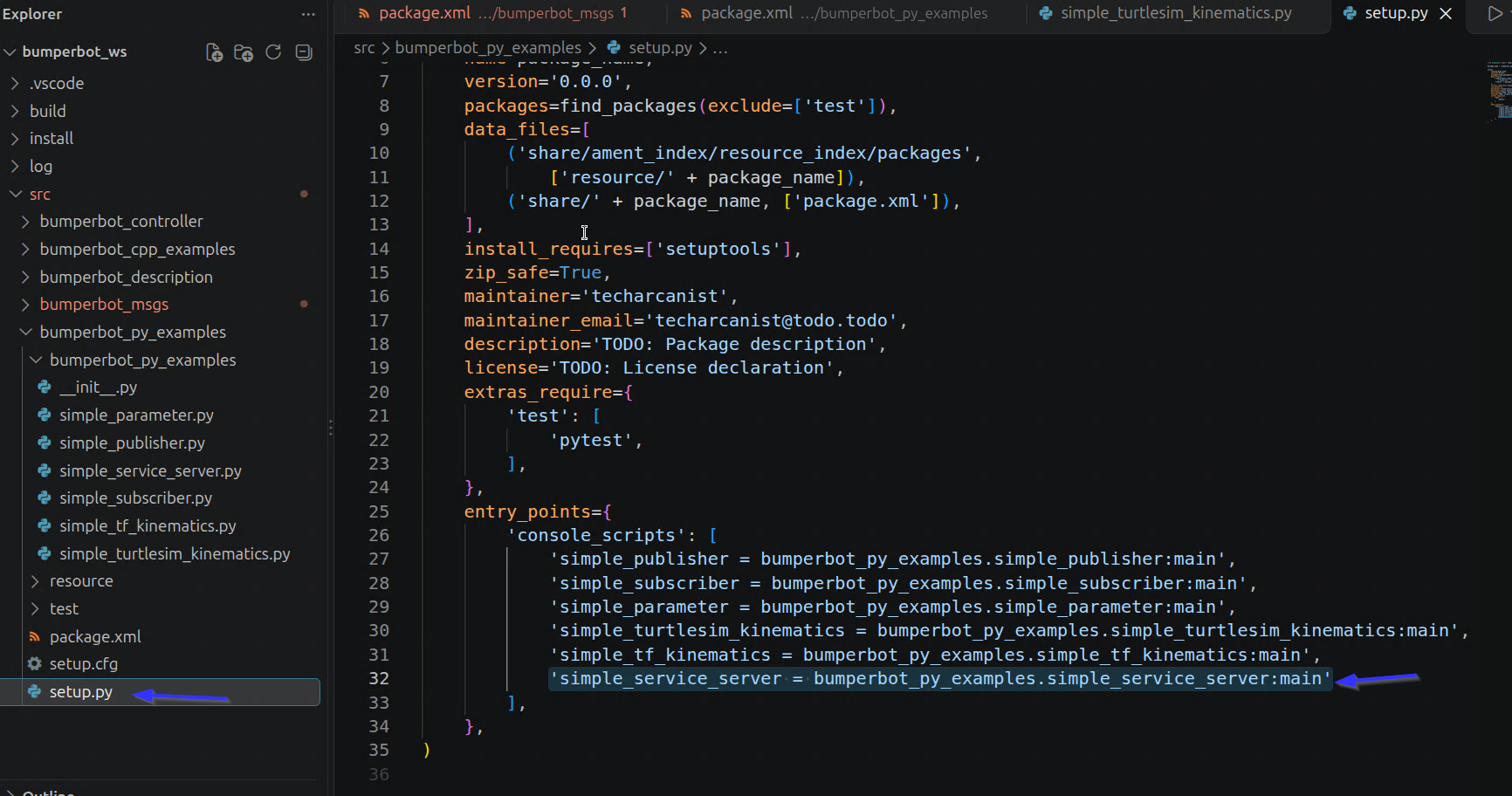
entry_points={
    'console_scripts': [
        # ... the executables you added earlier stay here ...
        'simple_service_server = bumperbot_py_examples.simple_service_server:main',
    ],
},
The part before = is the name used with ros2 run. The part after is the module (simple_service_server.py) and the function to start (main).
In package.xml of bumperbot_py_examples, add the new package as a dependency, because the node imports from it:
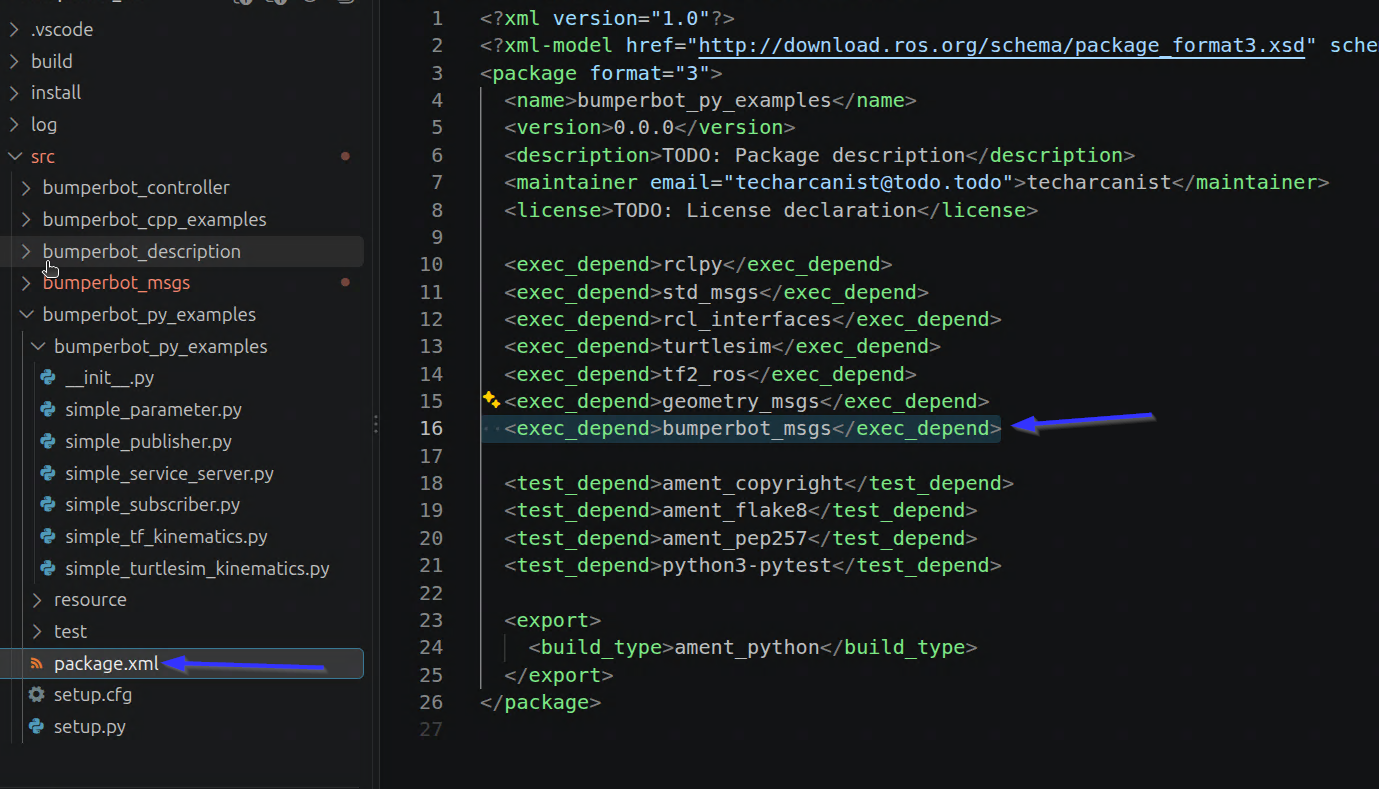
<exec_depend>bumperbot_msgs</exec_depend>Build, run and test
Start the server
Build again, because setup.py and package.xml changed:
cd ~/bumperbot_wscolcon build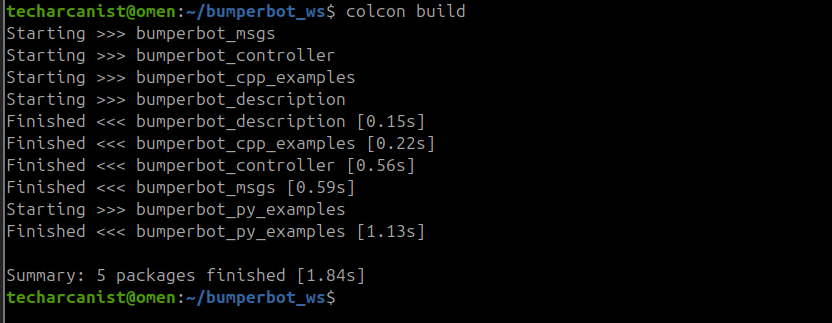
Open a new terminal (terminal 1). Source the workspace and start the node:
cd ~/bumperbot_ws. install/setup.bashros2 run bumperbot_py_examples simple_service_serverWhat you should see (the number in the first brackets is the time, so yours differs)
[INFO] [1794209330.489125457] [simple_service_server]: Service add_two_ints Ready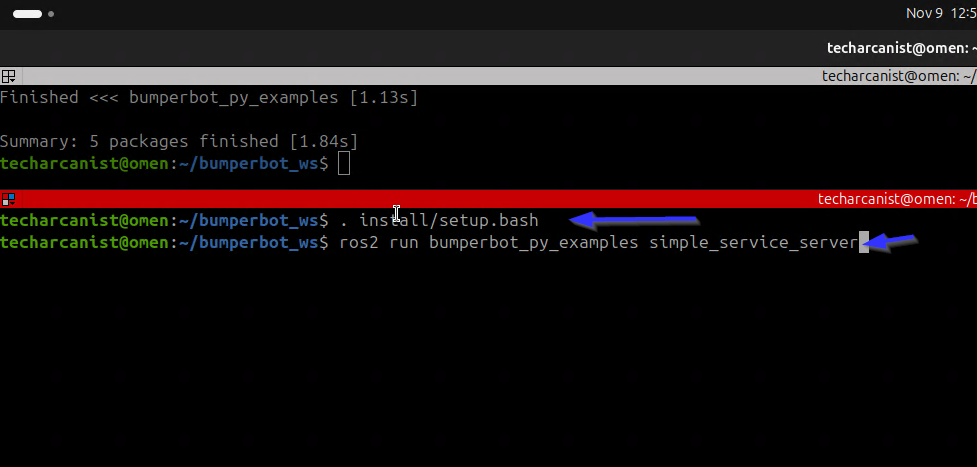
Leave this terminal running. The server waits here for requests.
See the service
Open another terminal (terminal 2). Source the workspace and list the services:
cd ~/bumperbot_ws. install/setup.bashros2 service listWhat you should see
/add_two_ints
/simple_service_server/describe_parameters
/simple_service_server/get_parameter_types
/simple_service_server/get_parameters
/simple_service_server/get_type_description
/simple_service_server/list_parameters
/simple_service_server/set_parameters
/simple_service_server/set_parameters_atomically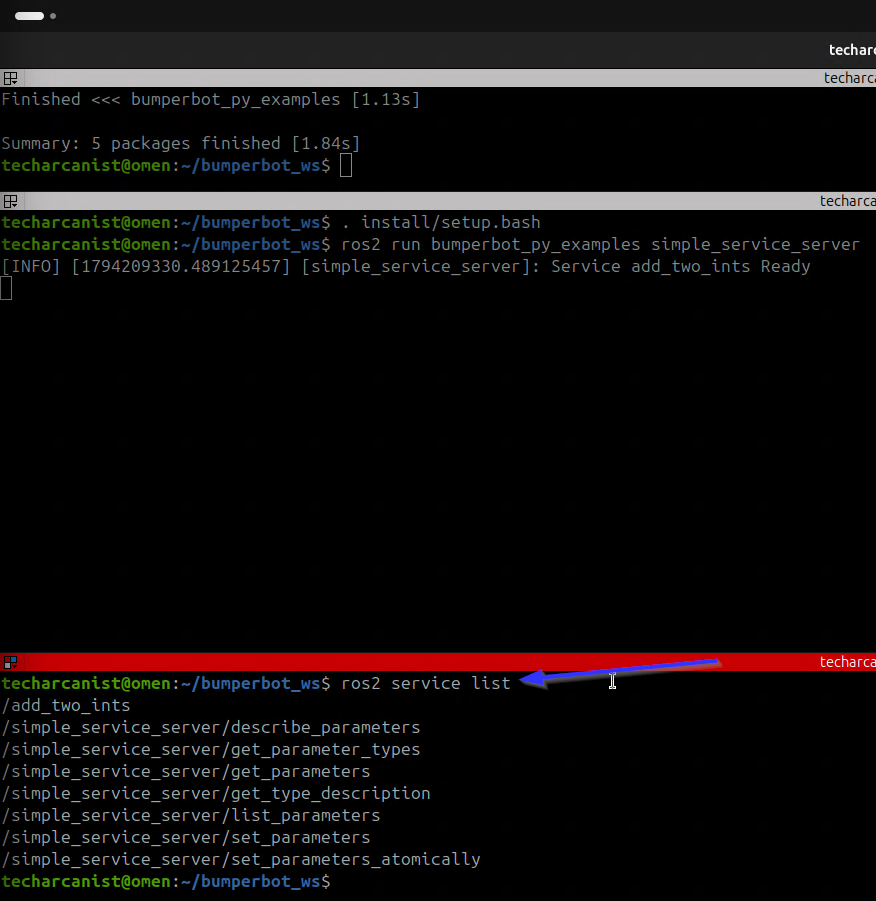
/add_two_ints is ours. The other seven are parameter services that, as far as I know, every rclpy node creates for itself.
Call it from the terminal
In terminal 2 (already sourced), send one request with a = 7 and b = 5. This one line is ready to copy:
ros2 service call /add_two_ints bumperbot_msgs/srv/AddTwoInts "{a: 7, b: 5}"What you should see
waiting for service to become available...
requester: making request: bumperbot_msgs.srv.AddTwoInts_Request(a=7, b=5)

response:
bumperbot_msgs.srv.AddTwoInts_Response(sum=12)
Typing it yourself? Let Tab fill in the long parts:
- Type
ros2 service call /add_two_intsand press Tab twice: the typebumperbot_msgs/srv/AddTwoIntsis added. - Type a space and
"a, then press Tab twice: a request template appears,"a: 0andb: 0". - Change the numbers to 7 and 5 and press Enter.
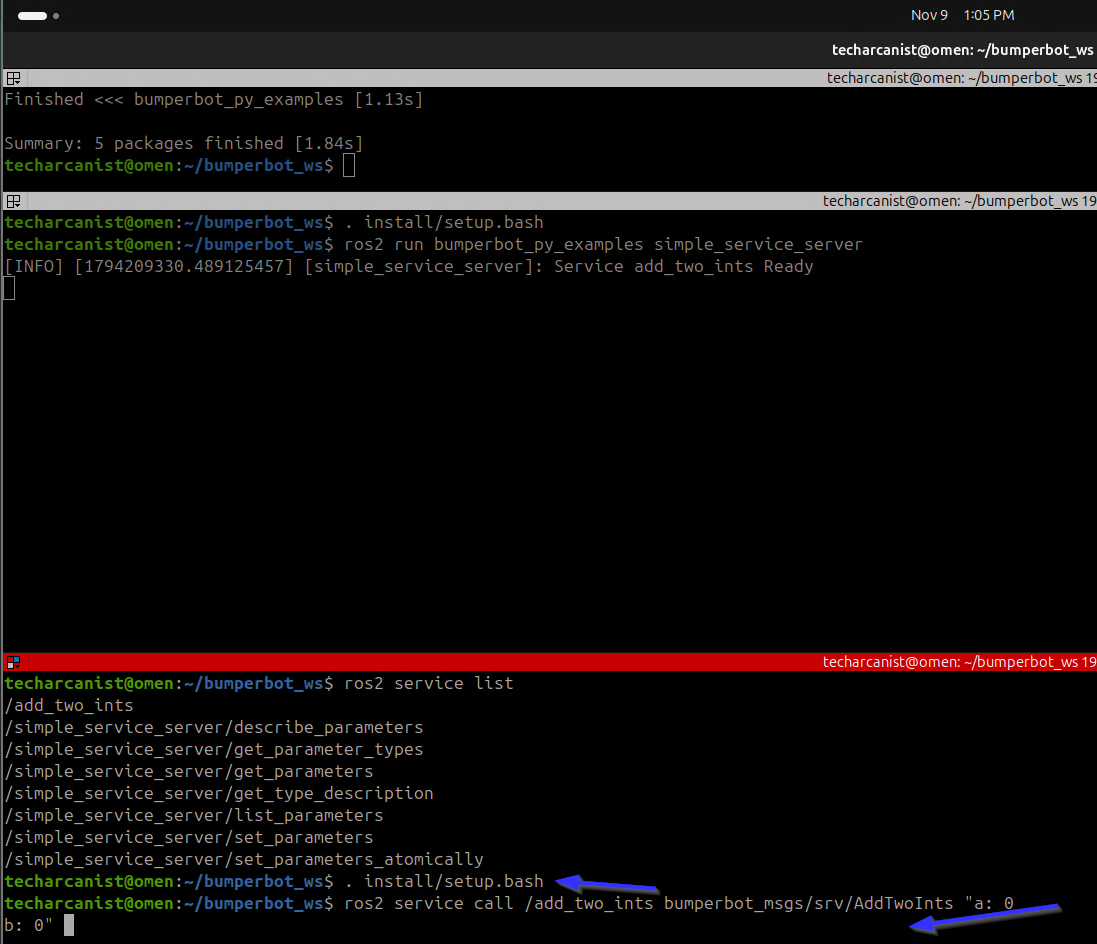
Tab completion builds the same request over two lines. That form works too, and can also be copied:
ros2 service call /add_two_ints bumperbot_msgs/srv/AddTwoInts "a: 7
b: 5"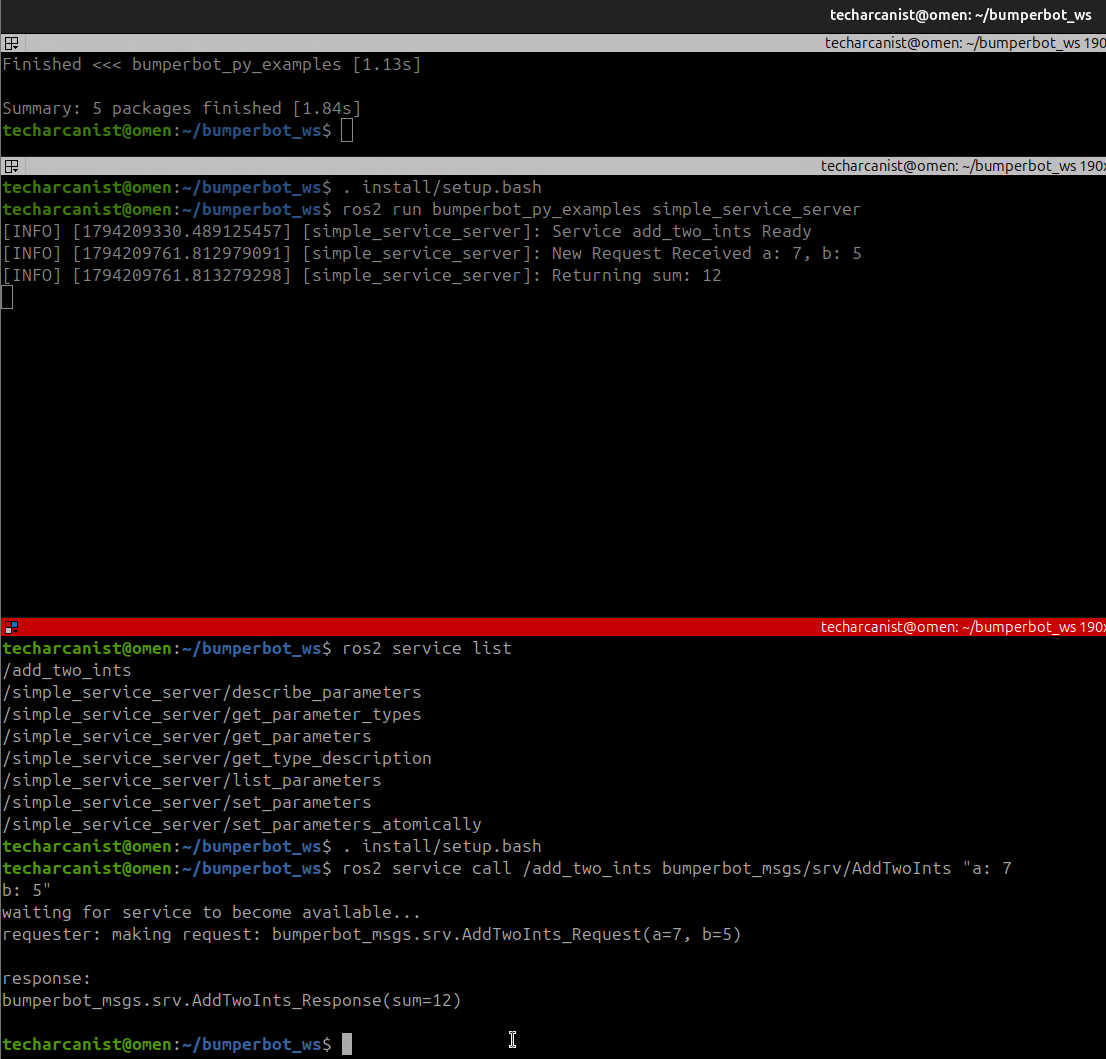
The terminal acts as the client: it waits for the service, sends the request with a = 7 and b = 5, and prints the response sum=12.
What the server printed

What terminal 1 (the server) now shows
[INFO] [1794209330.489125457] [simple_service_server]: Service add_two_ints Ready
[INFO] [1794209761.812979091] [simple_service_server]: New Request Received a: 7, b: 5
[INFO] [1794209761.813279298] [simple_service_server]: Returning sum: 12
The first line appeared when the node started. The other two appeared only when the request arrived: the callback runs once per request, not in a loop.
Remember
- A
.srvfile has a request part and a response part, separated by---. - Interfaces live in an
ament_cmakepackage and needrosidl_generate_interfaces, the generator and runtime dependencies, andmember_of_group. - A server is created with
create_service(type, name, callback). The callback gets the request and an empty response, fills the response and must return it. - A node that imports a service type needs that package as a dependency in its own
package.xml. ros2 service listshows the service;ros2 service callacts as a client for testing.