
09Chapter 9 of 51
ROS 2 C++ Subscriber
NOTE: I will be prioritizing Python and temporarily pausing C++ implementations after Chapter 36. You can go through the C++ chapters covered up to Chapter 36. After that, I will complete the remaining topics in Python first, then revisit the skipped chapters to add their C++ implementations.
A ROS 2 publisher sends messages to a topic, while a subscriber listens to the same topic and receives those messages. When a new message is published, the subscriber receives it and prints the message in the terminal.
ROS 2 also allows publishers and subscribers written in different programming languages, such as Python and C++, to communicate through the same topic.
Create one file
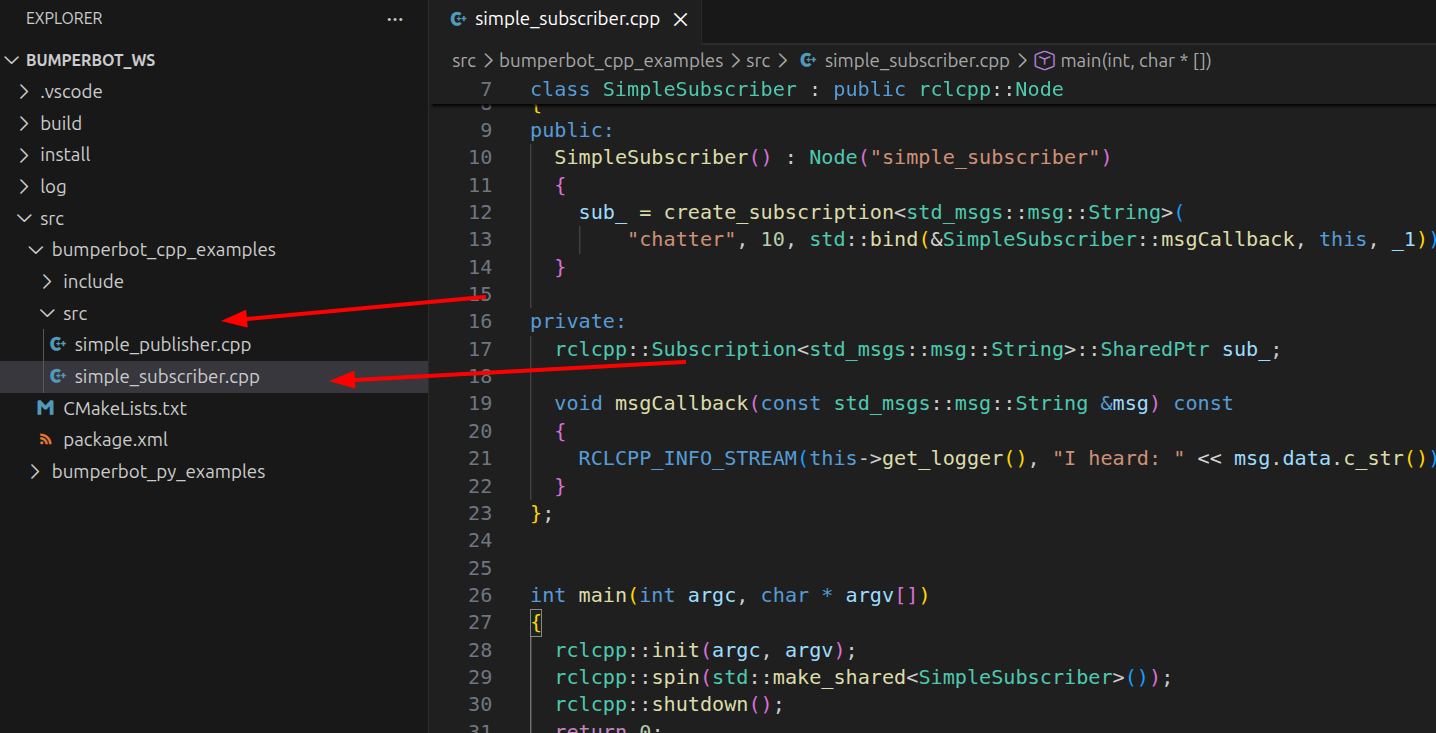
Create one file inside src folder
simple_subscriber.cppCode for simple_subscriber.cpp
<rclcpp/rclcpp.hpp>
<std_msgs/msg/string.hpp>
using std::placeholders::_1;
class SimpleSubscriber : public rclcpp::Node
{
public:
SimpleSubscriber() : Node("simple_subscriber")
{
sub_ = create_subscription<std_msgs::msg::String>(
"chatter", 10, std::bind(&SimpleSubscriber::msgCallback, this, _1));
}
private:
rclcpp::Subscription<std_msgs::msg::String>::SharedPtr sub_;
void msgCallback(const std_msgs::msg::String &msg) const
{
RCLCPP_INFO_STREAM(this->get_logger(), "I heard: " << msg.data.c_str());
}
};
int main(int argc, char * argv[])
{
rclcpp::init(argc, argv);
rclcpp::spin(std::make_shared<SimpleSubscriber>());
rclcpp::shutdown();
return 0;
}Explanation for simple_subscriber.cpp
Modify CMakeLists File
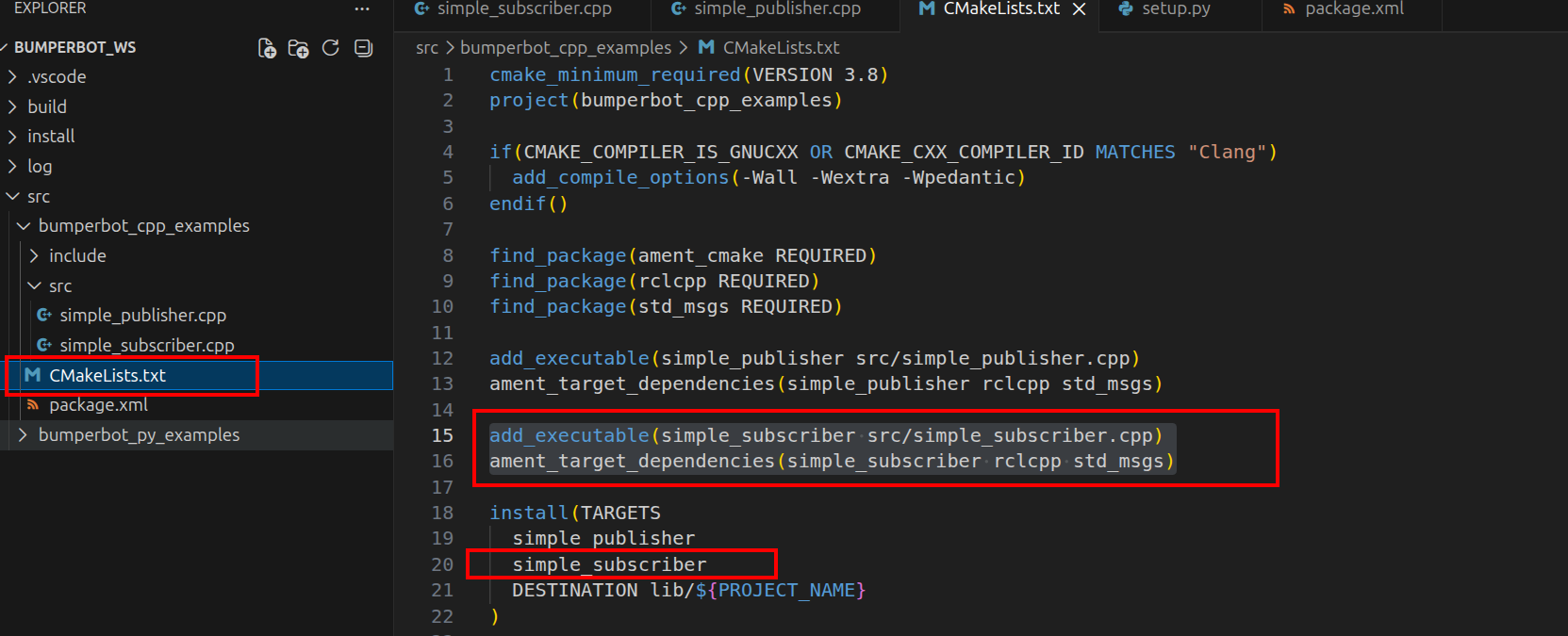
add_executable(simple_subscriber src/simple_subscriber.cpp)
ament_target_dependencies(simple_subscriber rclcpp std_msgs)

install(TARGETS
  simple_publisher
  simple_subscriber
  DESTINATION lib/${PROJECT_NAME}
)
Build the Workspace
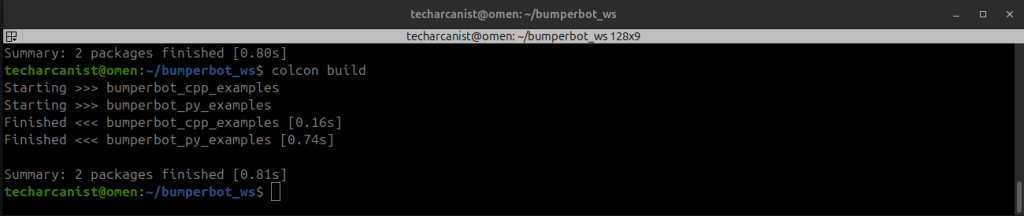
cd bumperbot_wscolcon buildSource the workspace & Run the Node
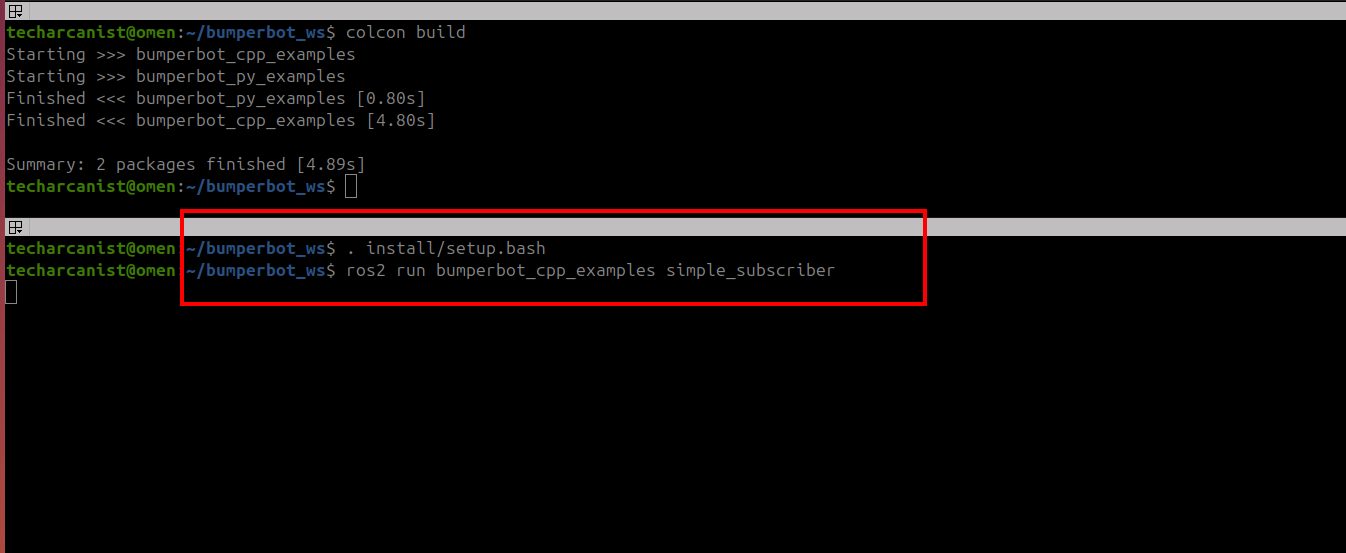
. install/setup.bashros2 run bumperbot_cpp_examples simple_subscriberPublish a message
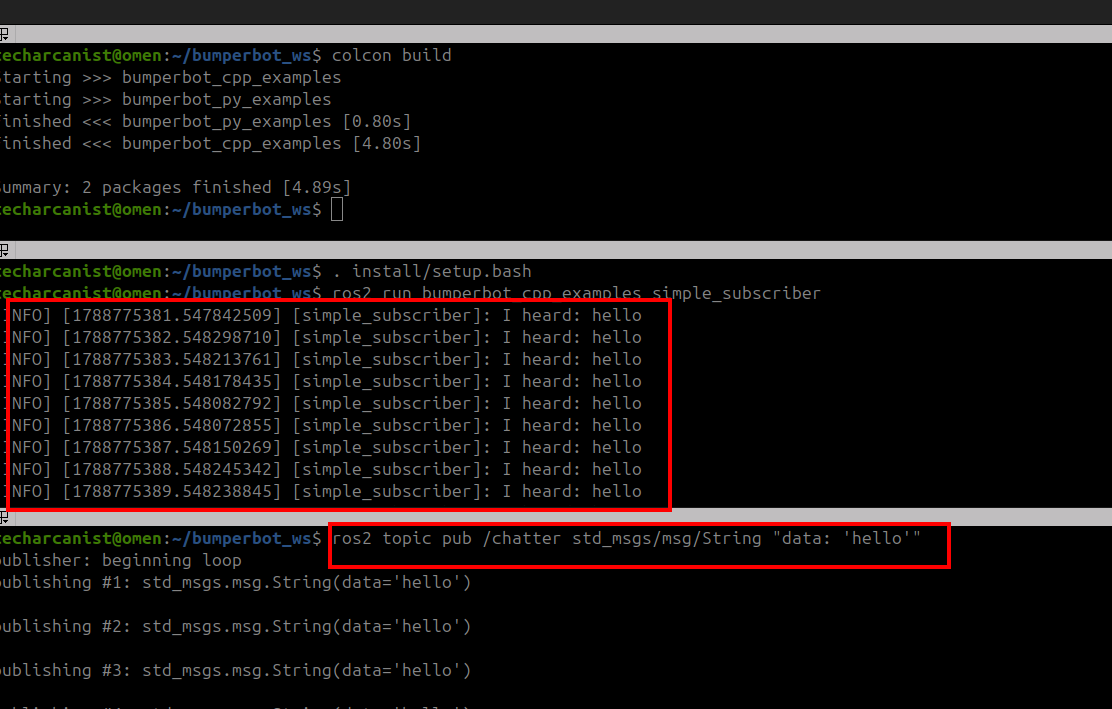
ros2 topic pub /chatter std_msgs/msg/String "data: 'hello'"As shown in the image, we first published a message from one terminal using the publisher node. In a second terminal, we ran the subscriber node. The subscriber successfully received and displayed the published message in the subscriber terminal.
Run Publishing Node
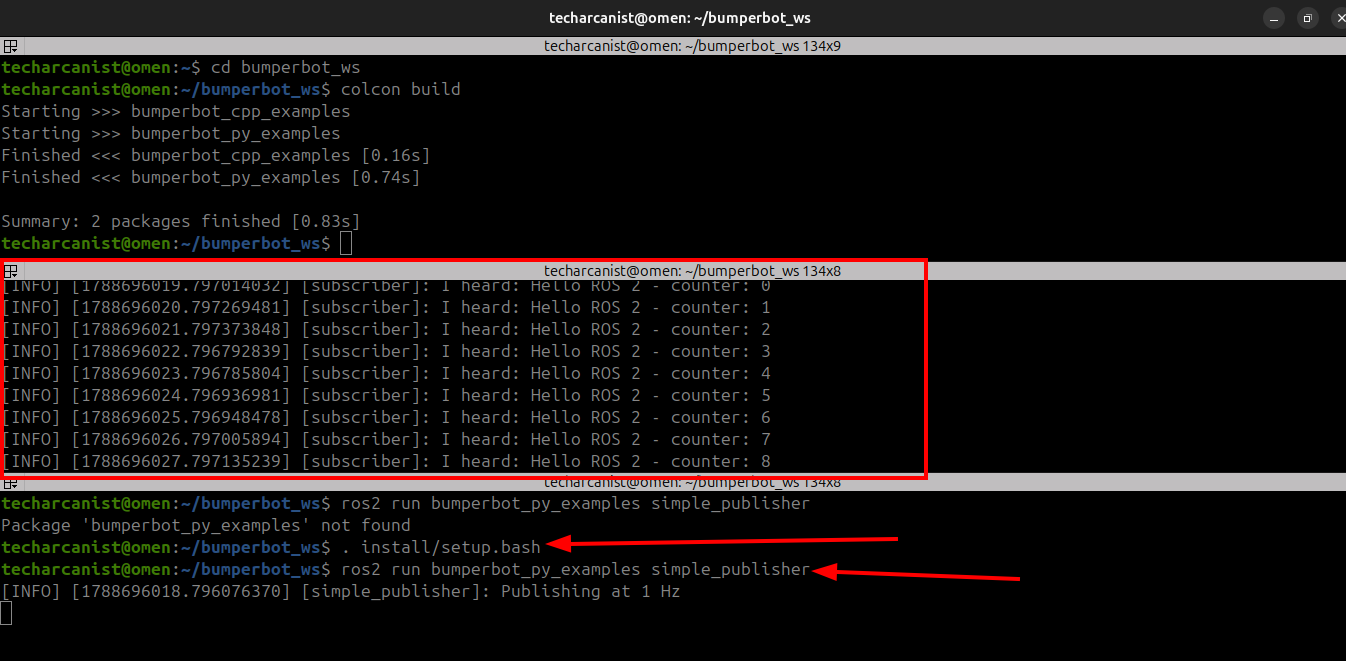
. install/setup.bashros2 run bumperbot_py_examples simple_publisherAs shown in the image, when we run the publisher node, the subscriber node automatically starts receiving and printing the published messages in the subscriber terminal.