
57Chapter 57 of 74
tf2 Tools: view_frames and tf2_echo
Introduction
The node simple_tf_kinematics now publishes two transforms: a fixed one, bumperbot_base → bumperbot_top, and a moving and turning one, odom → bumperbot_base. RViz shows them as a picture, but two small command line tools from tf2 show them as facts:
- view_frames (package
tf2_tools) listens for a few seconds and draws the whole TF tree into a PDF: which frame is the parent of which, who sends each transform and how often. - tf2_echo (package
tf2_ros) prints one chosen transform about once per second: the translation, the rotation in three forms, and the full 4 by 4 matrix.
The node from the Euler to Quaternion chapter is used here unchanged. Nothing new needs to be written.
Run the node
In the first terminal, go to the workspace, source it and start the node:
cd ~/bumperbot_ws. install/setup.bashros2 run bumperbot_py_examples simple_tf_kinematicsWhat you should see
[INFO] [1794304082.175186097] [simple_tf_kinematics]: Publishing static transform between bumperbot_base and bumperbot_top
See the whole tree: view_frames
Open a second terminal, source the workspace and run:
cd ~/bumperbot_ws. install/setup.bashros2 run tf2_tools view_framesWhat you should see (shortened)
[INFO] [view_frames]: Listening to tf data for 5.0 seconds...
[INFO] [view_frames]: Generating graph...
[INFO] [view_frames]: Result:tf2_msgs.srv.FrameGraph_Response(frame_yaml="bumperbot_base: \n parent: 'odom' ... rate: 10.200 ... bumperbot_top: \n parent: 'bumperbot_base' ... rate: 10000.000 ...")
[INFO] [view_frames]: Exporting graph in frames_2026-11-10_15.20.20.pdf file...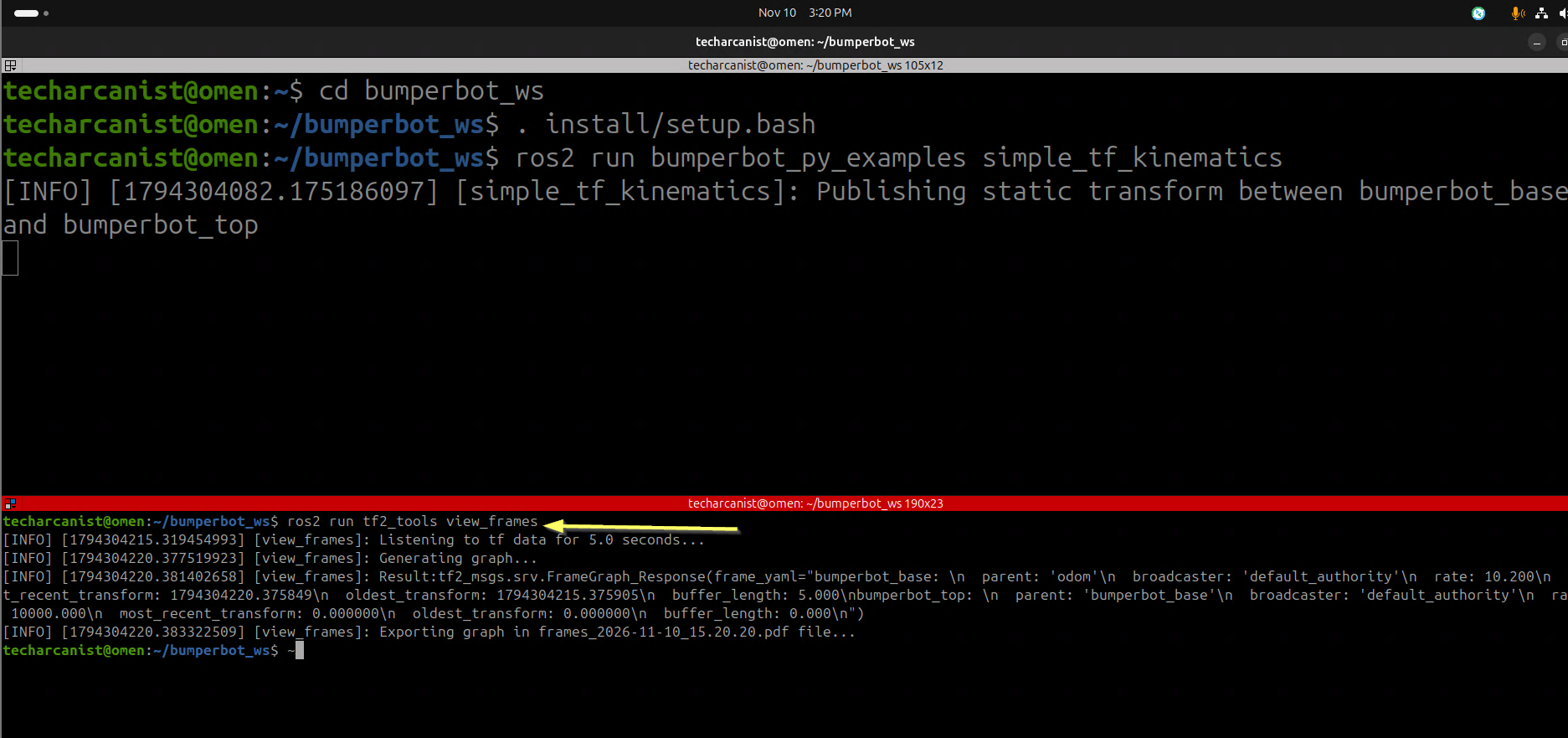
view_frames listened for 5 seconds and saved the graph in the folder where it was started (here ~/bumperbot_ws). The file name contains the date and time, so it is different every time. List the files to find it:
ls frames_*.pdfWhat you should see
frames_2026-11-10_15.20.20.pdfOpen the PDF
Open it with the document viewer evince, using the file name from the list (this is the one from the run above):
evince frames_2026-11-10_15.20.20.pdf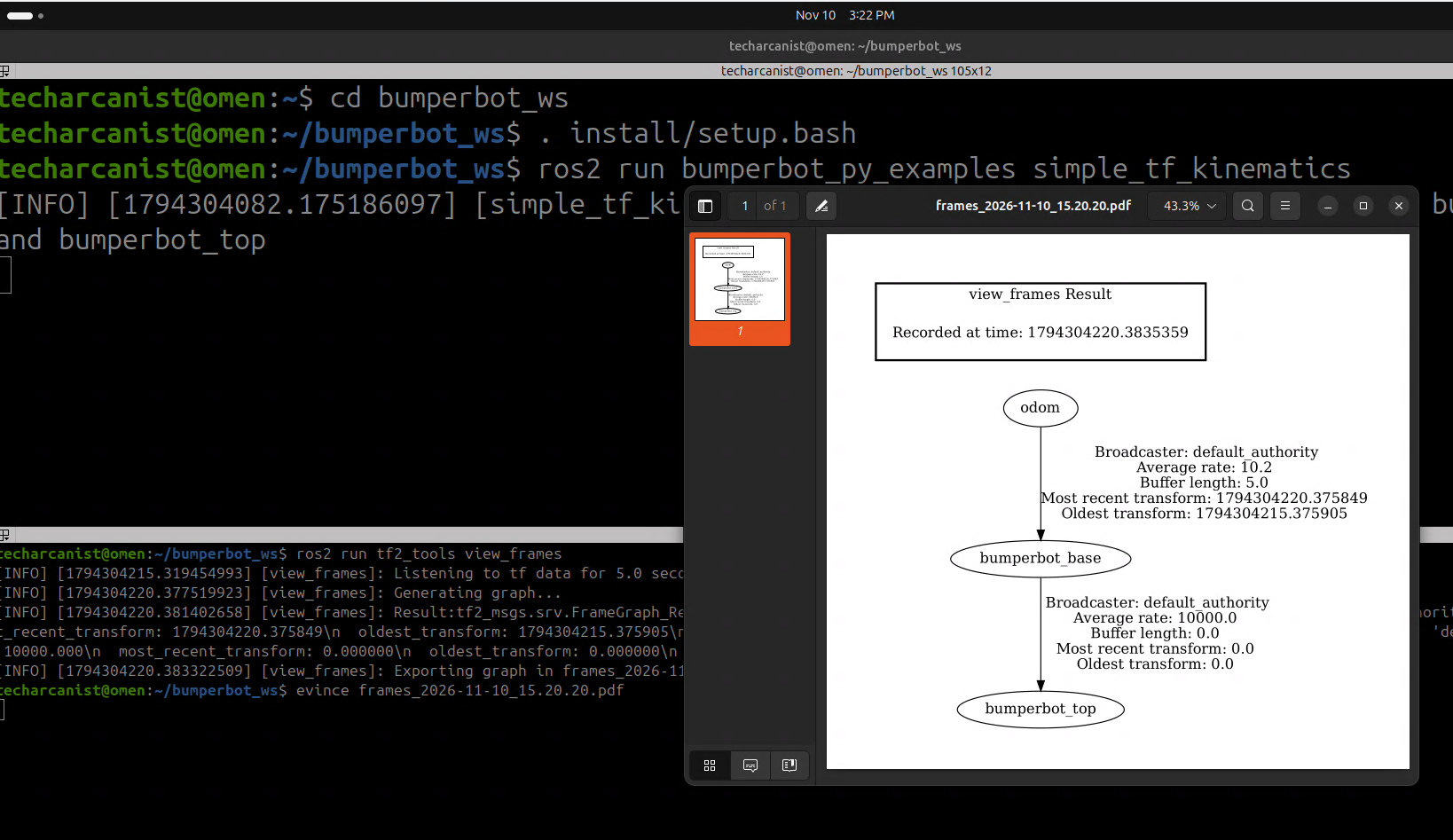
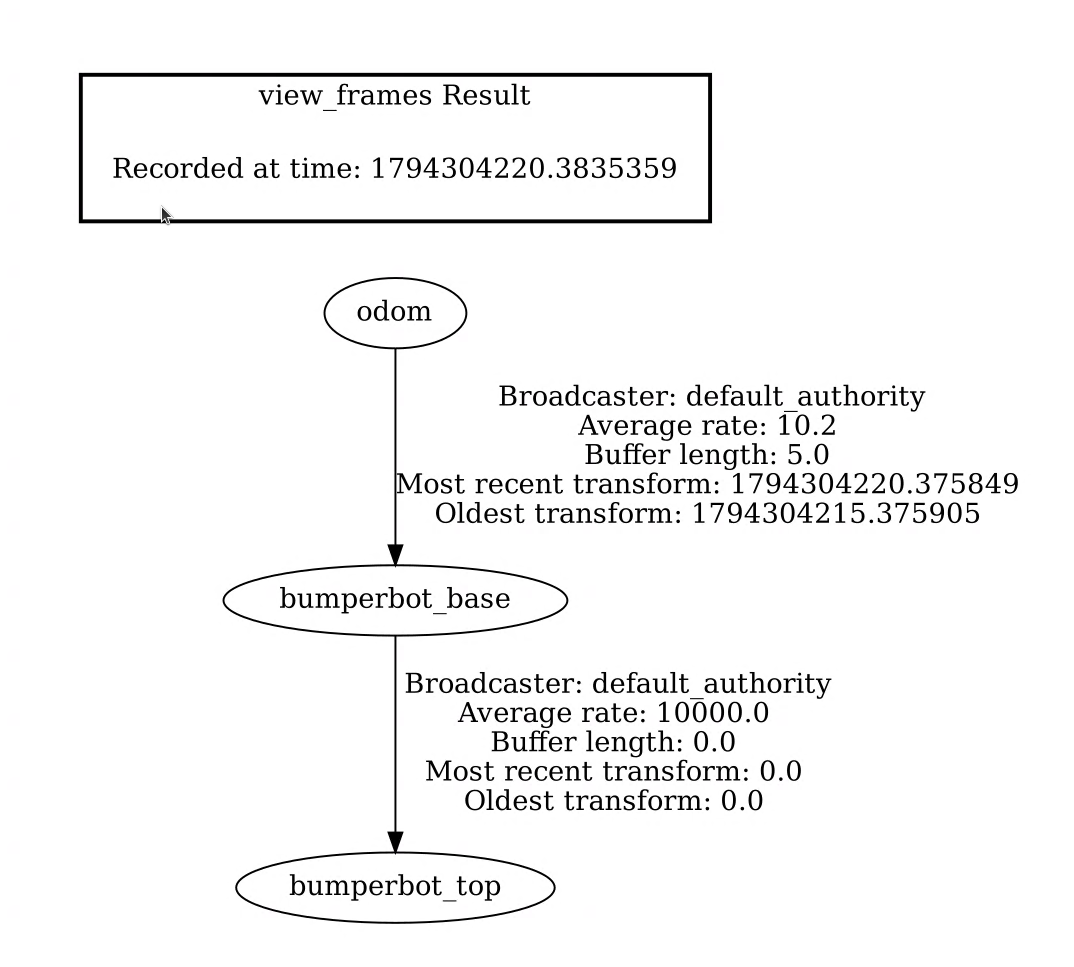
The graph is the TF tree: odom is the parent of bumperbot_base, which is the parent of bumperbot_top. Each arrow lists five facts about its transform:
| Field | odom → bumperbot_base | bumperbot_base → bumperbot_top |
| Broadcaster | default_authority | default_authority |
| Average rate | 10.2 per second (the timer sends every 0.1 s) | 10000.0 (static: no real rate) |
| Buffer length | 5.0 s (the time view_frames listened) | 0.0 |
| Most recent transform | 1794304220.375849 | 0.0 (static: valid at every time) |
| Oldest transform | 1794304215.375905 | 0.0 |
The moving transform has real numbers. The static one shows 0.0 for its times and a fixed 10000.0 for its rate, because it was sent once and is valid always (as far as I know, 10000 is just the value the tool prints for static transforms).
Watch one transform: tf2_echo
The fixed transform
In the second terminal run:
ros2 run tf2_ros tf2_echo bumperbot_base bumperbot_topWhat you should see
At time 0.0
- Translation: [0.000, 0.000, 0.300]
- Rotation: in Quaternion (xyzw) [0.000, 0.000, 0.000, 1.000]
- Rotation: in RPY (radian) [0.000, -0.000, 0.000]
- Rotation: in RPY (degree) [0.000, -0.000, 0.000]
- Matrix:
  1.000 0.000 0.000 0.000
  0.000 1.000 0.000 0.000
  0.000 0.000 1.000 0.300
  0.000 0.000 0.000 1.000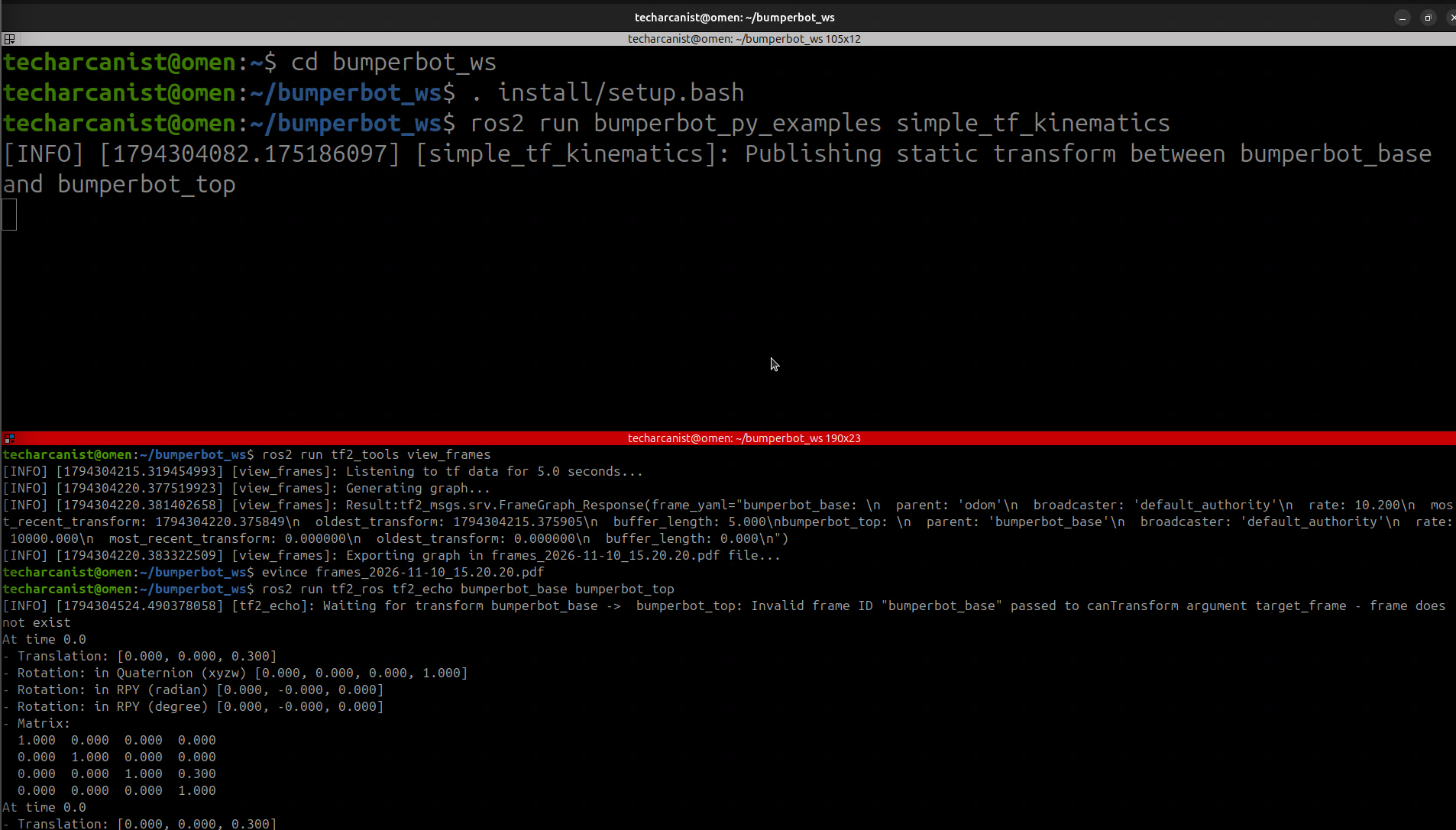
The first frame name is the reference, the second the frame asked about. The answer never changes: the top sits 0.3 m above the base, with no turn. "At time 0.0" again marks a static transform. The "-0.000" is a tiny negative number rounded to zero; it means 0.
The output shows the rotation in three ways: the quaternion (x, y, z, w), roll, pitch and yaw in radians, and the same in degrees. The 4 by 4 matrix holds the rotation in its top left 3 by 3 part and the translation in its last column.
The moving transform
Stop it with Ctrl+C and ask for the top plate seen from odom:
ros2 run tf2_ros tf2_echo odom bumperbot_topWhat you should see (one new block every second)
[INFO] [tf2_echo]: Waiting for transform odom ->  bumperbot_top: Invalid frame ID "odom" passed to canTransform argument target_frame - frame does not exist
At time 1794304726.475986959
- Translation: [322.150, 0.000, 0.300]
- Rotation: in Quaternion (xyzw) [0.000, 0.000, 0.880, 0.476]
- Rotation: in RPY (radian) [0.000, -0.000, 2.150]
- Rotation: in RPY (degree) [0.000, -0.000, 123.186]
- Matrix:
  -0.547 -0.837 0.000 322.150
  0.837 -0.547 0.000 0.000
  0.000 0.000 1.000 0.300
  0.000 0.000 0.000 1.000
At time 1794304727.475796426
- Translation: [322.650, 0.000, 0.300]
- Rotation: in Quaternion (xyzw) [0.000, 0.000, 0.970, 0.243]
...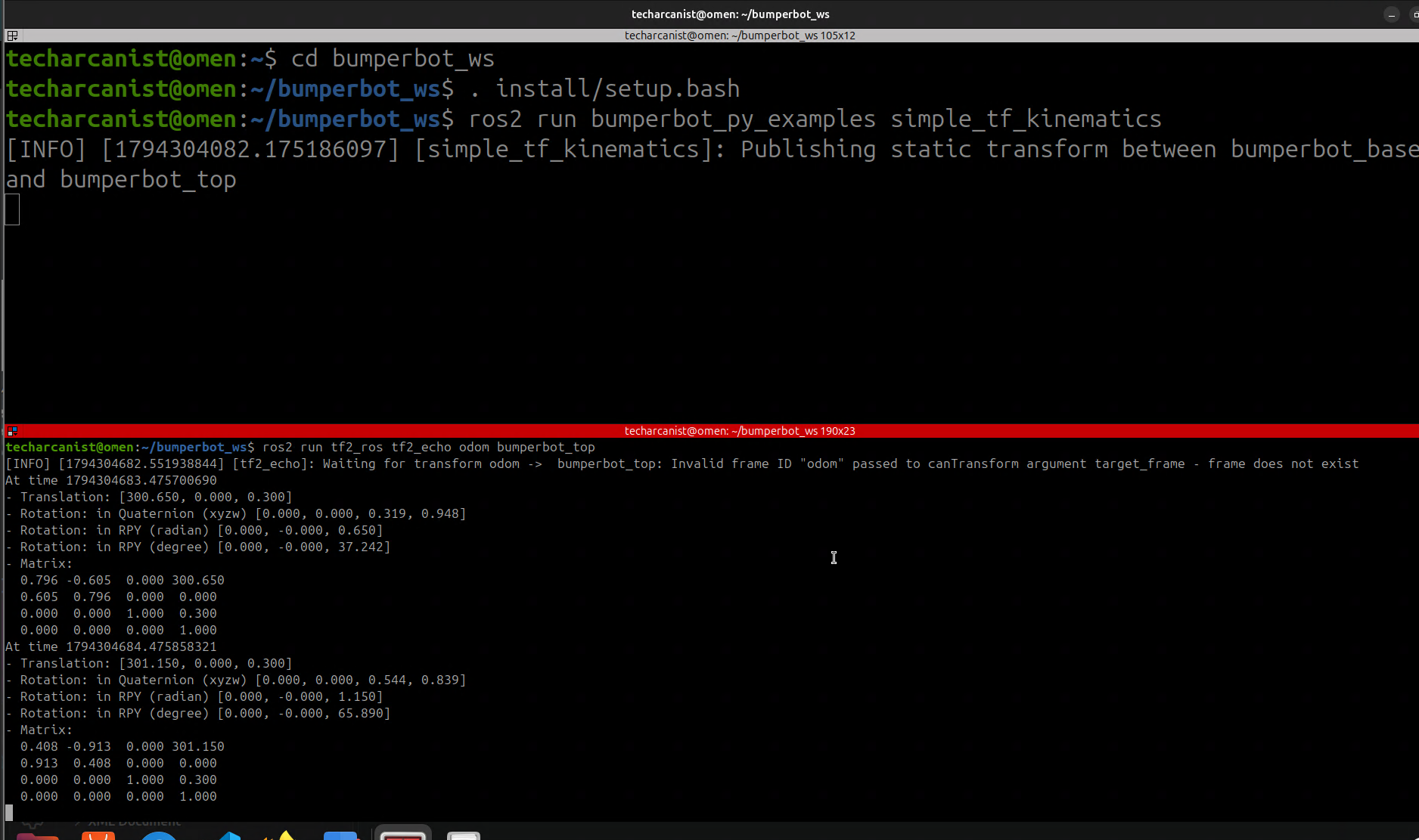
The first line may say that odom does not exist: tf2_echo started before it heard the first transform. A moment later the blocks arrive.
Now everything changes. Every second x grows by 0.5 m (the base moves 0.05 m ten times a second) and the yaw changes by 0.5 rad. z stays 0.300, the fixed height of the top. The yaw in radians is always shown between minus π and π: a turn of 3.15 rad prints as minus 3.133.
All the numbers come from the node: at tick 6443 the base has driven 6443 × 0.05 = 322.15 m and is 43 ticks into its turn, so yaw = 43 × 0.05 = 2.15 rad, z = sin(1.075) = 0.880 and w = cos(1.075) = 0.476.
Remember
ros2 run tf2_tools view_frameslistens for 5 seconds and writes the TF tree to a PDF in the current folder; open it with evince.- In that graph a static transform shows times of 0.0, a moving one shows its real rate and times.
ros2 run tf2_ros tf2_echo A Bprints where B is, seen from A, about once a second: translation, quaternion (x, y, z, w), roll, pitch and yaw in radians and degrees, and the 4 by 4 matrix.- "-0.000" means zero, and yaw is shown between minus π and π.
- "frame does not exist" right after starting tf2_echo only means nothing has been heard yet.