
66Chapter 66 of 74
Broadcast Odometry Transform
Introduction
In chapter 65 the node simple_controller started to publish the robot's pose as an Odometry message on bumperbot_controller/odom. That message is for programs that want the pose and the speeds. Tools that follow frames, such as RViz, do not read it: they follow transforms on the /tf topic.
This chapter makes the same pose available there too. After publishing the Odometry message, the node copies the same x_, y_ and the same quaternion q into a transform that says where the frame base_footprint is seen from the frame odom, and sends it with a TransformBroadcaster. Then RViz can show the frame of the robot moving while the robot drives in Gazebo.
odom: the frame fixed where the node started. It never moves.base_footprint: the frame of the robot. It moves and turns with the pose.
The node from chapter 65 must already build and run, with the Gazebo simulation and the controller launch file. This chapter changes simple_controller.py and adds one dependency, tf2_ros, to CMakeLists.txt and package.xml.
Where the pieces come from
| Idea | Where it was met | Section |
| the pose x_, y_, theta_ and the quaternion q | chapters 64 and 65 | The code and Theta becomes z and w |
| publishing a message from a node | chapter 65 | What is new |
| a transform broadcaster, frame_id and child_frame_id | chapters 49 and 50 | Write the code and How the code works |
| a transform that changes over time | chapter 57 | The moving transform |
| RViz: fixed frame and the TF display | chapter 49 | Set the fixed frame, Add the TF display and Show the frame names |
| why odometry drifts | chapter 60 | When odometry goes wrong |
Writing the code
Open the file
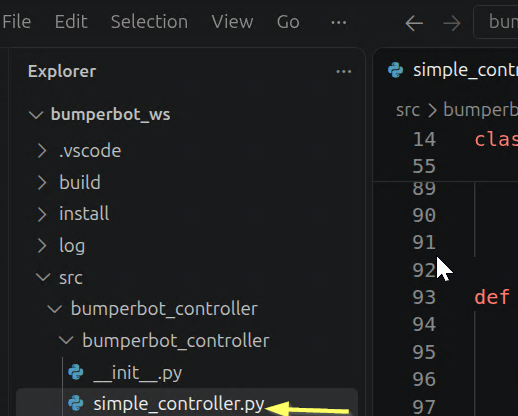
In VS Code, open src, then the bumperbot_controller package folder, then the bumperbot_controller folder inside it, and open simple_controller.py.
The code
The whole code, with the new lines added to chapter 65:
#!/usr/bin/env python3
import rclpy
from rclpy.node import Node
from rclpy.constants import S_TO_NS
from rclpy.time import Time
from std_msgs.msg import Float64MultiArray
from geometry_msgs.msg import TwistStamped
from sensor_msgs.msg import JointState
from nav_msgs.msg import Odometry
import numpy as np
from tf2_ros import TransformBroadcaster
from geometry_msgs.msg import TransformStamped
import math
from tf_transformations import quaternion_from_euler


class SimpleController(Node):

    def __init__(self):
        super().__init__("simple_controller")
        self.declare_parameter("wheel_radius", 0.033)
        self.declare_parameter("wheel_separation", 0.17)

        self.wheel_radius_ = self.get_parameter("wheel_radius").get_parameter_value().double_value
        self.wheel_separation_ = self.get_parameter("wheel_separation").get_parameter_value().double_value

        self.get_logger().info("Using wheel radius %f" % self.wheel_radius_)
        self.get_logger().info("Using wheel separation %f" % self.wheel_separation_)

        self.left_wheel_prev_pos_ = 0.0
        self.right_wheel_prev_pos_ = 0.0
        self.x_ = 0.0
        self.y_ = 0.0
        self.theta_ = 0.0

        self.wheel_cmd_pub_ = self.create_publisher(Float64MultiArray, "simple_velocity_controller/commands", 10)
        self.vel_sub_ = self.create_subscription(TwistStamped, "bumperbot_controller/cmd_vel", self.velCallback, 10)
        self.joint_sub_ = self.create_subscription(JointState,"joint_states", self.jointCallback, 10)
        self.odom_pub_ = self.create_publisher(Odometry, "bumperbot_controller/odom", 10)

        self.speed_conversion_ = np.array([[self.wheel_radius_/2, self.wheel_radius_/2],
                                           [self.wheel_radius_/self.wheel_separation_, -self.wheel_radius_/self.wheel_separation_]])
        self.get_logger().info("The conversion matrix is %s" % self.speed_conversion_)

        # Fill the Odometry message with invariant parameters
        self.odom_msg_ = Odometry()
        self.odom_msg_.header.frame_id = "odom"
        self.odom_msg_.child_frame_id = "base_footprint"
        self.odom_msg_.pose.pose.orientation.x = 0.0
        self.odom_msg_.pose.pose.orientation.y = 0.0
        self.odom_msg_.pose.pose.orientation.z = 0.0
        self.odom_msg_.pose.pose.orientation.w = 1.0

        # Fill the TF message
        self.br_ = TransformBroadcaster(self)
        self.transform_stamped_ = TransformStamped()
        self.transform_stamped_.header.frame_id = "odom"
        self.transform_stamped_.child_frame_id = "base_footprint"

        self.prev_time_ = None

    def velCallback(self, msg):
        robot_speed = np.array([[msg.twist.linear.x],
                                [msg.twist.angular.z]])

        wheel_speed = np.matmul(np.linalg.inv(self.speed_conversion_), robot_speed)

        wheel_speed_msg = Float64MultiArray()
        wheel_speed_msg.data = [wheel_speed[1, 0], wheel_speed[0, 0]]

        self.wheel_cmd_pub_.publish(wheel_speed_msg)

    def jointCallback(self, msg):
        now = Time.from_msg(msg.header.stamp)

        # First message, or sim time went backwards (e.g. sim reset): re-seed
        if self.prev_time_ is None or now < self.prev_time_:
            self.left_wheel_prev_pos_ = msg.position[0]
            self.right_wheel_prev_pos_ = msg.position[1]
            self.prev_time_ = now
            return

        dt = (now - self.prev_time_).nanoseconds / S_TO_NS
        if dt == 0.0:   # duplicate stamp
            self.get_logger().warn("Skipping joint state: duplicate stamp",
                                throttle_duration_sec=2.0)
            return

        dp_left = msg.position[0] - self.left_wheel_prev_pos_
        dp_right = msg.position[1] - self.right_wheel_prev_pos_

        self.left_wheel_prev_pos_ = msg.position[0]
        self.right_wheel_prev_pos_ = msg.position[1]
        self.prev_time_ = now

        fi_left = dp_left / dt
        fi_right = dp_right / dt

        linear = (self.wheel_radius_ * fi_right + self.wheel_radius_ * fi_left) / 2
        angular = (self.wheel_radius_ * fi_right - self.wheel_radius_ * fi_left) / self.wheel_separation_

        d_s = (self.wheel_radius_ * dp_right + self.wheel_radius_ * dp_left) / 2
        d_theta = (self.wheel_radius_ * dp_right - self.wheel_radius_ * dp_left) / self.wheel_separation_
        self.theta_ += d_theta
        self.x_ += d_s * math.cos(self.theta_)
        self.y_ += d_s * math.sin(self.theta_)

        q = quaternion_from_euler(0, 0, self.theta_)
        self.odom_msg_.header.stamp = self.get_clock().now().to_msg()
        self.odom_msg_.pose.pose.position.x = self.x_
        self.odom_msg_.pose.pose.position.y = self.y_
        self.odom_msg_.pose.pose.orientation.x = q[0]
        self.odom_msg_.pose.pose.orientation.y = q[1]
        self.odom_msg_.pose.pose.orientation.z = q[2]
        self.odom_msg_.pose.pose.orientation.w = q[3]
        self.odom_msg_.twist.twist.linear.x = linear
        self.odom_msg_.twist.twist.angular.z = angular
        self.odom_pub_.publish(self.odom_msg_)

        self.transform_stamped_.transform.translation.x = self.x_
        self.transform_stamped_.transform.translation.y = self.y_
        self.transform_stamped_.transform.rotation.x = q[0]
        self.transform_stamped_.transform.rotation.y = q[1]
        self.transform_stamped_.transform.rotation.z = q[2]
        self.transform_stamped_.transform.rotation.w = q[3]
        self.transform_stamped_.header.stamp = self.get_clock().now().to_msg()
        self.br_.sendTransform(self.transform_stamped_)


def main():
    rclpy.init()

    simple_controller = SimpleController()
    rclpy.spin(simple_controller)

    simple_controller.destroy_node()
    rclpy.shutdown()


if __name__ == '__main__':
    main()
What is new
- Lines 11 and 12:
from tf2_ros import TransformBroadcasterandfrom geometry_msgs.msg import TransformStamped: the tool that sends transforms and the message that holds one. - Lines 54 to 58: set-up in
__init__. The broadcasterbr_, one emptyTransformStampedcalledtransform_stamped_and its two frame names, made once:frame_id = "odom"(the parent) andchild_frame_id = "base_footprint"(the child), the same names as in the Odometry message. - Lines 120 to 127: at the very end of
jointCallback: the translation getsx_andy_, the rotation gets the sameqas the Odometry message (no second conversion), the time stamp is set, andsendTransformsends it.
Small changes that are not new ideas: the imports are in a different order, the line that logs the conversion matrix now sits right below the matrix (line 43), prev_time_ = None moved to the end of __init__ (line 60), and the two log lines for the wheel radius and the wheel separation use %f (see the note below). Everything up to line 118 is the node of chapter 65.
In the notes these two lines used %d. %d prints a whole number, so 0.033 and 0.17 would show as 0 in the log. The earlier chapters use %f (the log then shows 0.033000 and 0.170000), so the code above uses %f. The maths is not affected either way.
The same numbers, twice
| What | Odometry message (chapter 65) | Transform (this chapter) |
| parent frame | header.frame_id = "odom" (line 47) | header.frame_id = "odom" (line 57) |
| child frame | child_frame_id = "base_footprint" (line 48) | child_frame_id = "base_footprint" (line 58) |
| position | pose.pose.position.x, y = x_, y_ (lines 110, 111) | transform.translation.x, y = x_, y_ (lines 120, 121) |
| turn | pose.pose.orientation = q (lines 112 to 115) | transform.rotation = q (lines 122 to 125) |
| speeds | twist = linear, angular (lines 116, 117) | none: a transform has no speeds |
| sent with | odom_pub_.publish(...) on bumperbot_controller/odom (line 118) | br_.sendTransform(...) on /tf (line 127) |
Drag the time in the picture below. The numbers in the transform come from the same formulas as in chapter 64, and the frame base_footprint moves exactly as RViz will show it later in this chapter.
Add the dependency
The new import needs tf2_ros. First CMakeLists.txt in bumperbot_controller: add this line next to the other find_package lines.
find_package(tf2_ros REQUIRED)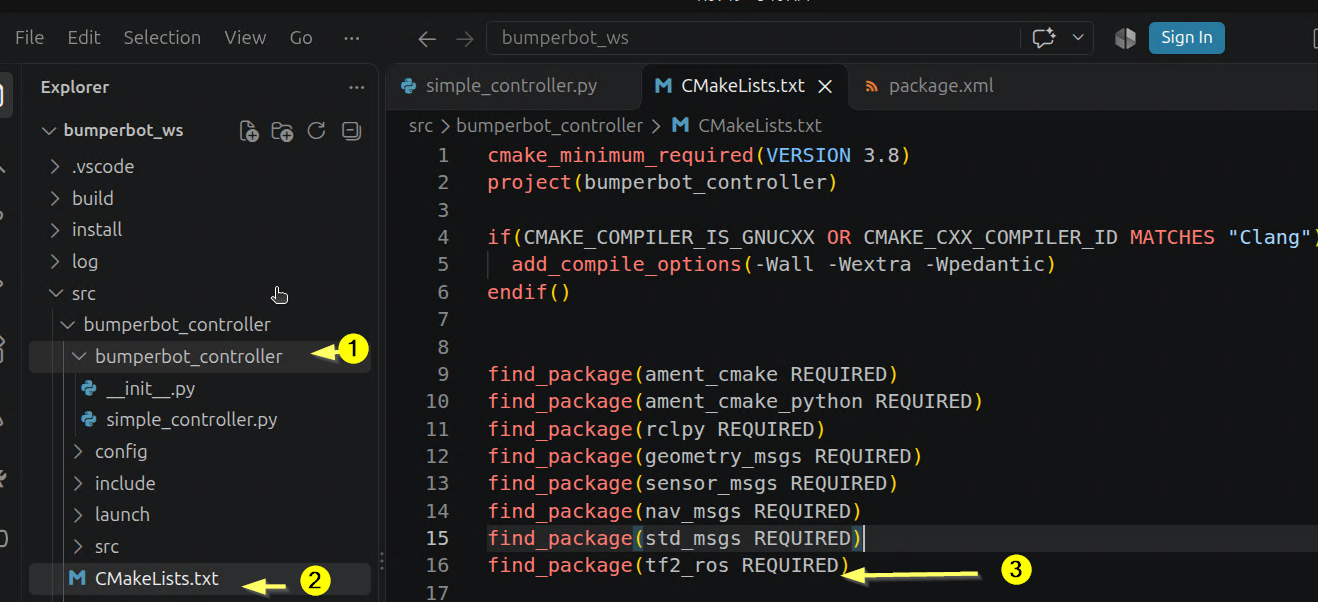
Then package.xml: add this line next to the other depend lines.
<depend>tf2_ros</depend>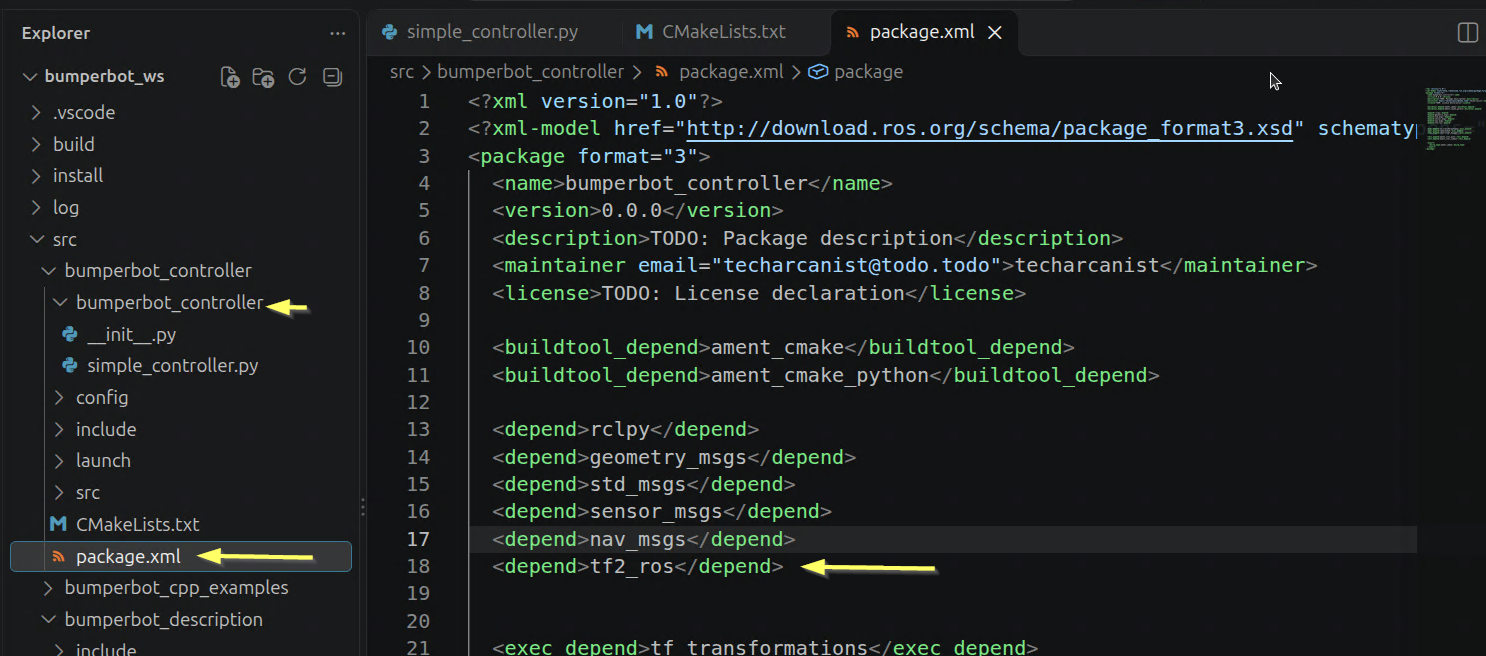
depend tf2_ros, below the nav_msgs line of chapter 65.Code visualizer
Every line explained, with a step-by-step run, a map, bugs to try and a live picture of the robot filling both messages. Lines that did not change since chapter 65 keep their explanation; the new lines 4 and 5, 9, 11 and 12, 30 and 31, 43 to 45, 54 to 60 and 120 to 127 are the new part.
Building and running
Terminal 1: build
Open a terminal and build the workspace:
cd bumperbot_wscolcon build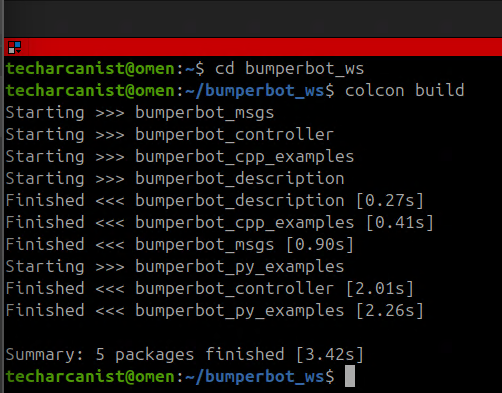
What you should see
Starting >>> bumperbot_msgs
Starting >>> bumperbot_controller
Starting >>> bumperbot_cpp_examples
Starting >>> bumperbot_description
Finished <<< bumperbot_description [0.27s]
Finished <<< bumperbot_cpp_examples [0.41s]
Finished <<< bumperbot_msgs [0.90s]
Starting >>> bumperbot_py_examples
Finished <<< bumperbot_controller [2.01s]
Finished <<< bumperbot_py_examples [2.26s]

Summary: 5 packages finished [3.42s]
Terminal 2: the simulation
Open another terminal, source the workspace and start Gazebo with the robot:
. install/setup.bashros2 launch bumperbot_description gazebo.launch.py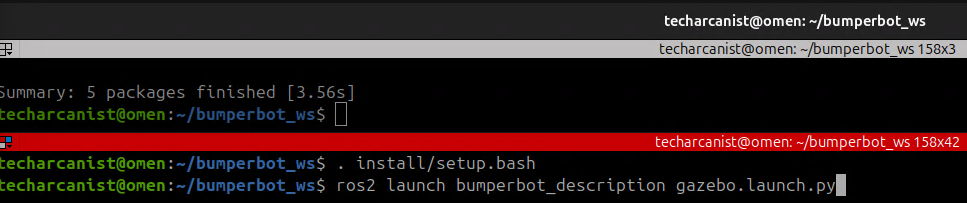
Terminal 3: the controllers and the node
Open one more terminal and start the controllers, which also start simple_controller:
. install/setup.bashros2 launch bumperbot_controller controller.launch.py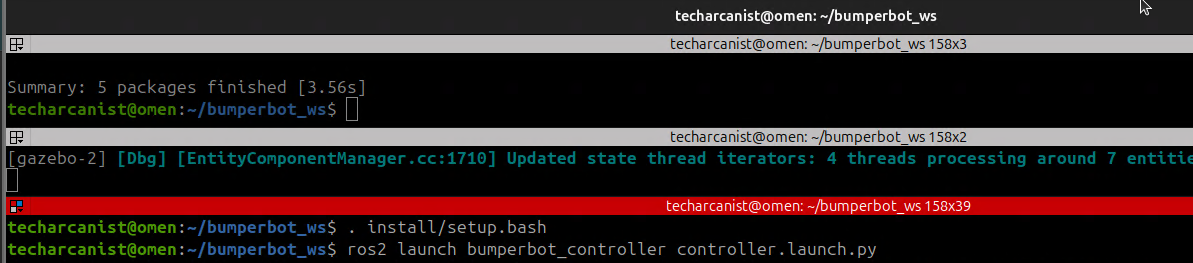
Looking at the frames in RViz
Terminal 4: start RViz
Open a fourth terminal, source the workspace and start RViz:
. install/setup.bashrviz2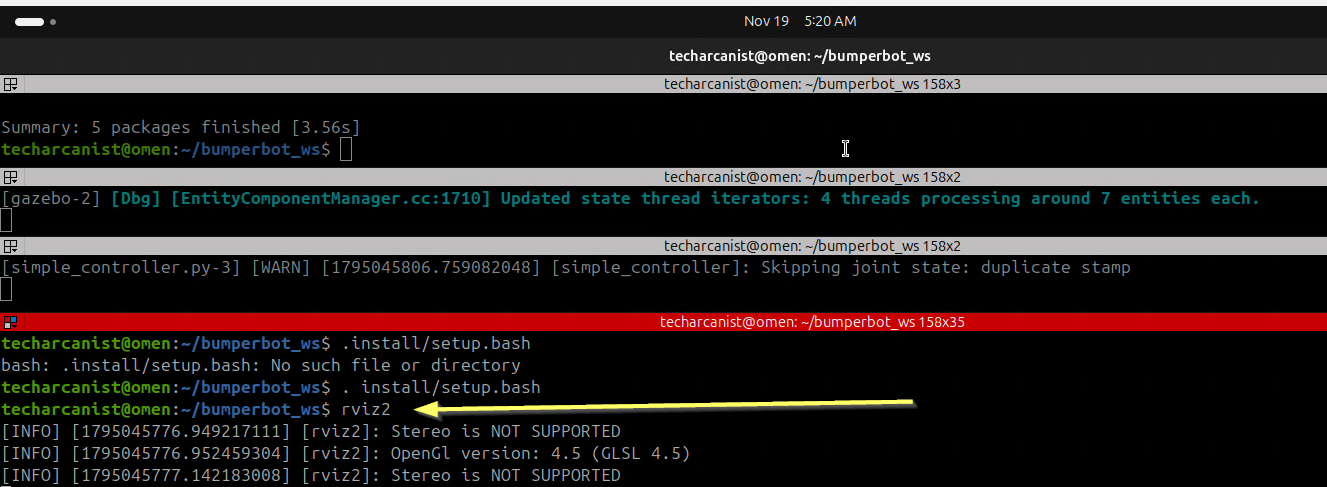
Set up RViz
The numbers match the yellow numbers in the picture below.
- Change the Fixed Frame (under Global Options) to
odom. This is the frame that does not move. - Click Add and add the TF display.
- On the left, click the arrow of TF to open its options.
- Tick Show Names.
- Click the arrow of Frames to open the list of frames.
- Tick base_footprint.
- Tick odom.
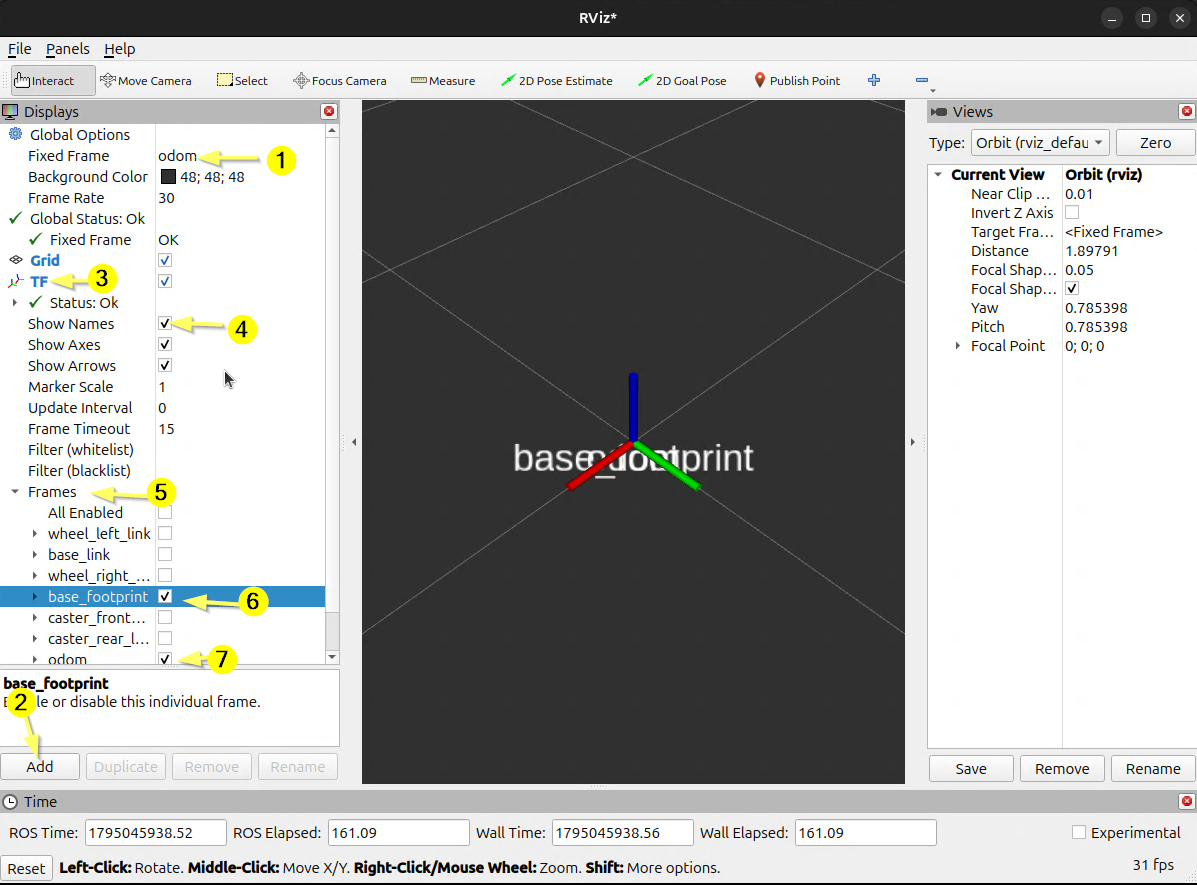
The two frames sit on top of each other, because the robot has not moved yet: x_, y_ and theta_ are all 0.
Terminal 5: turn on the spot
Open a fifth terminal, source the workspace and publish a command that only turns: linear speed 0, angular speed 0.5 rad/s.
. install/setup.bashros2 topic pub /bumperbot_controller/cmd_vel geometry_msgs/msg/TwistStamped 'header:
stamp:
sec: 0
nanosec: 0
frame_id: ''
twist:
linear:
x: 0.0
y: 0.0
z: 0.0
angular:
x: 0.0
y: 0.0
z: 0.5'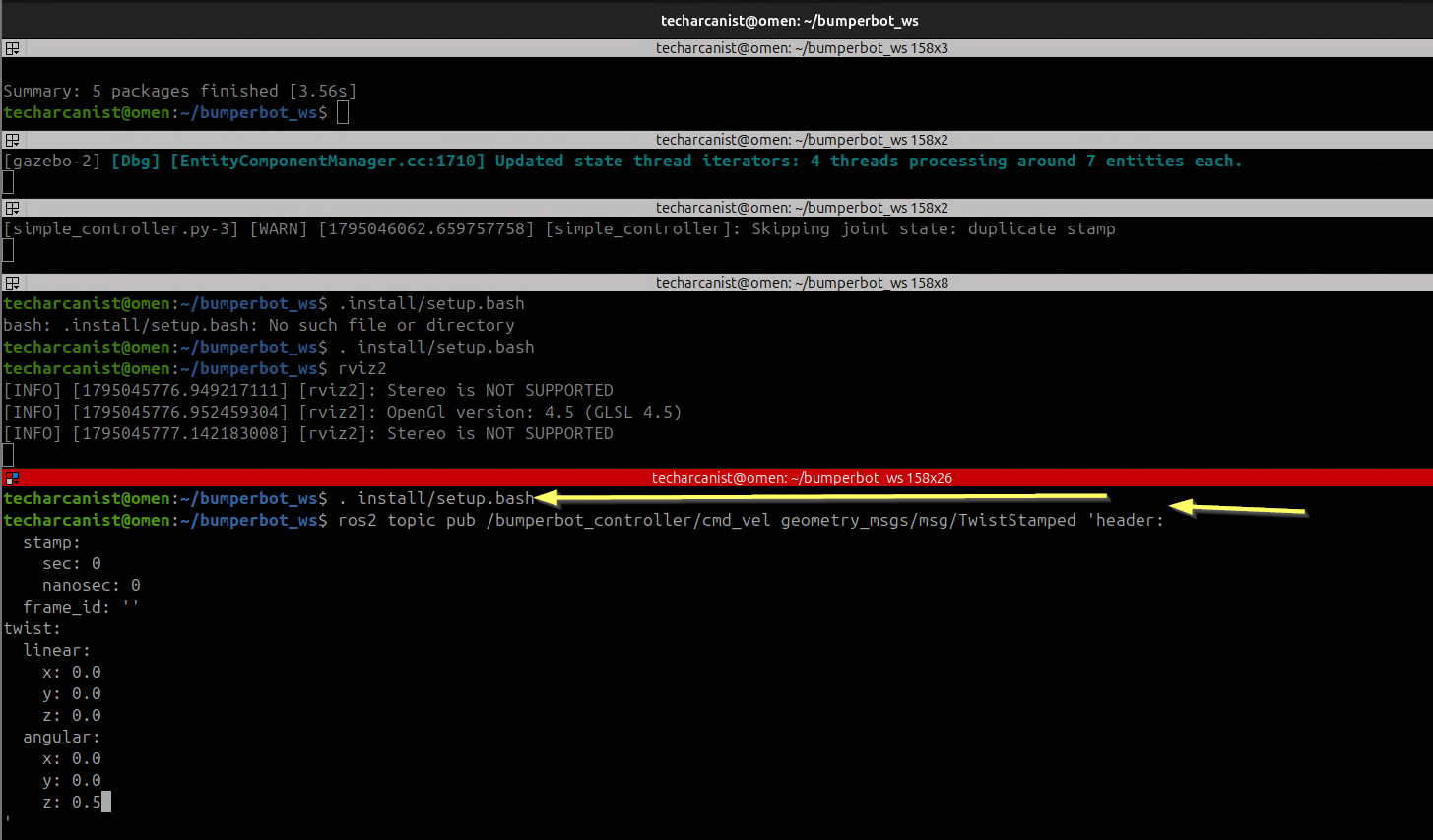
Look at RViz and Gazebo together. In Gazebo the robot turns on the spot. In RViz the frame base_footprint turns on the spot too, around the frame odom, and its origin stays where it is.
Drive and turn
Press Ctrl+C in terminal 5 and publish the command again with a forward speed as well: linear x 0.5 and angular z 0.5.
ros2 topic pub /bumperbot_controller/cmd_vel geometry_msgs/msg/TwistStamped 'header:
  stamp:
    sec: 0
    nanosec: 0
  frame_id: ''
twist:
  linear:
    x: 0.5
    y: 0.0
    z: 0.0
  angular:
    z: 0.5'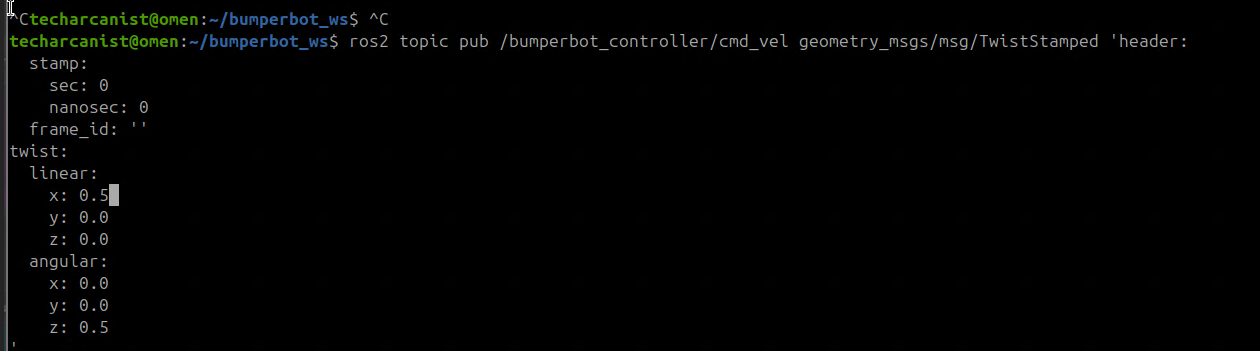
Now the robot drives in Gazebo. In RViz only the frame base_footprint moves, along a circle, because the frame odom is the fixed frame and stays where the robot started. With V = 0.5 m/s and omega = 0.5 rad/s the radius is V ÷ omega = 0.5 ÷ 0.5 = 1 m (chapter 64).
Remember
- Chapter 65 sent the pose as an Odometry message on
bumperbot_controller/odom. Frame tools such as RViz follow transforms on /tf, so this chapter sends the same pose as a transform too. - A
TransformBroadcastersends the transform. TheTransformStampedmessage and the broadcaster are made once in__init__; the two frame names never change: parentodom, childbase_footprint. - At the end of every
jointCallbackthe translation getsx_andy_, the rotation gets the same q as the Odometry message, the time stamp is set, andsendTransformsends it. - The frame names in the transform must match those in the Odometry message, and RViz needs
odomas its fixed frame, otherwise it reports that the frame does not exist. - In RViz only
base_footprintmoves;odomstays where the node started. Turning on the spot turns the frame; driving and turning moves it along a circle. - The new import needs
tf2_rosas adependin package.xml and afind_packagein CMakeLists.txt. - The pose still drifts: a small error in the wheel radius or separation grows with the distance (chapter 60).