
54Chapter 54 of 74
Simple TF2 Listener in Python: a get_transform Service
Introduction
In the broadcaster chapter our node simple_tf_kinematics started publishing two transforms: a fixed one, bumperbot_base → bumperbot_top (the top plate 0.3 m above the base), and a moving one, odom → bumperbot_base (the base driving forward 0.05 m every 0.1 s).
Publishing is only half of TF. The other half is listening: collecting those transforms and answering questions like "where is the top plate, seen from where the robot started?". In this chapter the same node gets:
- a Buffer, a memory that keeps the transforms it hears;
- a TransformListener, which fills that buffer from
/tfand/tf_static; - a service
/get_transformwith a new typeGetTransform: you send two frame names, it answers with the transform between them.
The buffer does the adding for you. You never published odom → bumperbot_top, but it can work it out by chaining the two transforms it knows.
The node, the package bumperbot_msgs and the AddTwoInts service from the earlier chapters must already exist. This chapter adds one service file and extends the node.
Describe the service
Inside bumperbot_msgs, in the srv folder next to AddTwoInts.srv, create a file called GetTransform.srv.
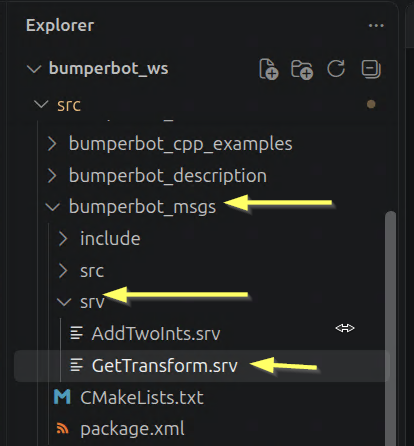
Write this in the file:
# Request
string frame_id
string child_frame_id
---
# Response
geometry_msgs/TransformStamped transform
bool success- Above the
---is the request: two pieces of text.frame_idis the frame you want the answer in (where you stand);child_frame_idis the frame you ask about. - Below the
---is the response: a wholegeometry_msgs/TransformStamped, the same kind of message the node already broadcasts, plussuccess, which says whether the lookup worked.
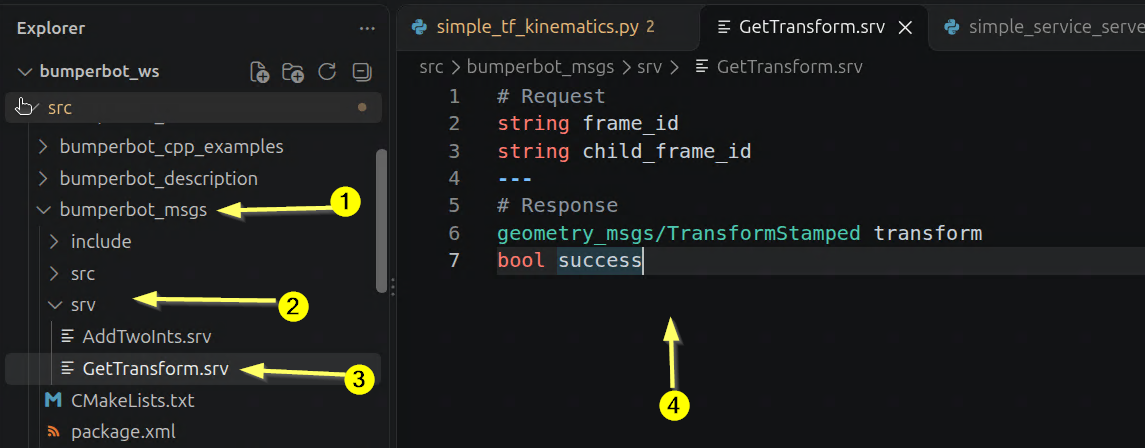
Because the response uses a type from geometry_msgs, the build files of bumperbot_msgs have to know about that package. That is the next step.
Tell the build about it
CMakeLists.txt
Open CMakeLists.txt of bumperbot_msgs and make it look like this. Three things are new: find_package(geometry_msgs REQUIRED), the line "srv/GetTransform.srv", and DEPENDENCIES geometry_msgs.
cmake_minimum_required(VERSION 3.8)
project(bumperbot_msgs)

if(CMAKE_COMPILER_IS_GNUCXX OR CMAKE_CXX_COMPILER_ID MATCHES "Clang")
  add_compile_options(-Wall -Wextra -Wpedantic)
endif()

find_package(ament_cmake REQUIRED)
find_package(std_msgs REQUIRED)
find_package(geometry_msgs REQUIRED)
find_package(rosidl_default_generators REQUIRED)

rosidl_generate_interfaces(${PROJECT_NAME}
  "srv/AddTwoInts.srv"
  "srv/GetTransform.srv"
  DEPENDENCIES geometry_msgs
)

if(BUILD_TESTING)
  find_package(ament_lint_auto REQUIRED)

  set(ament_cmake_copyright_FOUND TRUE)
  set(ament_cmake_cpplint_FOUND TRUE)
  ament_lint_auto_find_test_dependencies()
endif()

ament_package()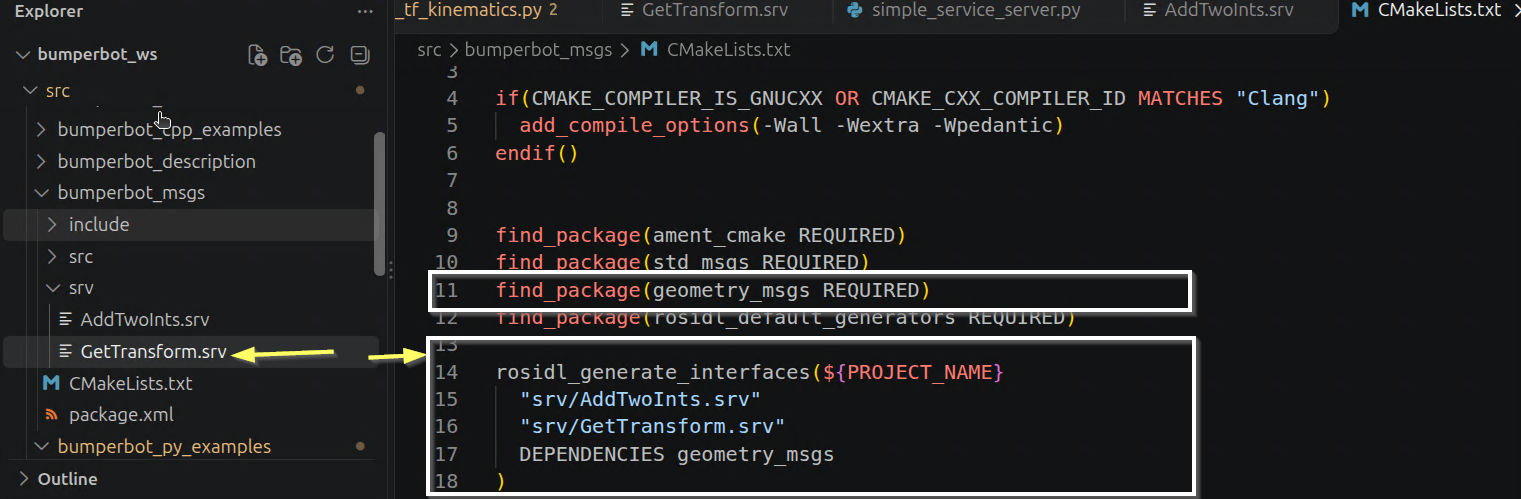
package.xml
Open package.xml of bumperbot_msgs. The new line is <depend>geometry_msgs</depend>.
<package format="3">
<name>bumperbot_msgs</name>
<version>0.0.0</version>
<description>TODO: Package description</description>
<maintainer email="techarcanist@todo.todo">techarcanist</maintainer>
<license>TODO: License declaration</license>
<buildtool_depend>ament_cmake</buildtool_depend>
<depend>std_msgs</depend>
<depend>geometry_msgs</depend>
<build_depend>rosidl_default_generators</build_depend>
<exec_depend>rosidl_default_runtime</exec_depend>
<test_depend>ament_lint_auto</test_depend>
<test_depend>ament_lint_common</test_depend>
<member_of_group>rosidl_interface_packages</member_of_group>
<export>
<build_type>ament_cmake</build_type>
</export>
</package>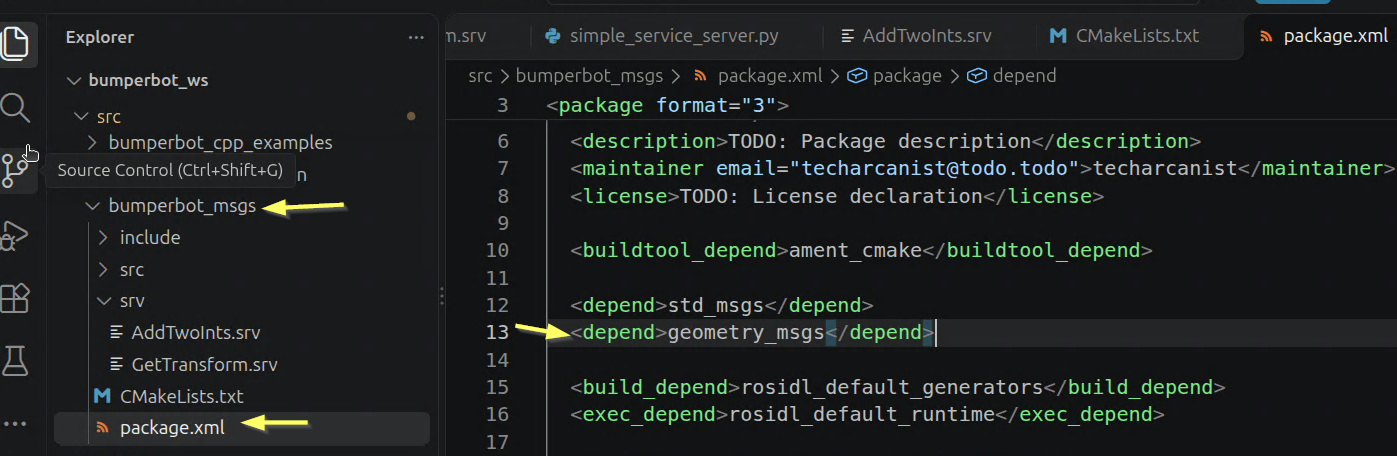
Build
Go back to the workspace and build, so Python can use the new service type:
cd ~/bumperbot_wscolcon buildWhat you should see
Starting >>> bumperbot_msgs
...
Finished <<< bumperbot_msgs [7.03s]
Starting >>> bumperbot_py_examples
Finished <<< bumperbot_py_examples [1.52s]

Summary: 5 packages finished [8.73s]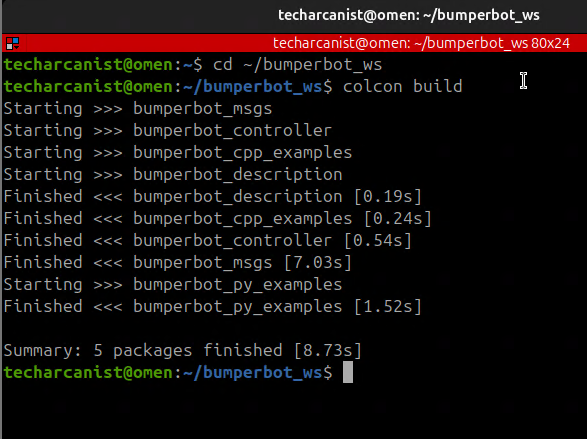
You can check the new type (in a sourced terminal):
ros2 interface show bumperbot_msgs/srv/GetTransformWhat you should see (roughly)
# Request
string frame_id
string child_frame_id
---
# Response
geometry_msgs/TransformStamped transform
        (the fields of TransformStamped, indented)
bool success
Write the code
Open simple_tf_kinematics.py inside bumperbot_py_examples/bumperbot_py_examples, the node from the broadcaster chapter.
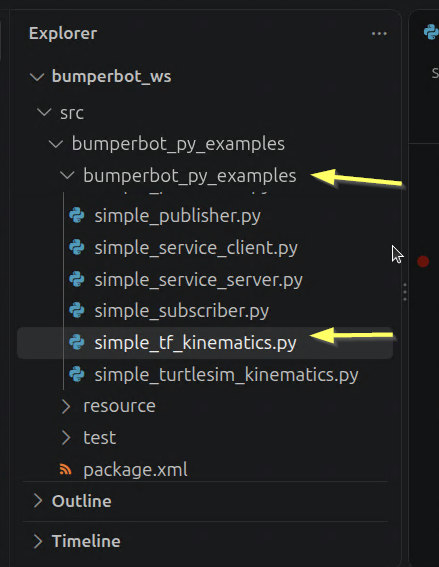
Extend it so it looks like this. The broadcaster parts stay as they were; the new lines are the imports on lines 3, 5, 6 and 7, the buffer and listener on lines 25 and 26, the service on line 49 and the callback on lines 66 to 79.
import rclpy
from rclpy.node import Node
from bumperbot_msgs.srv import GetTransform
from tf2_ros.static_transform_broadcaster import StaticTransformBroadcaster
from tf2_ros import TransformBroadcaster, TransformException
from tf2_ros.buffer import Buffer
from tf2_ros.transform_listener import TransformListener
from geometry_msgs.msg import TransformStamped


class SimpleTfKinematics(Node):

    def __init__(self):
        super().__init__("simple_tf_kinematics")

        self.static_tf_broadcaster_ = StaticTransformBroadcaster(self)
        self.dynamic_tf_broadcaster_ = TransformBroadcaster(self)

        self.static_transform_stamped_ = TransformStamped()
        self.dynamic_transform_stamped_ = TransformStamped()

        self.x_increment_ = 0.05
        self.last_x_ = 0.0

        self.tf_buffer_ = Buffer()
        self.tf_listener_ = TransformListener(self.tf_buffer_, self)

        self.static_transform_stamped_.header.stamp = self.get_clock().now().to_msg()
        self.static_transform_stamped_.header.frame_id = "bumperbot_base"
        self.static_transform_stamped_.child_frame_id = "bumperbot_top"
        self.static_transform_stamped_.transform.translation.x = 0.0
        self.static_transform_stamped_.transform.translation.y = 0.0
        self.static_transform_stamped_.transform.translation.z = 0.3
        self.static_transform_stamped_.transform.rotation.x = 0.0
        self.static_transform_stamped_.transform.rotation.y = 0.0
        self.static_transform_stamped_.transform.rotation.z = 0.0
        self.static_transform_stamped_.transform.rotation.w = 1.0

        self.static_tf_broadcaster_.sendTransform(self.static_transform_stamped_)

        self.get_logger().info("Publishing static transform between %s and %s" %
                      (
                        self.static_transform_stamped_.header.frame_id,
                        self.static_transform_stamped_.child_frame_id
                      ))

        self.timer_ = self.create_timer(0.1, self.timerCallback)

        self.get_transform_srv_ = self.create_service(GetTransform, "get_transform", self.getTransformCallback)

    def timerCallback(self):
        self.dynamic_transform_stamped_.header.stamp = self.get_clock().now().to_msg()
        self.dynamic_transform_stamped_.header.frame_id = "odom"
        self.dynamic_transform_stamped_.child_frame_id = "bumperbot_base"
        self.dynamic_transform_stamped_.transform.translation.x = self.last_x_ + self.x_increment_
        self.dynamic_transform_stamped_.transform.translation.y = 0.0
        self.dynamic_transform_stamped_.transform.translation.z = 0.0
        self.dynamic_transform_stamped_.transform.rotation.x = 0.0
        self.dynamic_transform_stamped_.transform.rotation.y = 0.0
        self.dynamic_transform_stamped_.transform.rotation.z = 0.0
        self.dynamic_transform_stamped_.transform.rotation.w = 1.0

        self.dynamic_tf_broadcaster_.sendTransform(self.dynamic_transform_stamped_)
        self.last_x_ = self.dynamic_transform_stamped_.transform.translation.x

    def getTransformCallback(self, req, res):
        self.get_logger().info("Requested Transform between %s and %s" % (req.frame_id, req.child_frame_id))
        requested_transform = TransformStamped()
        try:
            requested_transform = self.tf_buffer_.lookup_transform(req.frame_id, req.child_frame_id, rclpy.time.Time())
        except TransformException as e:
            self.get_logger().error("An error occurred while transforming %s and %s: %s" %
                         (req.frame_id, req.child_frame_id, e))
            res.success = False
            return res

        res.transform = requested_transform
        res.success = True
        return res


def main():
    rclpy.init()

    simple_tf_kinematics = SimpleTfKinematics()
    rclpy.spin(simple_tf_kinematics)

    simple_tf_kinematics.destroy_node()
    rclpy.shutdown()


if __name__ == '__main__':
    main()
What is new, in short
- Lines 25 and 26 create the buffer and the listener. While the node spins, every transform on
/tfand/tf_staticgoes intoself.tf_buffer_, including the node's own broadcasts. - Line 49 offers the service
get_transform. Each call runsgetTransformCallback. - Line 70 is the listener at work:
lookup_transform(req.frame_id, req.child_frame_id, rclpy.time.Time())asks "where is child_frame_id, seen from frame_id, at the latest time you have?". The first argument is the reference (target), the second the frame you ask about (source).Time()means "the latest". - Lines 71 to 75: if a frame does not exist, tf2 raises a
TransformException. The node logs it and answerssuccess = Falseinstead of crashing. - Lines 77 to 79 put the transform into the response, set
success = Trueand return it.
Ask the buffer yourself
Pick two frames and a time to see what line 70 returns:
Every line, step by step
The visualizer covers all four files of this chapter: the .srv file, both build files and the node. It explains every line at three levels, shows the order you would write it in, traces a run with two service calls, and lets you break 35 things on purpose.
Nothing changes in setup.py: the executable simple_tf_kinematics was registered in the broadcaster chapter.
Build, run and test
Build
cd ~/bumperbot_wscolcon buildWhat you should see
Starting >>> bumperbot_msgs
...
Finished <<< bumperbot_py_examples [1.05s]

Summary: 5 packages finished [1.75s]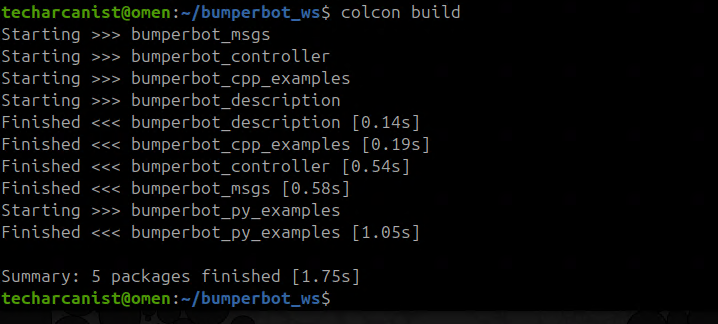
Terminal 2: RViz
Open a new terminal, go to the workspace and source it:
cd ~/bumperbot_ws. install/setup.bashStart RViz:
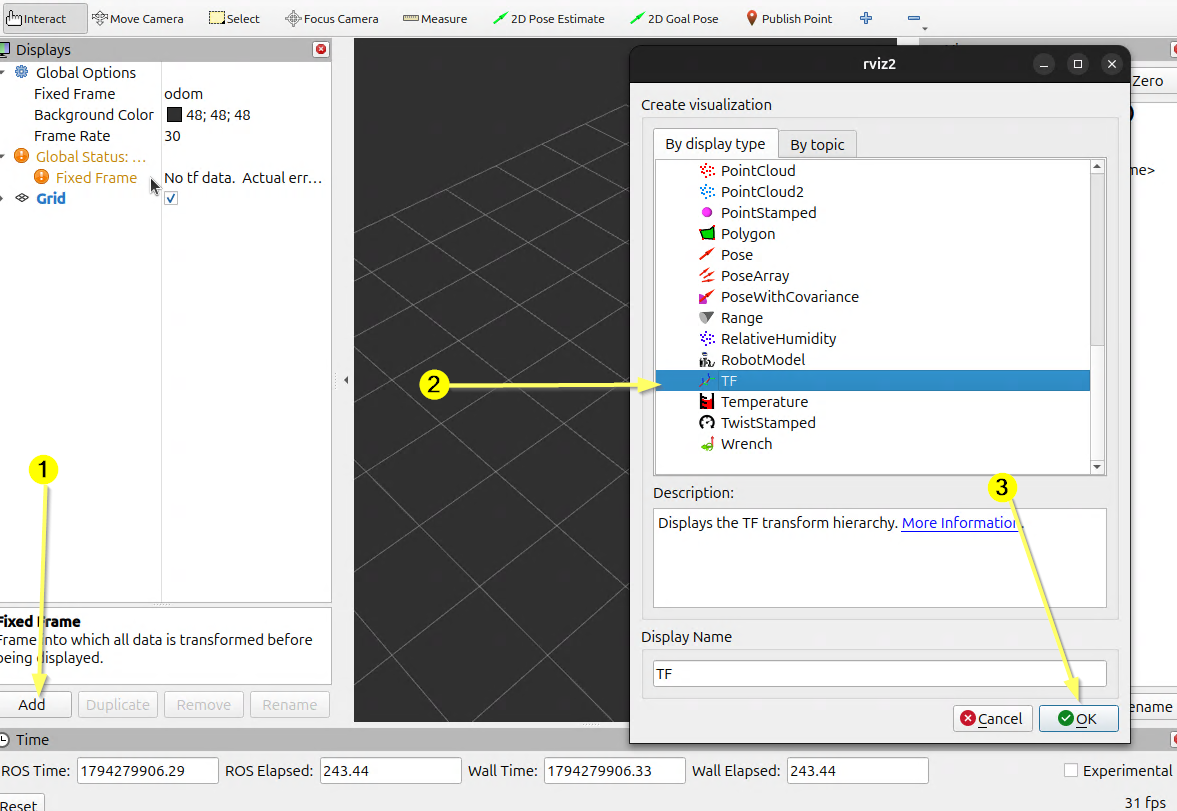
rviz2In the Displays panel, set Fixed Frame to odom. It shows an error until the node runs, because nobody publishes odom yet.
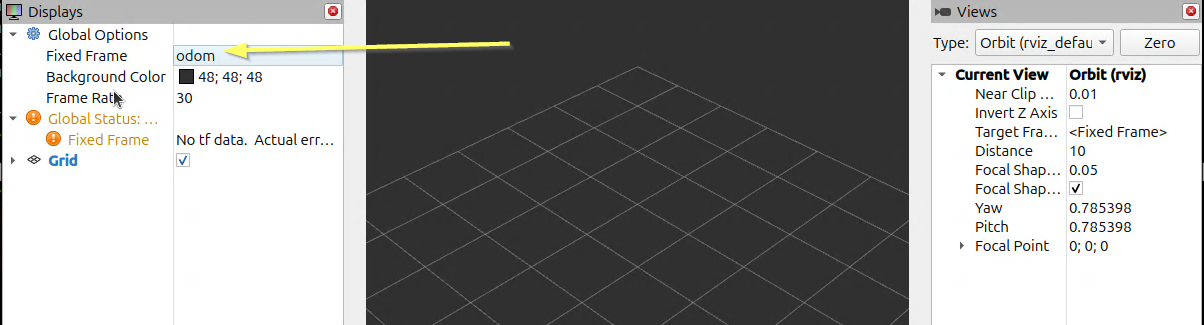
Click Add, choose TF and press OK.
Terminal 3: the node
Open another terminal, source the workspace and run the node:
cd ~/bumperbot_ws. install/setup.bashros2 run bumperbot_py_examples simple_tf_kinematicsWhat you should see
[INFO] [1794280346.419245607] [simple_tf_kinematics]: Publishing static transform between bumperbot_base and bumperbot_top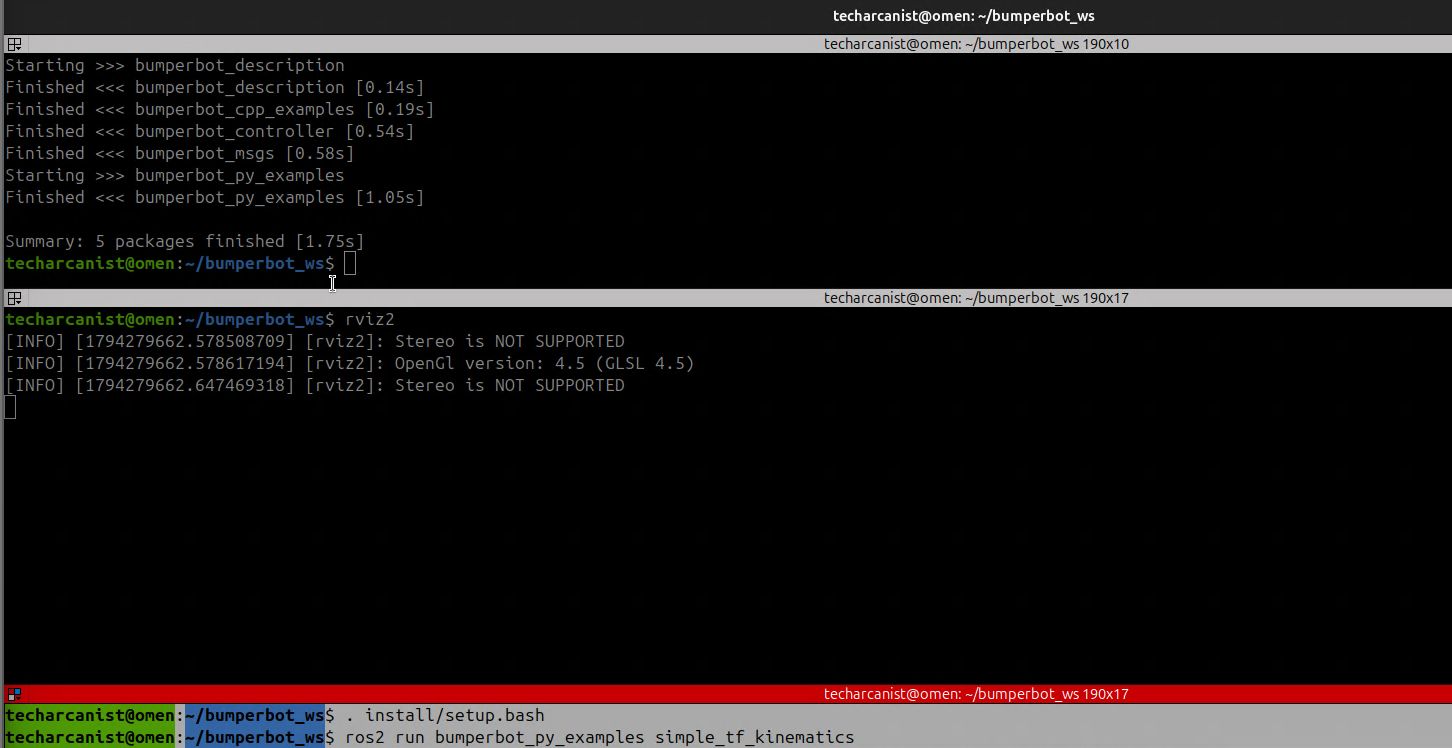
In RViz the frames bumperbot_base and bumperbot_top drive away from odom along x.
Terminal 4: ask for a transform
Open one more terminal and source the workspace:
cd ~/bumperbot_ws. install/setup.bashFirst check that the service is there:
ros2 service listWhat you should see (among others)
/get_transform
... (plus the parameter services of /simple_tf_kinematics)
Ask where the top plate is, seen from the base. The whole request goes in double quotes, written as YAML:
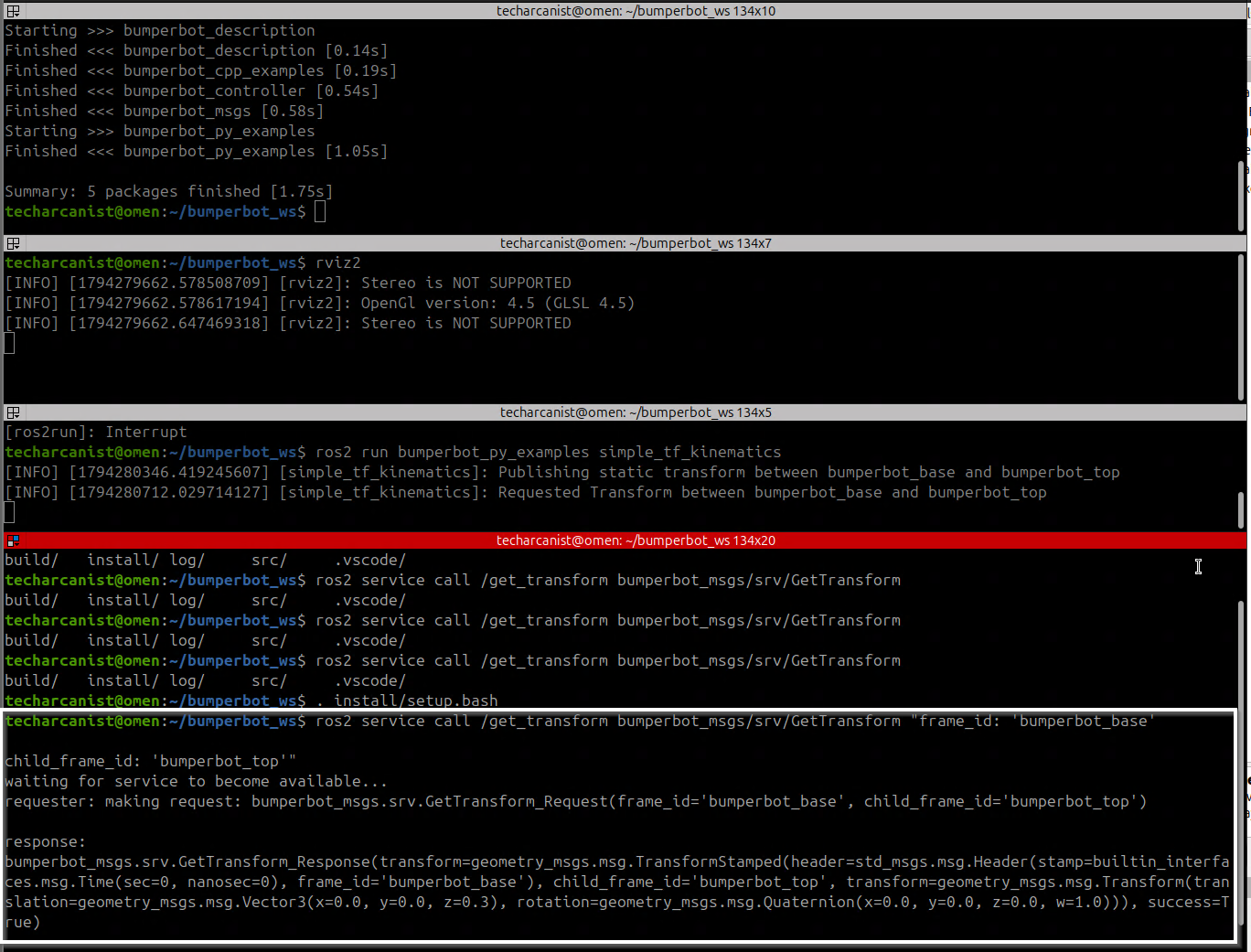
ros2 service call /get_transform bumperbot_msgs/srv/GetTransform "{frame_id: 'bumperbot_base', child_frame_id: 'bumperbot_top'}"What you should see
waiting for service to become available...
requester: making request: bumperbot_msgs.srv.GetTransform_Request(frame_id='bumperbot_base', child_frame_id='bumperbot_top')

response:
bumperbot_msgs.srv.GetTransform_Response(transform=geometry_msgs.msg.TransformStamped(header=std_msgs.msg.Header(stamp=builtin_interfaces.msg.Time(sec=0, nanosec=0), frame_id='bumperbot_base'), child_frame_id='bumperbot_top', transform=geometry_msgs.msg.Transform(translation=geometry_msgs.msg.Vector3(x=0.0, y=0.0, z=0.3), rotation=geometry_msgs.msg.Quaternion(x=0.0, y=0.0, z=0.0, w=1.0))), success=True)
The node's terminal prints Requested Transform between bumperbot_base and bumperbot_top. The answer is the fixed offset you broadcast on lines 28 to 37: x 0, z 0.3, no rotation (w=1.0). The stamp is sec=0: only a static transform was used, and static transforms are valid at every time, so tf2 reports time 0.
Change frame_id to odom
Now ask where the top plate is, seen from odom, the place where the robot started:
ros2 service call /get_transform bumperbot_msgs/srv/GetTransform "{frame_id: 'odom', child_frame_id: 'bumperbot_top'}"What you should see
waiting for service to become available...
requester: making request: bumperbot_msgs.srv.GetTransform_Request(frame_id='odom', child_frame_id='bumperbot_top')

response:
bumperbot_msgs.srv.GetTransform_Response(transform=geometry_msgs.msg.TransformStamped(header=std_msgs.msg.Header(stamp=builtin_interfaces.msg.Time(sec=1794281059, nanosec=519798119), frame_id='odom'), child_frame_id='bumperbot_top', transform=geometry_msgs.msg.Transform(translation=geometry_msgs.msg.Vector3(x=356.5500000000468, y=0.0, z=0.3), rotation=geometry_msgs.msg.Quaternion(x=0.0, y=0.0, z=0.0, w=1.0))), success=True)
This transform was never published as one piece. The buffer chained two: odom → bumperbot_base (x = 356.55, the distance driven) and bumperbot_base → bumperbot_top (z = 0.3). The stamp is now a real time, the time of the latest moving transform.
Where does 356.55 come from? The node had been running for about 713.1 seconds (compare the time in the first log line with the stamp). The timer adds 0.05 m ten times a second, so 7131 × 0.05 = 356.55 m. The last digits, 356.5500000000468, are normal floating-point rounding: 0.05 cannot be stored exactly, and 7131 additions collect a tiny error.

Try a frame that does not exist
ros2 service call /get_transform bumperbot_msgs/srv/GetTransform "{frame_id: 'world', child_frame_id: 'bumperbot_top'}"What you should see (roughly)
response:
bumperbot_msgs.srv.GetTransform_Response(transform=geometry_msgs.msg.TransformStamped(...all zeros...), success=False)
The node logs an error saying that world does not exist, answers success=False and keeps running.
Remember
- A Buffer stores transforms; a TransformListener fills it from
/tfand/tf_staticwhile the node spins. Look up in the same buffer the listener fills. lookup_transform(target, source, Time()): target is where you stand (frame_id), source is what you look at (child_frame_id). Swap them and you get the inverse, with no error.- The buffer chains transforms along the tree, so you can ask about pairs nobody published directly.
- Use
rclpy.time.Time()for "latest". Asking fornow()usually fails, because the newest data is a little older than now. - Catch
TransformExceptionand returnsuccess = False, so a wrong frame name does not crash the request. - A response that uses another package's type needs that package in three build places:
find_package,DEPENDENCIESand<depend>. - Type the request of
ros2 service callas YAML inside double quotes.