
18Chapter 18 of 51
Python Parameters
Introduction
In ROS 2, parameters allow us to configure the behavior of a node without having to modify its source code every time we want to change a value.
In this example, we will create a simple Python node that declares two parameters:
- An integer parameter
- A string parameter
We will also add a callback that detects when these parameters are changed.
What Are Parameters?
A ROS 2 parameter can be thought of as a setting belonging to a node.
For example:
simple_parameter
       │
       ├── simple_int_param
       │       └── 23
       │
       └── simple_string_param
               └── "lavitra"
The important idea is that these values belong to the node and can be changed while the node is running.
Key Idea
Parameters allow us to change configurable values without changing the Python source code.
Create the Python File
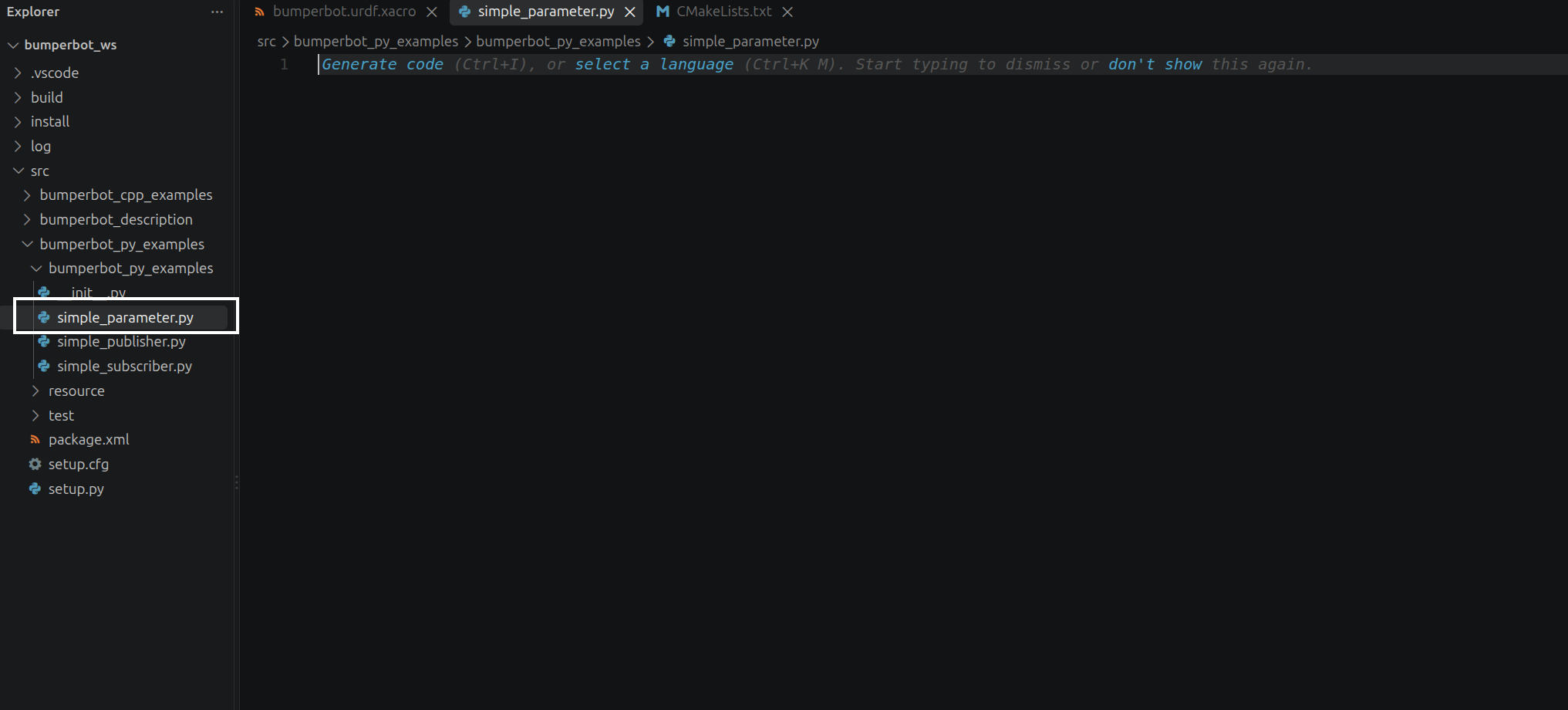
Now we will create the Python node that will contain our parameters.
Inside the bumperbot_py_examples package, create a file named:
simple_parameter.pyWrite the Parameter Node
Open simple_parameter.py and add:
import rclpy
from rclpy.node import Node
from rcl_interfaces.msg import SetParametersResult
from rclpy.parameter import Parameter


class SimpleParameter(Node):

    def __init__(self):
        super().__init__("simple_parameter")
        self.declare_parameter("simple_int_param", 23)
        self.declare_parameter("simple_string_param", "lavitra")

        self.add_on_set_parameters_callback(self.paramChangeCallback)

    def paramChangeCallback(self, params):
        result = SetParametersResult()

        for param in params:

            if param.name == "simple_int_param" and param.type_ == Parameter.Type.INTEGER:
                self.get_logger().info("Param simple_int_param changed! New value is %d" % param.value)
                result.successful = True

            if param.name == "simple_string_param" and param.type_ == Parameter.Type.STRING:
                self.get_logger().info("Param simple_string_param changed! New value is %s" % param.value)
                result.successful = True

        return result


def main():
    rclpy.init()
    simple_parameter = SimpleParameter()
    rclpy.spin(simple_parameter)
    simple_parameter.destroy_node()
    rclpy.shutdown()


if __name__ == "__main__":
    main()
Explanation for simple_parameter.py
Add the Entry Point
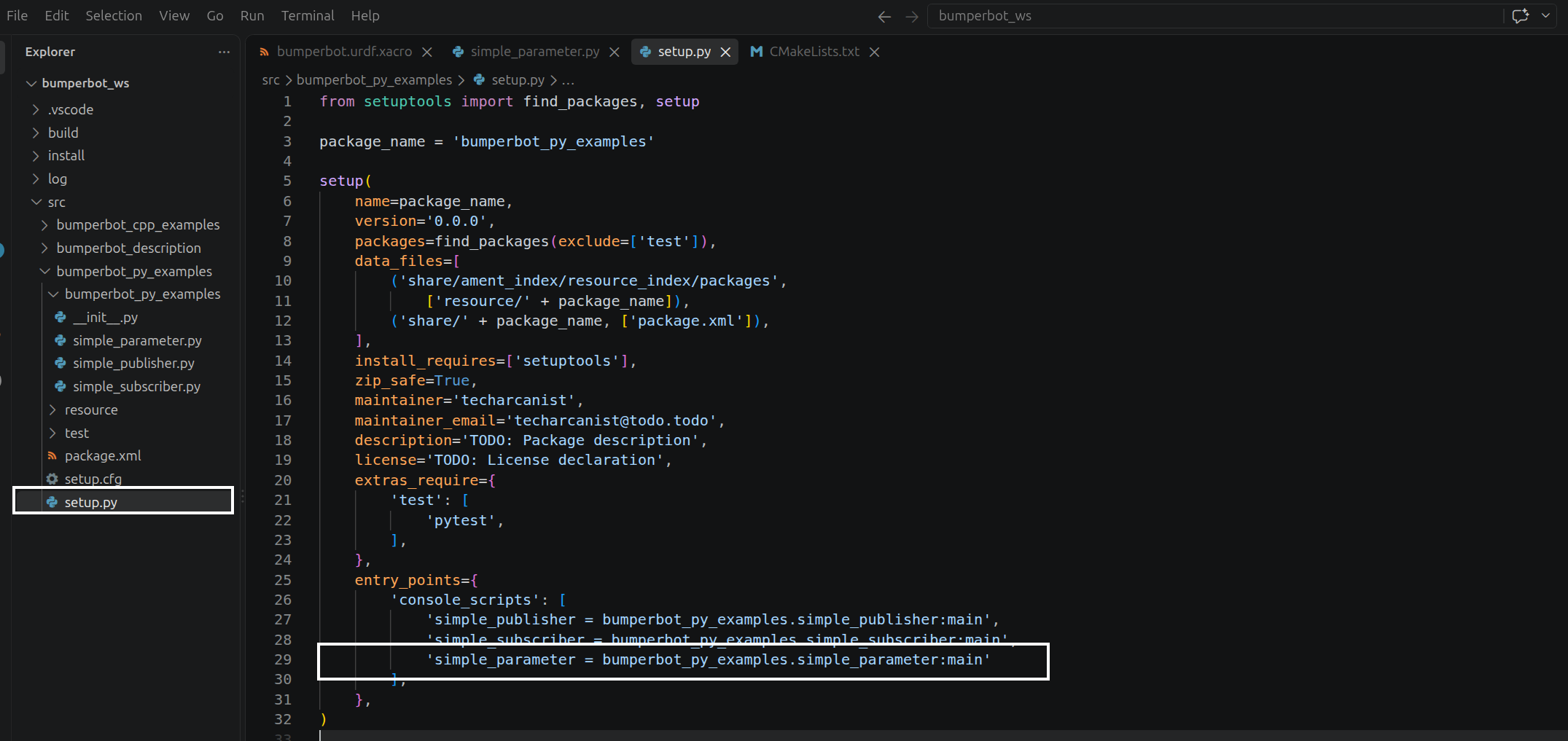
ROS 2 also needs to know how to execute this Python node through the package.
Open:
setup.pyand add the following entry point:
'simple_parameter = bumperbot_py_examples.simple_parameter:main'Why Do We Need an Entry Point?
The entry point tells ROS 2 how to launch our Python file.
The structure is:
simple_parameter
       │
       ▼
bumperbot_py_examples.simple_parameter
       │
       ▼
main()
So when we run:
ros2 run bumperbot_py_examples simple_parameterROS 2 knows that it should execute the main() function inside:
bumperbot_py_examples/simple_parameter.pyAdd the Required Dependency
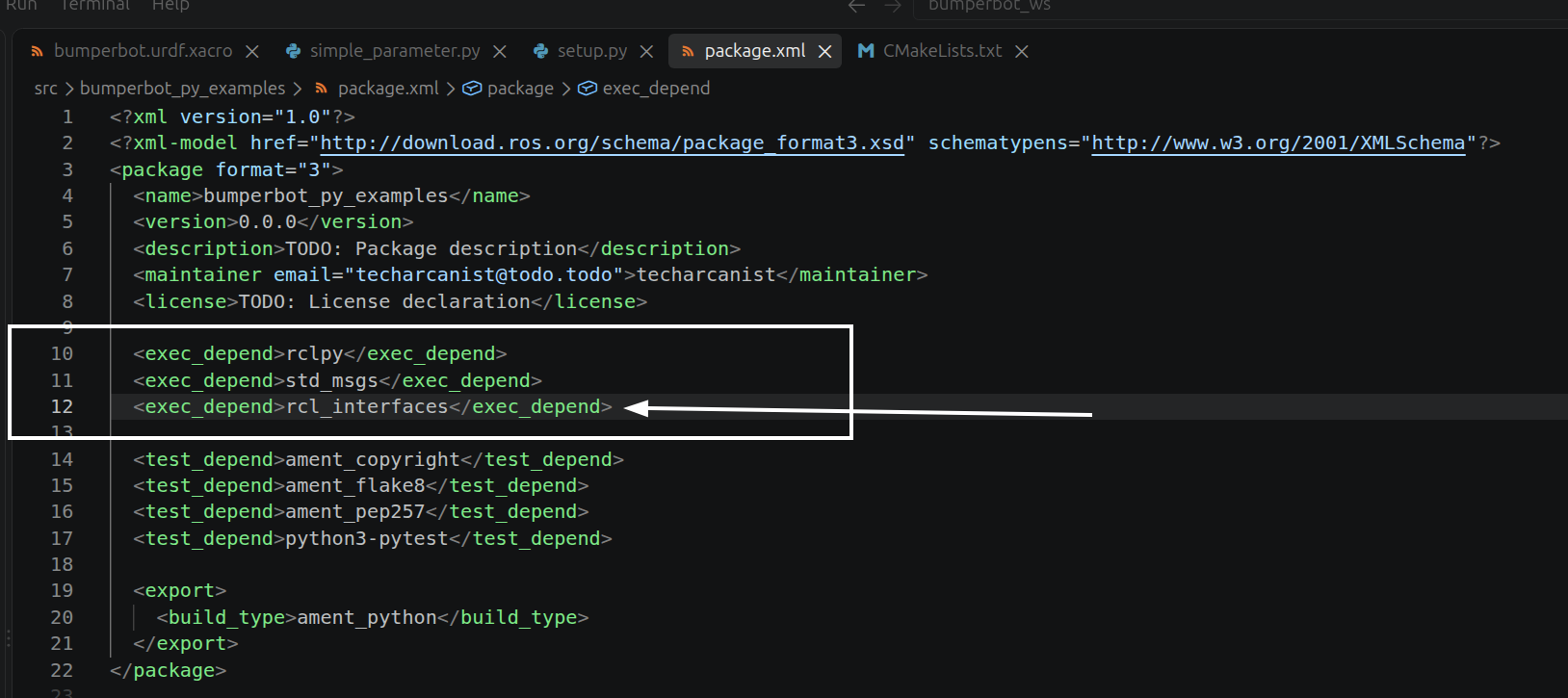
Open:
package.xmland add:
<exec_depend>rcl_interfaces</exec_depend>Build the Workspace
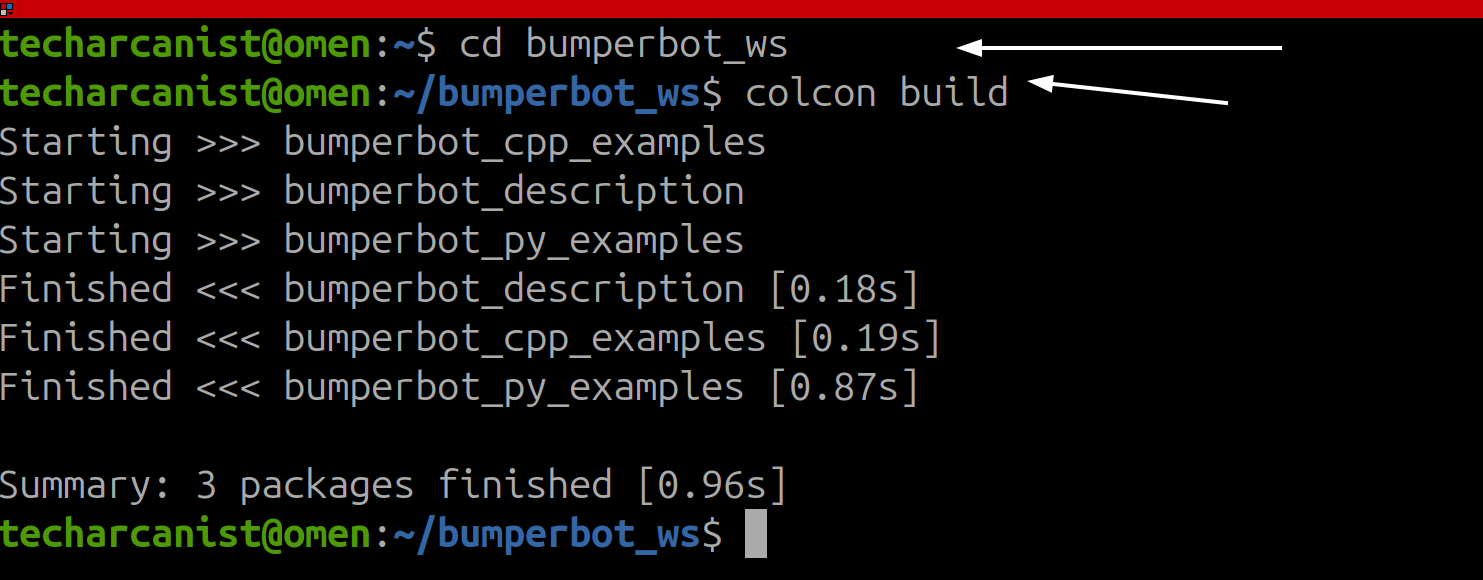
After modifying the package, go back to the workspace and build
cd bumperbot_ws
colcon build
Connection to the Next Chapter
In the chapter 20, we will use these parameters and see how they can be accessed and changed while the node is running.