
08Chapter 8 of 51
ROS 2 Python Subscriber
A ROS 2 publisher sends messages to a topic, while a subscriber listens to the same topic and receives those messages. When a new message is published, the subscriber receives it and prints the message in the terminal.
ROS 2 also allows publishers and subscribers written in different programming languages, such as Python and C++, to communicate through the same topic.
Create one file
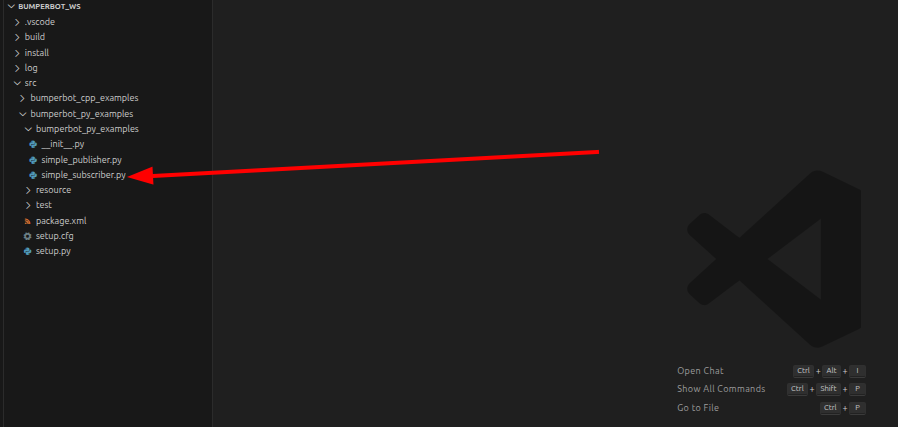
Create one file inside bumperbot_py_examples folder
simple_subscriber.pyCode for simple_subscriber.py
import rclpy
from rclpy.node import Node
from std_msgs.msg import String

class SimpleSubscriber(Node):
    def __init__(self):
        super().__init__("subscriber")

        self.sub_ = self.create_subscription(String, "chatter", self.msgCallback, 10)

    def msgCallback(self, msg):
        self.get_logger().info("I heard: %s" % msg.data)

def main():
    rclpy.init()
    simple_subscriber = SimpleSubscriber()

    rclpy.spin(simple_subscriber)

    simple_subscriber.destroy_node()
    rclpy.shutdown()

if __name__ == '__main__':

    main()
Explanation for simple_subscriber.py
Register Node in setup.py
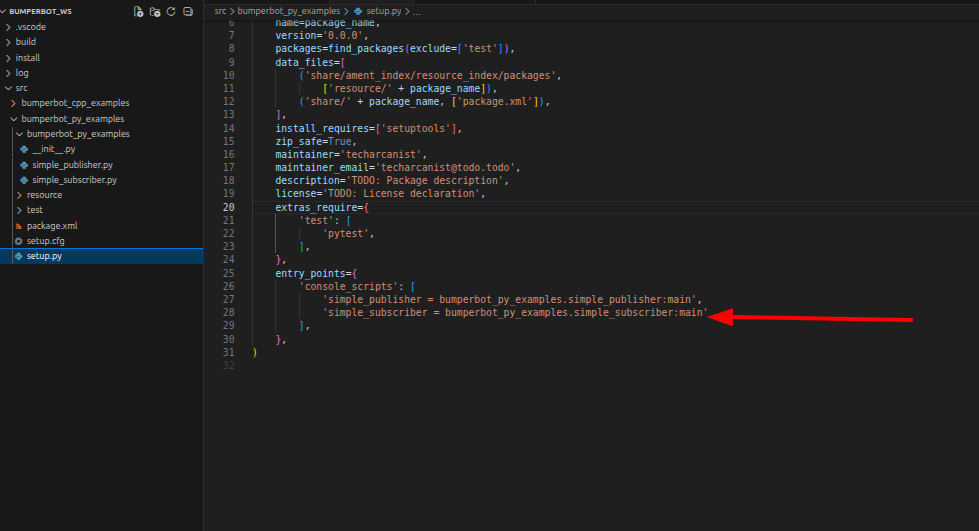
'simple_subscriber = bumperbot_py_examples.simple_subscriber:main'Build the Workspace
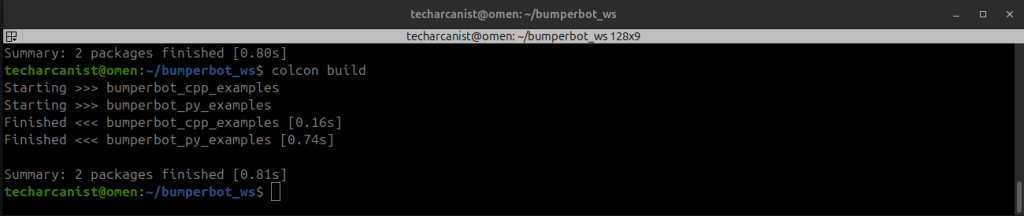
cd bumperbot_wscolcon buildSource the workspace & Run the Node
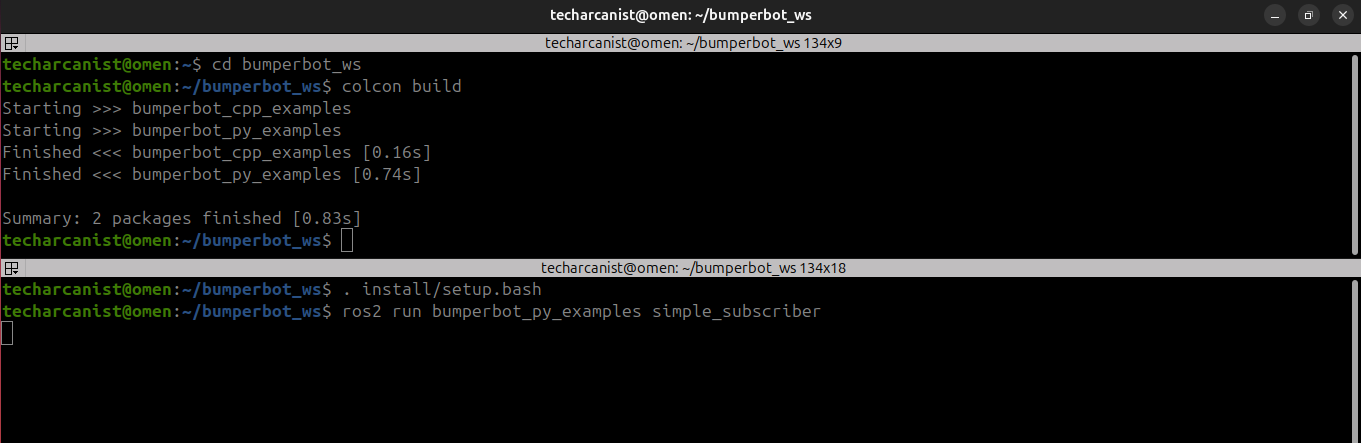
. install/setup.bashros2 run bumperbot_py_examples simple_subscriberPublish a message
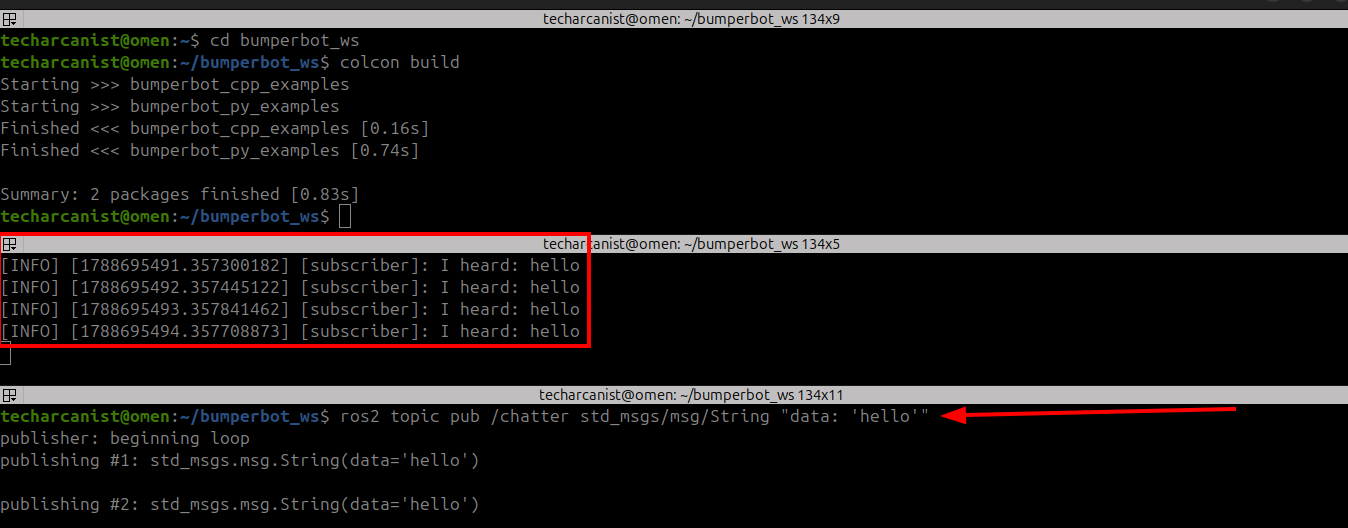
ros2 topic pub /chatter std_msgs/msg/String "data: 'hello'"As shown in the image, we first published a message from one terminal using the publisher node. In a second terminal, we ran the subscriber node. The subscriber successfully received and displayed the published message in the subscriber terminal.
/chatter is the topic name.
Think of a ROS 2 topic as a communication channel.
/chatter
   ↑
Topic name/chatter→ where the message is sentstd_msgs/msg/String→ type/format of the message"data: 'hello'"→ actual message
So this command means:
Publish the string "hello" to the
/chattertopic.
Run Publishing Node
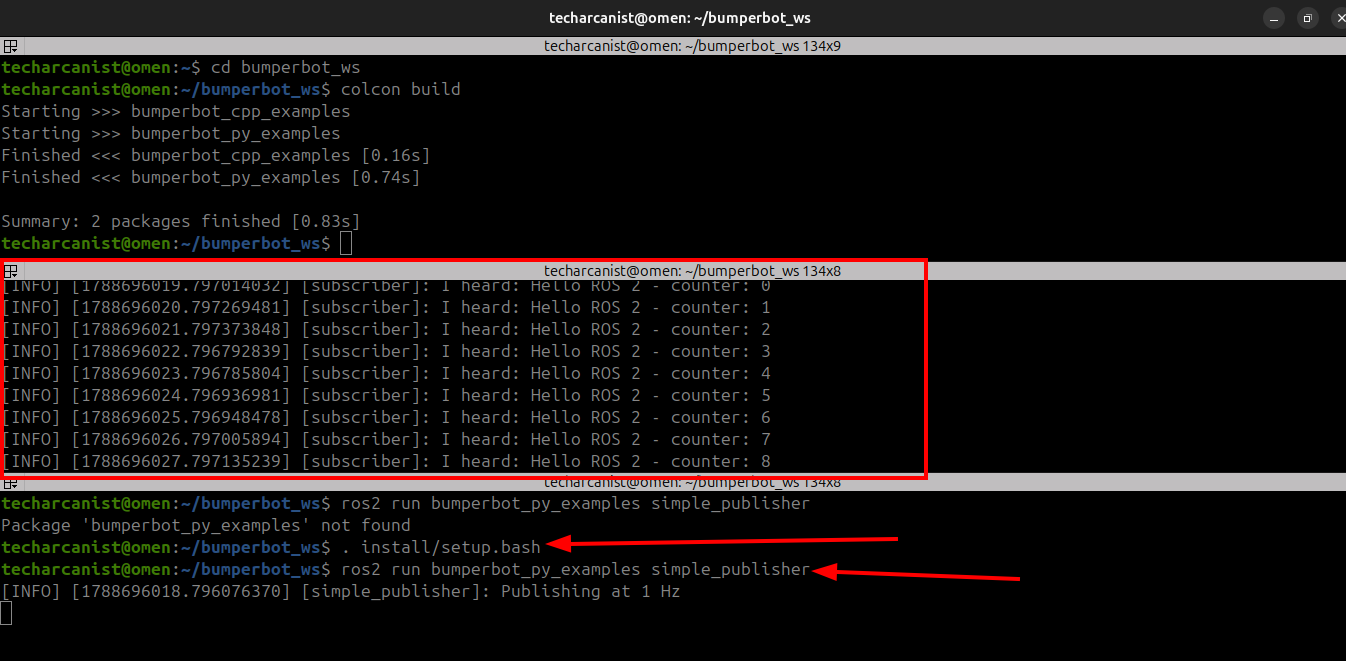
. install/setup.bashros2 run bumperbot_py_examples simple_publisherAs shown in the image, when we run the publisher node, the subscriber node automatically starts receiving and printing the published messages in the subscriber terminal.