
65Chapter 65 of 74
Publish Odometry Message
Introduction
In chapter 64 the node simple_controller learned to keep the robot's pose: x_ and y_ in metres and theta_ in radians, added up one small step at a time from the wheel readings. It only logged these numbers in the terminal, so no other program could use them.
This chapter makes the pose available to everyone. The node now puts it into an Odometry message and publishes it on the topic bumperbot_controller/odom after every reading. An Odometry message holds four things:
- a header with the time stamp and the frame the pose is measured from (
odom), - the name of the robot's own frame,
child_frame_id(base_footprint), - the pose: the position (x and y) and the orientation,
- the twist: the driving speed (
linear) and the turning speed (angular), the same two numbers that chapter 62 worked out.
The node already has x, y, linear and angular. Only the orientation needs one new step: the message does not store theta, it stores the turn as a quaternion (four numbers x, y, z, w), so theta has to be converted first.
The node from chapter 64 must already build and run, with the Gazebo simulation and the controller launch file. This chapter changes simple_controller.py and adds two dependencies to CMakeLists.txt and package.xml: nav_msgs (for the Odometry message) and tf_transformations (for the angle conversion).
Where the pieces come from
| Idea | Where it was met | Section |
| x_, y_ and theta_ added up from the wheel steps | chapter 64 | The code and One reading with real numbers |
| linear and angular from dp and dt | chapter 62 | The formulas |
| why odometry drifts | chapter 60 | When odometry goes wrong |
| a quaternion is four numbers for a turn | chapter 55 | The quaternion: four numbers for a turn and Think in angles, store a quaternion |
| quaternion_from_euler and the tf_transformations dependency | chapter 56 | One yaw, four numbers and Add the dependency |
| creating a publisher and publishing a message | chapter 8 | Publish a message |
| the frame name odom | chapters 54 and 58 | Change frame_id to odom and Three reference frames |
Writing the code
Open the file
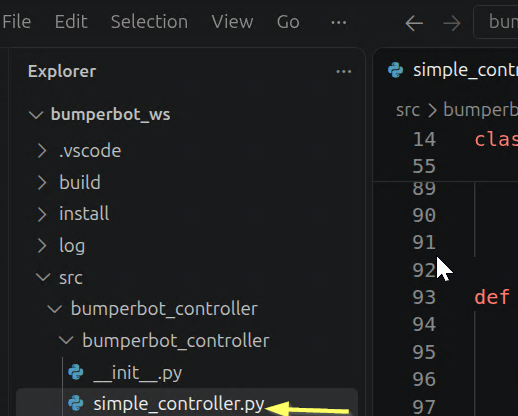
In VS Code, open src, then the bumperbot_controller package folder, then the bumperbot_controller folder inside it, and open simple_controller.py.
The code
The whole code, with the new lines added to chapter 64:
#!/usr/bin/env python3

import rclpy
from rclpy.node import Node
from std_msgs.msg import Float64MultiArray
from geometry_msgs.msg import TwistStamped
from sensor_msgs.msg import JointState
import numpy as np
from rclpy.time import Time
from rclpy.constants import S_TO_NS
from nav_msgs.msg import Odometry
import math
from tf_transformations import quaternion_from_euler


class SimpleController(Node):

    def __init__(self):
        super().__init__("simple_controller")

        self.declare_parameter("wheel_radius", 0.033)
        self.declare_parameter("wheel_separation", 0.17)

        self.wheel_radius_ = self.get_parameter("wheel_radius").get_parameter_value().double_value
        self.wheel_separation_ = self.get_parameter("wheel_separation").get_parameter_value().double_value

        self.get_logger().info("Using wheel radius %f" % self.wheel_radius_)
        self.get_logger().info("Using wheel separation %f" % self.wheel_separation_)

        self.left_wheel_prev_pos_ = 0.0
        self.right_wheel_prev_pos_ = 0.0
        self.prev_time_ = None   # set from the first joint_states message

        self.x_ = 0.0
        self.y_ = 0.0
        self.theta_ = 0.0

        self.wheel_cmd_pub_ = self.create_publisher(Float64MultiArray, "simple_velocity_controller/commands", 10)
        self.vel_sub_ = self.create_subscription(TwistStamped, "bumperbot_controller/cmd_vel", self.velCallback, 10)
        self.joint_sub_ = self.create_subscription(JointState, "joint_states", self.jointCallback, 10)
        self.odom_pub_ = self.create_publisher(Odometry, "bumperbot_controller/odom", 10)

        self.speed_conversion_ = np.array([[self.wheel_radius_/2, self.wheel_radius_/2],
                                           [self.wheel_radius_/self.wheel_separation_, -self.wheel_radius_/self.wheel_separation_]])

        self.odom_msg_ = Odometry()
        self.odom_msg_.header.frame_id = "odom"
        self.odom_msg_.child_frame_id = "base_footprint"
        self.odom_msg_.pose.pose.orientation.x = 0.0
        self.odom_msg_.pose.pose.orientation.y = 0.0
        self.odom_msg_.pose.pose.orientation.z = 0.0
        self.odom_msg_.pose.pose.orientation.w = 1.0

        self.get_logger().info("The conversion matrix is %s" % self.speed_conversion_)

    def velCallback(self, msg):
        robot_speed = np.array([[msg.twist.linear.x],
                                [msg.twist.angular.z]])

        wheel_speed = np.matmul(np.linalg.inv(self.speed_conversion_), robot_speed)

        wheel_speed_msg = Float64MultiArray()
        wheel_speed_msg.data = [wheel_speed[1, 0], wheel_speed[0, 0]]

        self.wheel_cmd_pub_.publish(wheel_speed_msg)

    def jointCallback(self, msg):
        now = Time.from_msg(msg.header.stamp)

        # First message, or sim time went backwards (e.g. sim reset): re-seed
        if self.prev_time_ is None or now < self.prev_time_:
            self.left_wheel_prev_pos_ = msg.position[0]
            self.right_wheel_prev_pos_ = msg.position[1]
            self.prev_time_ = now
            return

        dt = (now - self.prev_time_).nanoseconds / S_TO_NS
        if dt == 0.0:   # duplicate stamp
            self.get_logger().warn("Skipping joint state: duplicate stamp",
                                throttle_duration_sec=2.0)
            return

        dp_left = msg.position[0] - self.left_wheel_prev_pos_
        dp_right = msg.position[1] - self.right_wheel_prev_pos_

        self.left_wheel_prev_pos_ = msg.position[0]
        self.right_wheel_prev_pos_ = msg.position[1]
        self.prev_time_ = now

        fi_left = dp_left / dt
        fi_right = dp_right / dt

        linear = (self.wheel_radius_ * fi_right + self.wheel_radius_ * fi_left) / 2
        angular = (self.wheel_radius_ * fi_right - self.wheel_radius_ * fi_left) / self.wheel_separation_

        d_s = (self.wheel_radius_ * dp_right + self.wheel_radius_ * dp_left) / 2
        d_theta = (self.wheel_radius_ * dp_right - self.wheel_radius_ * dp_left) / self.wheel_separation_
        self.theta_ += d_theta
        self.x_ += d_s * math.cos(self.theta_)
        self.y_ += d_s * math.sin(self.theta_)

        q = quaternion_from_euler(0, 0, self.theta_)
        self.odom_msg_.header.stamp = self.get_clock().now().to_msg()
        self.odom_msg_.pose.pose.position.x = self.x_
        self.odom_msg_.pose.pose.position.y = self.y_
        self.odom_msg_.pose.pose.orientation.x = q[0]
        self.odom_msg_.pose.pose.orientation.y = q[1]
        self.odom_msg_.pose.pose.orientation.z = q[2]
        self.odom_msg_.pose.pose.orientation.w = q[3]
        self.odom_msg_.twist.twist.linear.x = linear
        self.odom_msg_.twist.twist.angular.z = angular
        self.odom_pub_.publish(self.odom_msg_)


def main():
    rclpy.init()

    simple_controller = SimpleController()
    rclpy.spin(simple_controller)

    simple_controller.destroy_node()
    rclpy.shutdown()


if __name__ == '__main__':
    main()
What is new
- Line 11:
from nav_msgs.msg import Odometry, the message type. - Line 13:
from tf_transformations import quaternion_from_euler, the angle conversion. - Line 41: the publisher: type Odometry, topic
bumperbot_controller/odom, queue size 10. - Lines 46 to 52: one Odometry message made once.
frame_idisodomandchild_frame_idisbase_footprint; the orientation starts as (0, 0, 0, 1), which means no turn. - Lines 102 to 112: at the end of every
jointCallback: theta becomes the quaternionq, the time stamp, x_, y_, q and the two speeds are copied into the message, and line 112 publishes it.
The two log lines of chapter 64 (the speeds, and x, y and theta) are gone: the pose now leaves the node as a message, and terminal 5 below reads it. Everything up to line 100 is the node of chapter 64, unchanged.
Theta becomes z and w
For a robot that only turns around the vertical axis, quaternion_from_euler(0, 0, theta_) gives x = 0 and y = 0, and the two numbers that matter are
- z = sin(theta ÷ 2)
- w = cos(theta ÷ 2)
(as far as I know this is the usual formula for a turn around z only). Example with the first turning reading, theta = 0.005 rad: half the angle = 0.005 ÷ 2 = 0.0025, so z = sin(0.0025) = 0.0025 and w = cos(0.0025) = 0.999997. At the start theta = 0 gives z = sin(0) = 0 and w = cos(0) = 1, which is why lines 49 to 52 start with (0, 0, 0, 1). Drag theta in the picture below and watch z and w change.
Add the dependencies
The new imports need two entries. First CMakeLists.txt in bumperbot_controller: add this line next to the other find_package lines.
find_package(nav_msgs REQUIRED)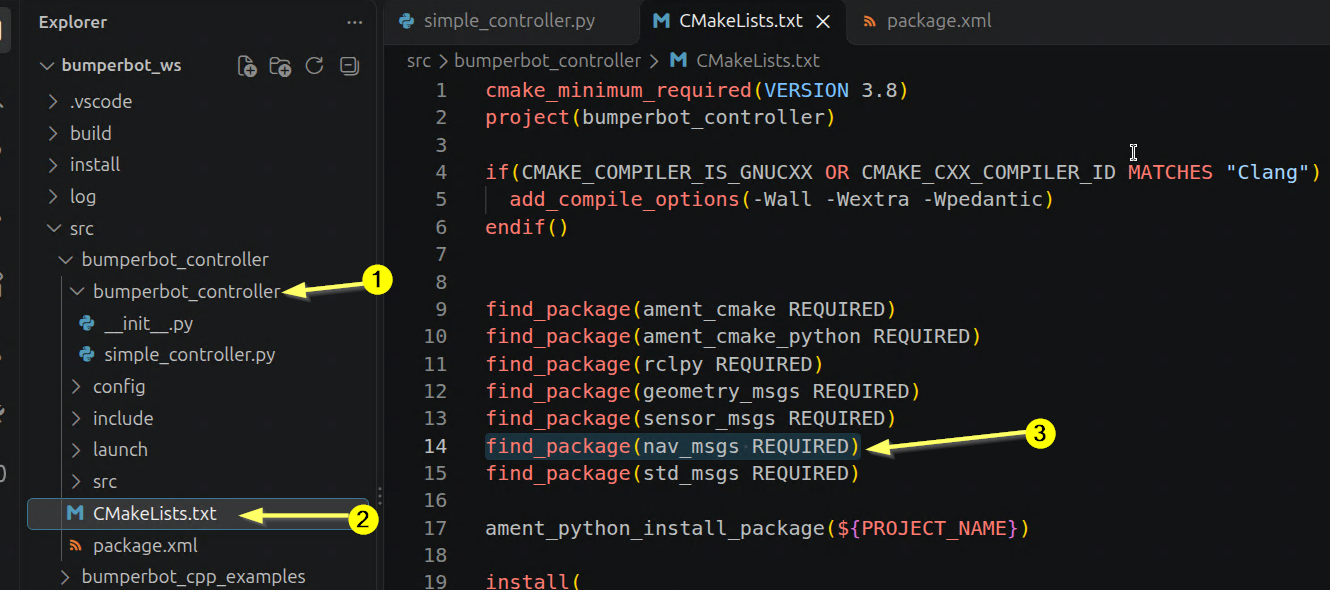
Then package.xml: add these two lines, nav_msgs next to the other depend lines and tf_transformations next to the other exec_depend lines.
<depend>nav_msgs</depend><exec_depend>tf_transformations</exec_depend>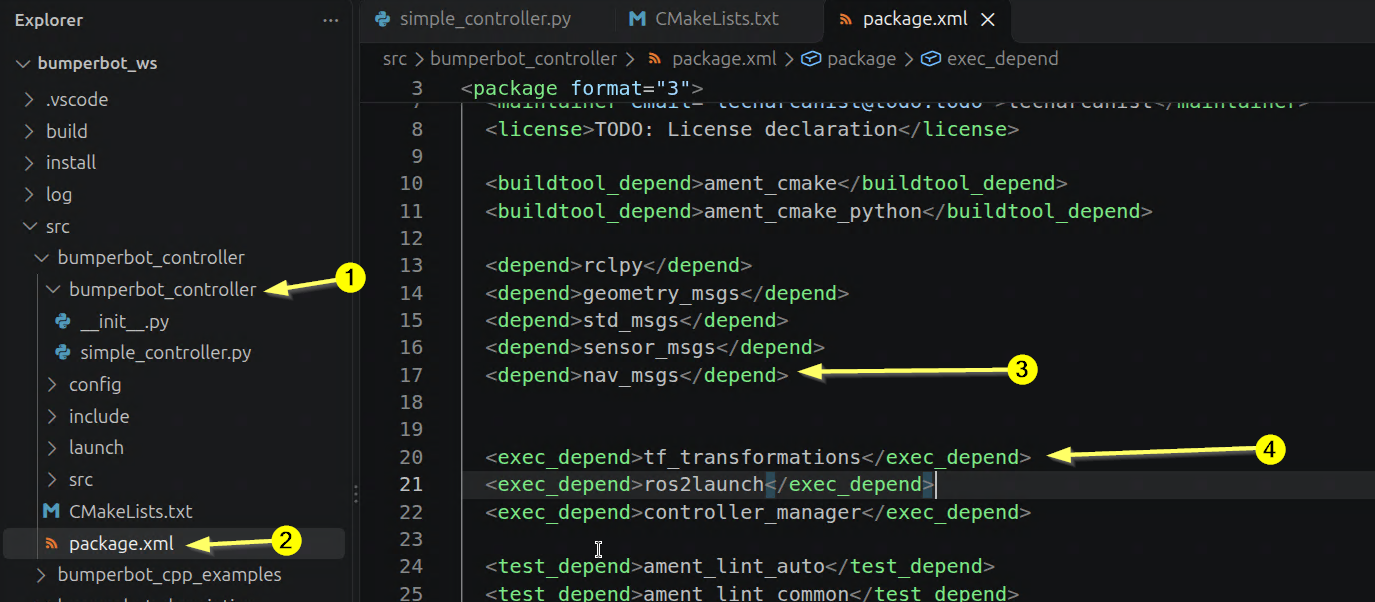
Code visualizer
Every line explained, with a step-by-step run, a map, bugs to try and a live picture of the robot filling the message. Lines that did not change since chapter 64 keep their explanation; the new lines 11, 13, 41, 46 to 52 and 102 to 112 are the new part.
Building and running
Terminal 1: build
Open a terminal and build the workspace:
cd bumperbot_wscolcon build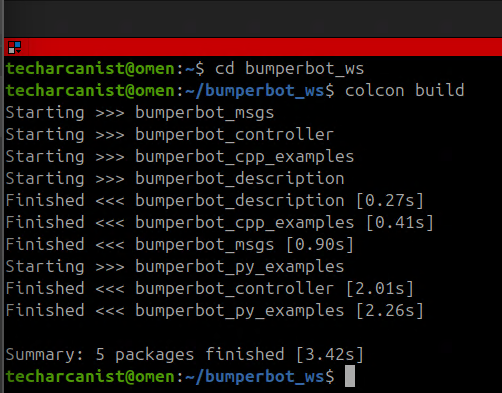
What you should see
Starting >>> bumperbot_msgs
Starting >>> bumperbot_controller
Starting >>> bumperbot_cpp_examples
Starting >>> bumperbot_description
Finished <<< bumperbot_description [0.27s]
Finished <<< bumperbot_cpp_examples [0.41s]
Finished <<< bumperbot_msgs [0.90s]
Starting >>> bumperbot_py_examples
Finished <<< bumperbot_controller [2.01s]
Finished <<< bumperbot_py_examples [2.26s]

Summary: 5 packages finished [3.42s]
Terminal 2: the simulation
Open another terminal, source the workspace and start Gazebo with the robot:
. install/setup.bashros2 launch bumperbot_description gazebo.launch.py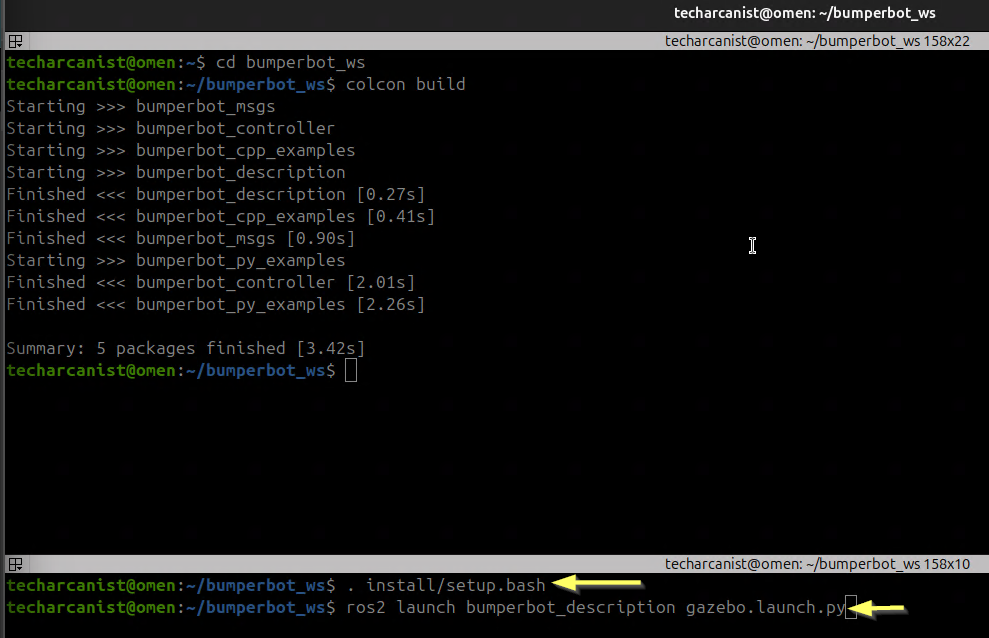
Terminal 3: the controllers and the node
Open one more terminal and start the controllers, which also start simple_controller:
. install/setup.bashros2 launch bumperbot_controller controller.launch.py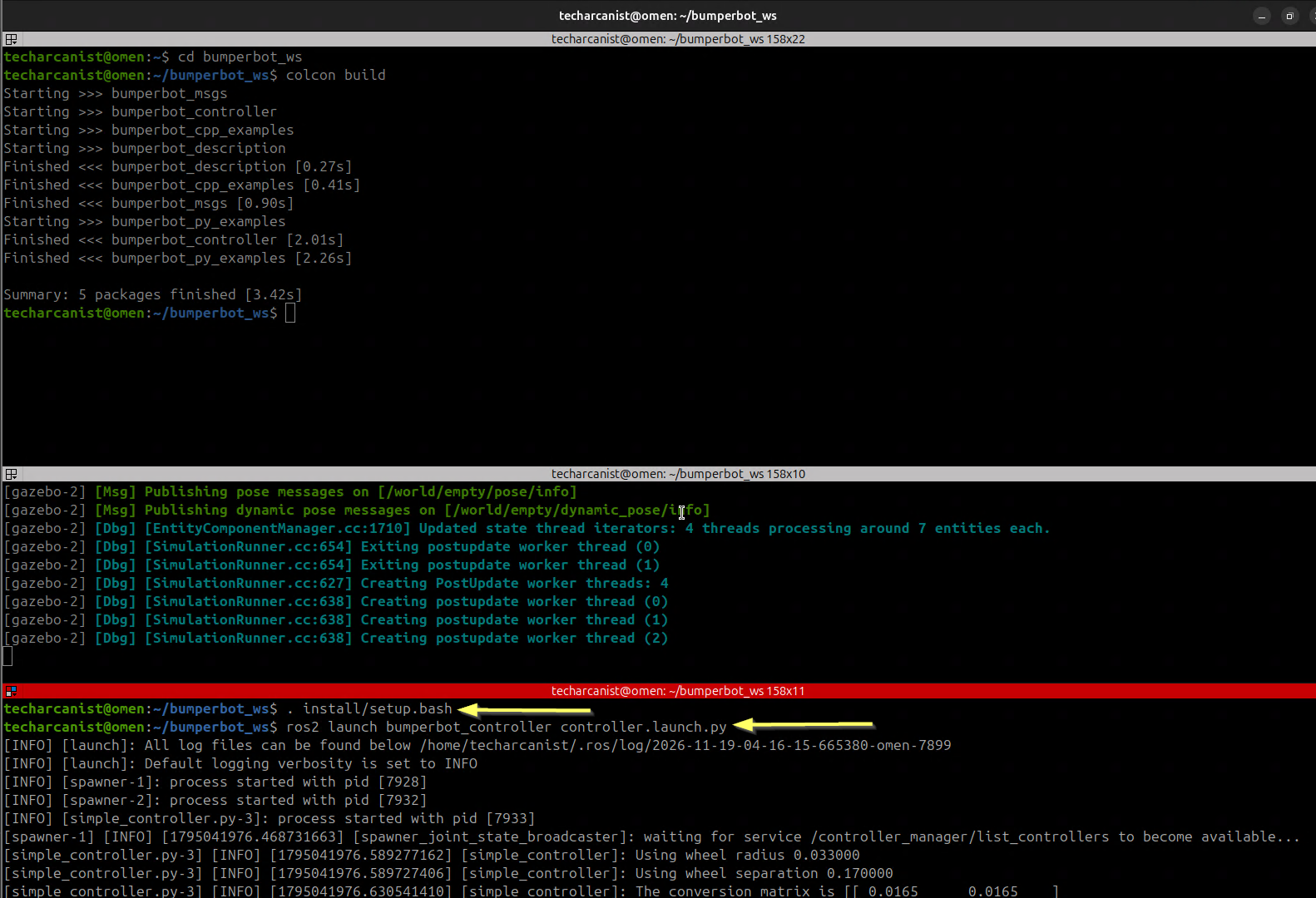
The node prints nothing for every reading any more. A line such as Skipping joint state: duplicate stamp can still appear: it is the warning of chapter 64 for a repeated time stamp (dt = 0) and not an error.
Sending a command and reading the odometry
Terminal 4: turn left on the spot
Open a fourth terminal, source the workspace and publish a command that only turns: linear speed 0, angular speed 0.5 rad/s.
. install/setup.bashros2 topic pub /bumperbot_controller/cmd_vel geometry_msgs/msg/TwistStamped 'header:
stamp:
sec: 0
nanosec: 0
frame_id: ''
twist:
linear:
x: 0.0
y: 0.0
z: 0.0
angular:
z: 0.5'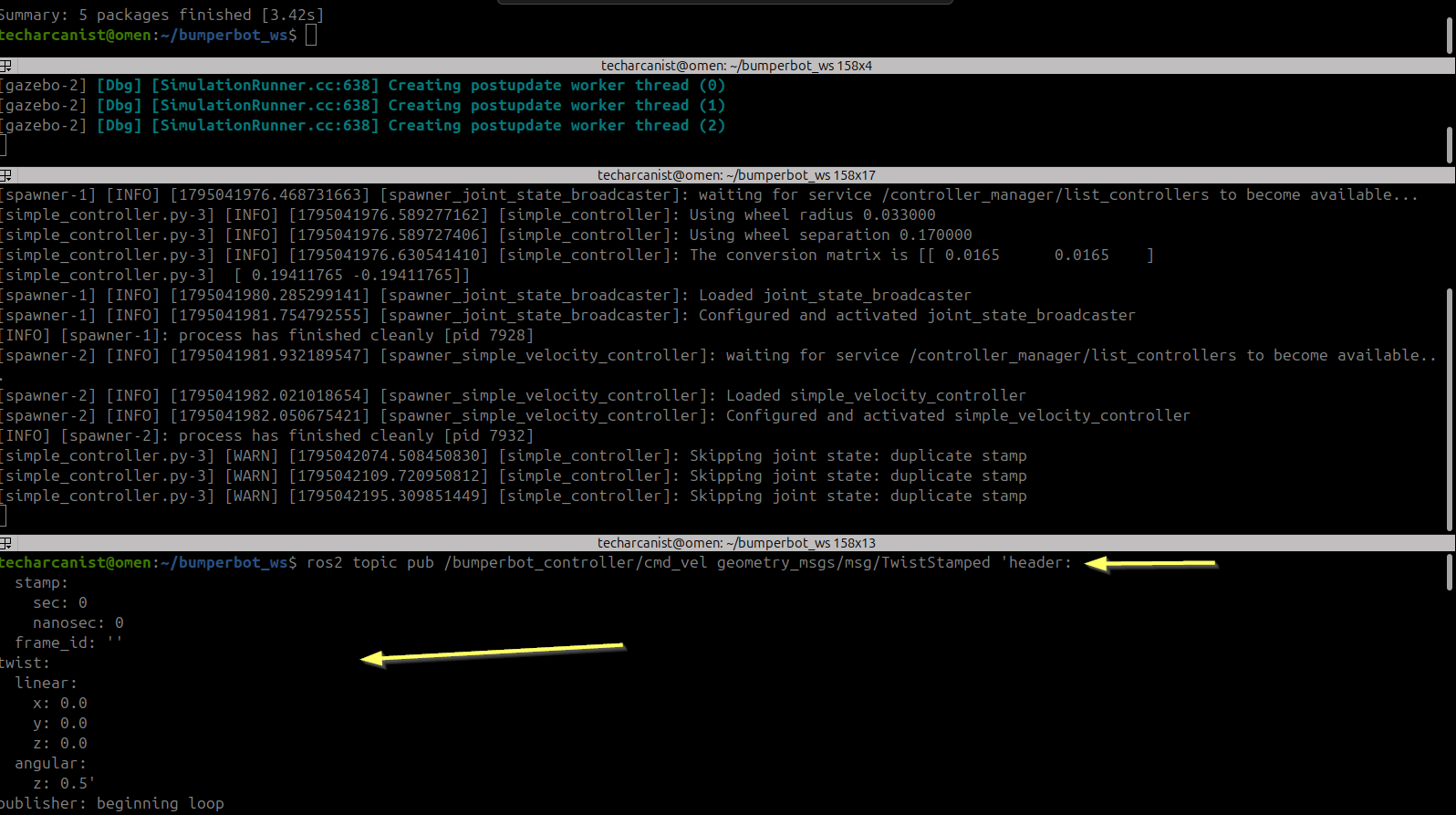
Terminal 5: read the odometry message
Open a fifth terminal, source the workspace and listen on the new topic:
. install/setup.bashros2 topic echo /bumperbot_controller/odom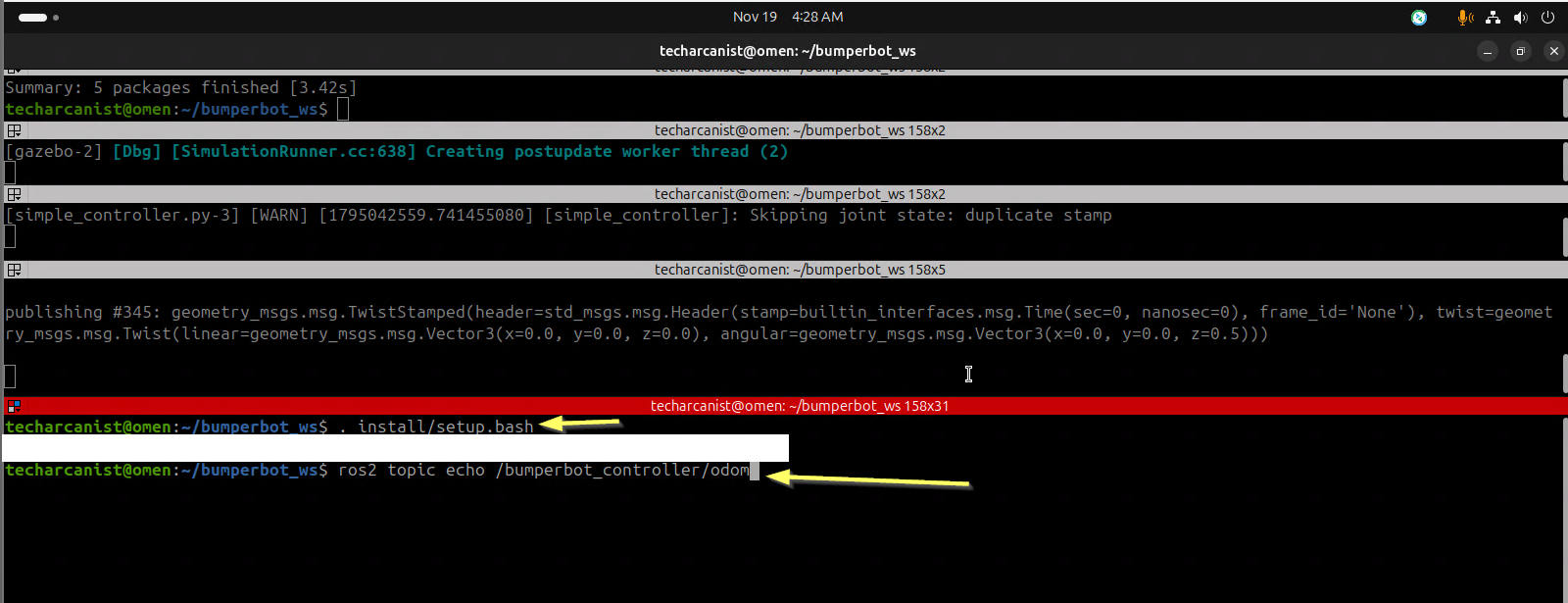
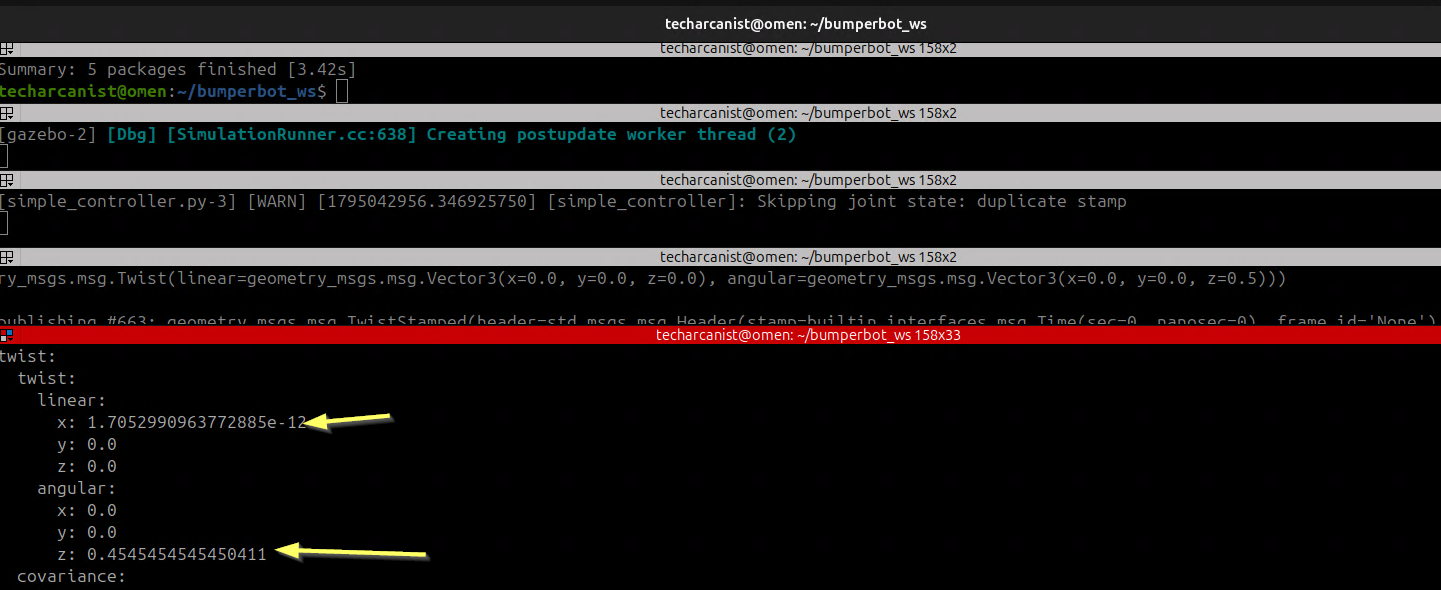
Messages start to print. The part at the end of each one is the twist: the driving speed is about 0 and the turning speed is about 0.45 to 0.5 rad/s.
What you should see
twist:
  twist:
    linear:
      x: 1.7052990963772885e-12
      y: 0.0
      z: 0.0
    angular:
      x: 0.0
      y: 0.0
      z: 0.4545454545450411
  covariance:
The command asked for 0.5 rad/s, and 0.4545... is 0.5 × 10 ÷ 11. That fits a reading where dt was 11 ms instead of the usual 10 ms: angular is worked out as dp ÷ dt, so it jumps a little when dt jumps (as far as I know the same effect as in chapter 62), while the pose is built from dp and does not. The covariance list that follows is long and not filled in by this node.
A shorter output
Press Ctrl+C in terminal 5 and run the echo again with --no-arr, which hides long arrays such as the covariance:
ros2 topic echo /bumperbot_controller/odom --no-arr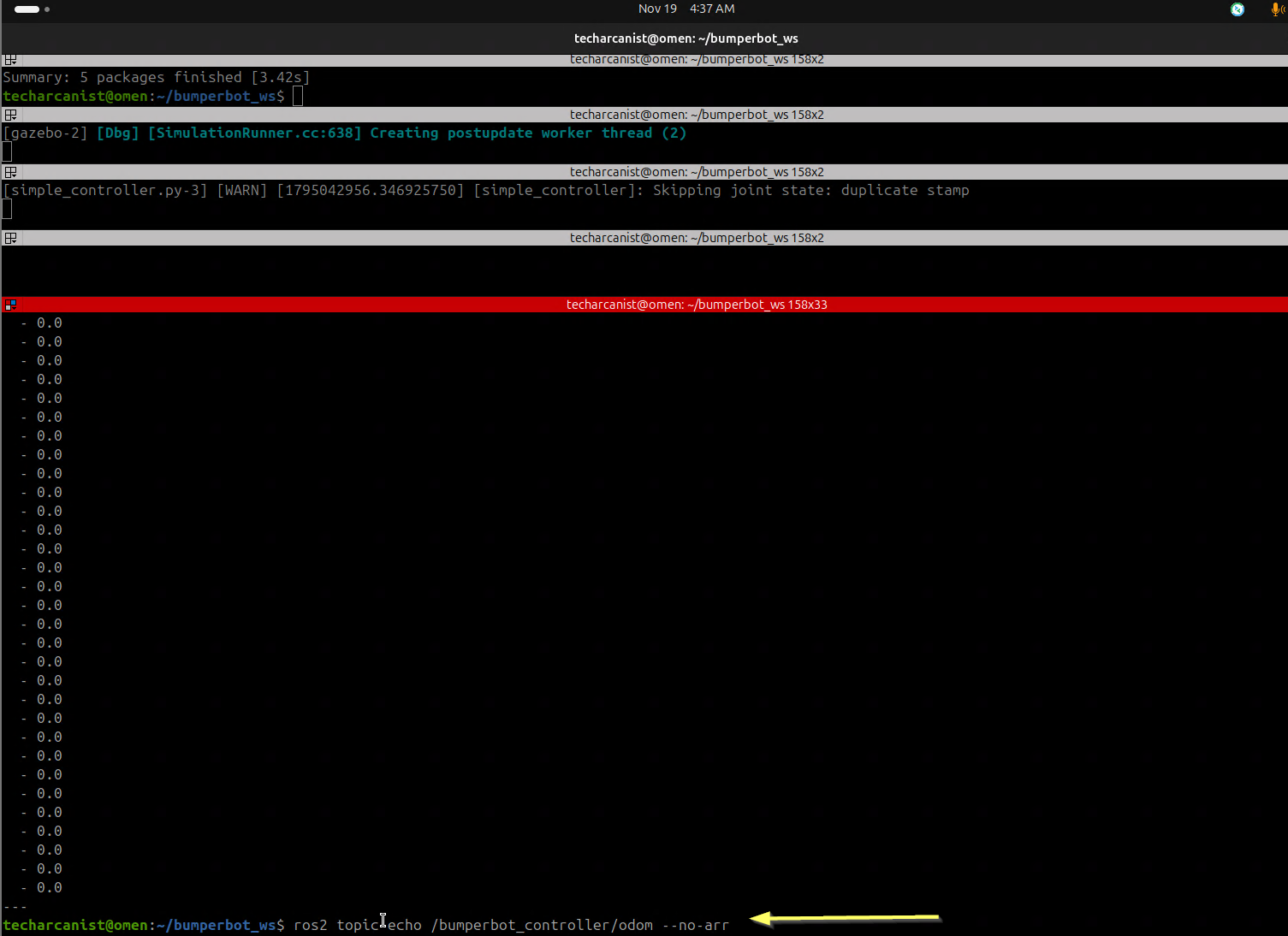
Each message now fits on a few lines. One of them looks like this:
What you should see
header:
  stamp:
    sec: 1412
    nanosec: 580000000
  frame_id: odom
child_frame_id: base_footprint
pose:
  pose:
    position:
      x: 4.496411238497189e-13
      y: 6.923864052725302e-13
      z: 0.0
    orientation:
      x: 0.0
      y: 0.0
      z: 0.9962109992506045
      w: 0.08696921853225967
  covariance: '<array type: double[36]>'
twist:
  twist:
    linear:
      x: 0.0
      y: 0.0
      z: 0.0
    angular:
      x: 0.0
      y: 0.0
      z: 0.5000000000216138
  covariance: '<array type: double[36]>'
---
Reading one message
- Frames:
frame_id: odomandchild_frame_id: base_footprint, the two names from lines 47 and 48. - Position: x and y are about 10-13, which is 0 up to rounding. That is right: the robot turned on the spot, so d_s was 0 at every reading.
- Twist: linear is 0 and angular is 0.5000000000216 rad/s, the commanded 0.5.
- Orientation: z = 0.996211 and w = 0.086969. Working back to theta: the half angle is atan2(z, w) = atan2(0.996211, 0.086969) = 1.4837 rad, so theta = 2 × 1.4837 = 2.9674 rad, about 170 degrees. Check: sin(1.4837) = 0.996211 and cos(1.4837) = 0.086969.
So after this run the robot has turned about 2.97 rad (about 170 degrees) since the node started, and the message tells every other program the same thing in z and w.
Remember
- An Odometry message holds a header (time stamp and
frame_id=odom),child_frame_id=base_footprint, the pose (position and orientation) and the twist (linear and angular speed). - Make the message once in
__init__(the two frame names never change) and fill it again and publish it at the end of everyjointCallback. - The orientation is a quaternion, not theta:
quaternion_from_euler(0, 0, theta_)gives z = sin(theta ÷ 2) and w = cos(theta ÷ 2). No turn is (0, 0, 0, 1), so w starts at 1.0. - The pose comes from x_, y_ and theta_ of chapter 64, the twist from
linearandangularof chapter 62. - The new imports need
nav_msgsin CMakeLists.txt and package.xml andtf_transformationsas anexec_dependin package.xml. - Read the result with
ros2 topic echo /bumperbot_controller/odom; add--no-arrfor a shorter output. Turning on the spot keeps x and y at about 0 and changes z and w. - The message carries the same drift as the pose: a small error in the wheel radius or separation grows with the distance (chapter 60).