

Project Context, How This Started
I wanted to train machine learning OCR models on Windows, but:
- TensorFlow GPU stopped working on native Windows support,
- CUDA installation was messy,
- RAM constraints caused crashes,
- Some Python packages only worked in Linux.
So I moved to WSL2, configured Ubuntu on Windows, set up CUDA, Docker, RAPIDS, and finally trained my OCR model inside Jupyter notebook.
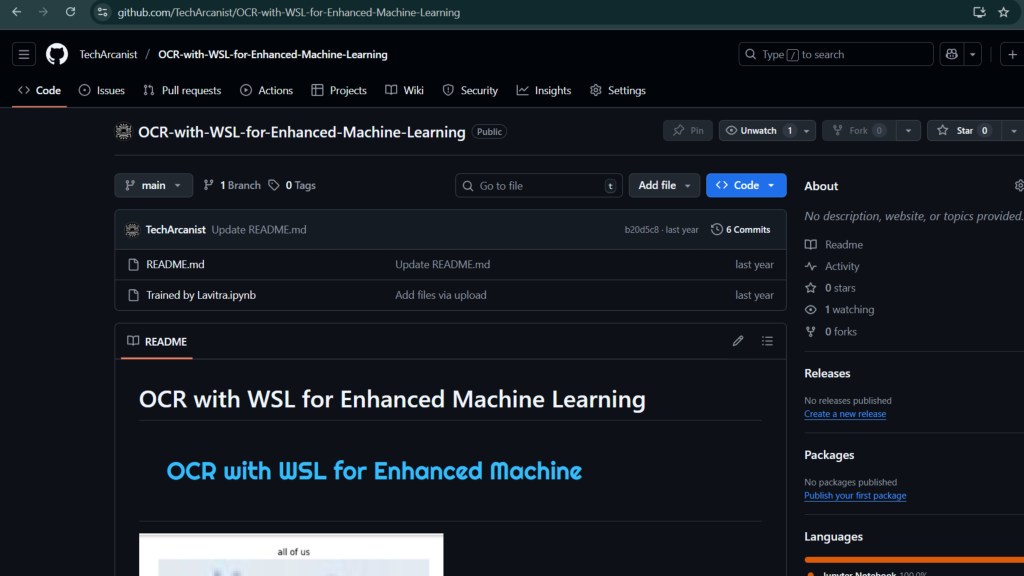
This repository contains every command, every setup step, and the exact procedure I used to run ML workloads smoothly on Windows.
What This Repository Includes
- WSL2 installation + moving WSL to D:/ drive (to save C:/ space)
- Setting default Ubuntu user
- Python 3.12 setup + virtual environment
- CUDA + cuDNN + NCCL setup for GPU acceleration
- RAPIDS AI installation using Docker
- TensorFlow GPU installation + GPU verification
- Running OCR training notebook
Tools & Technologies Used
- WSL2, Ubuntu
- Python 3.12 + Virtual Environments
- TensorFlow (GPU)
- CUDA 12.6 / cuDNN / NCCL
- Docker + RAPIDS AI
- Jupyter Notebook
- OCR Notebook (trained by me)
Media Availability (Important Note)
This project was built a long time ago.
There are very limited photos/videos of the working system
Code & Installation
The complete source code is available in the GitHub repository.
My Learnings
- How to install WSL2 from scratch and configure Linux environment inside Windows
- Moving WSL to D:/ drive using export/import to manage storage efficiently
- Configuring CUDA, cuDNN, NCCL inside WSL for deep learning
- Using Docker to run GPU accelerated RAPIDS AI images
- Installing TensorFlow GPU on WSL (TensorFlow 2.11+ Linux-only GPU support)
- Understanding TensorFlow GPU verification (
tf.config.list_physical_devices('GPU')) - Running ML workflows smoothly on Windows using Linux virtualization
- Bonus learning:
- WSL2 makes Windows feel like a Linux machine, with GPU, Docker, and terminal power.