Introduction
Maker Buddies (product name "Buddy") is a gamified DIY platform where every project is unique, versioned and owned by its inventor. Makers publish step-by-step builds, build each other's projects, earn XP and badges, and redeem that XP for real merch.
It is a prototype. I built it as a project idea for inunity, so they can use it as a base to build a platform like this. It has been live at makerbuddies.in since April 2026.
Who it is for
Hobby makers, students and beginners in electronics and robotics, with an India-first angle: bill-of-materials totals in rupees and links to Indian parts suppliers such as Robu, Robocraze and Amazon.in. Anyone who builds things (Arduino, ESP32, 3D printing, robotics, IoT, programming, cybersecurity) can publish or follow a build.
The problem it solves
Existing DIY sites such as Instructables, Hackster and Hackaday are great libraries, but they leave three gaps:
- Duplicates: the same project, for example a line follower robot, is posted dozens of times with no way to see which version is best or who thought of it first.
- No reason to finish: people read a build, leave, and rarely come back.
- Shops, not community: Indian makers mostly meet DIY through parts stores, not through a maker community.
What Buddy does about it
- One project, one page. Someone with a better way to build it submits a version upgrade. The original inventor reviews it (approve, transfer ownership, "it's actually different", ask for changes or reject) and always keeps the credit.
- Building is rewarded. Starting, finishing and proving a build earn XP, 15 levels and 29 badges, and XP can be redeemed for physical merch in the store.
- A community, not just a library: teams, courses, weekly challenges, questions and answers, build logs and direct messages.
- Live site: makerbuddies.in
Tech stack
| Part | Choice | Why |
| App | Vanilla JavaScript single-page app: one file of 10,769 lines, a hash router, no framework and no build step | Free to host and easy to deploy by uploading static files |
| Look | An HTML shell and a hand-written CSS design system (3,971 lines), Space Grotesk font, inline SVG icons | Small, fast, mobile-first, full control of the look |
| Code in steps | highlight.js | Syntax-coloured code blocks inside build steps |
| Hosting | Firebase Hosting with the custom domain and security headers | Free tier, one-command deploys |
| Database | Cloud Firestore: 27 collections protected by 371 lines of security rules | Real-time, serverless, free tier. The rules act as the backend: ownership is checked through document IDs built from the user and the item |
| Sign-in | Firebase Authentication with GitHub and Google | No passwords to store |
| Images | Compressed in the browser to JPEG (up to 1200 px wide) and stored inside the Firestore documents | No paid file storage needed on the free tier |
| AI | A Cloudflare Worker calling Google Gemini, falling back through four models, with rate limits per visitor and an allow-list of sites | The AI key never reaches the browser; free tier |
| Installable app | Web app manifest and a service worker (cached app shell, offline page, notification handling) | Installs on phones and desktops; the push notification client is built and waiting for a backend |
The very first offline version used Node, Express and SQLite. The live product moved to Firebase, and that server is no longer used.
How it works
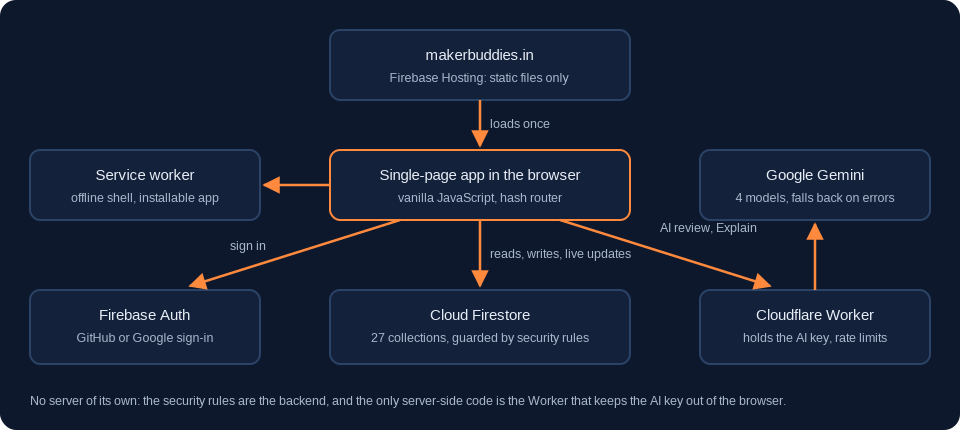
- Browser app: the router picks a page, and each page reads and writes Firestore directly through the Firebase SDK.
- Firestore and its rules: all the data. The rules decide who can read and write each collection.
- Sign-in: GitHub or Google identity; each member has a profile document, and usernames are reserved so no two members share one.
- Cloudflare Worker: the AI project review and the step explainer, called from the browser.
- Service worker: caches the app shell and handles notification clicks.
A typical action, finishing a build: the build is marked complete, XP is added to the member, a level-up is checked, and badges, a feed event and notifications are written. Live listeners then update the notification bell for the other members.
Public features: what any visitor sees
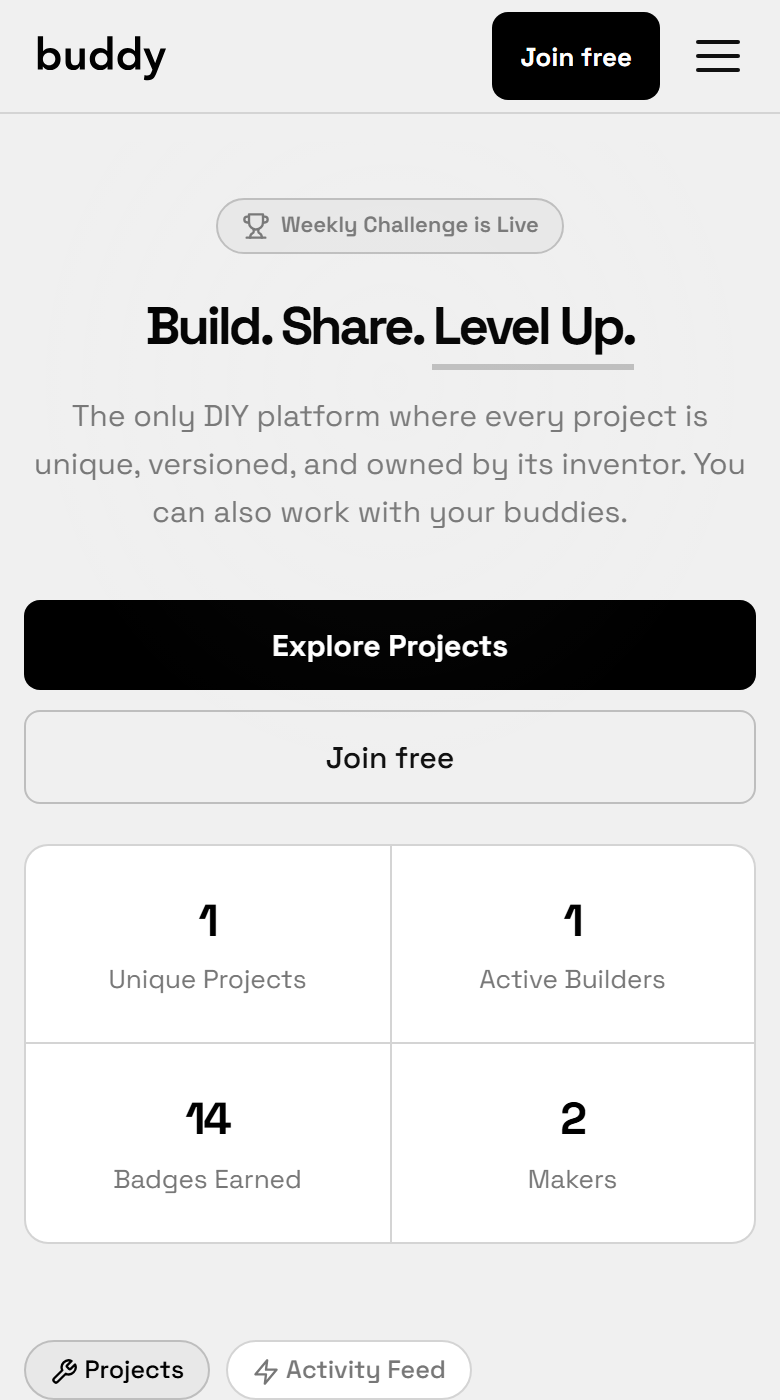
Home
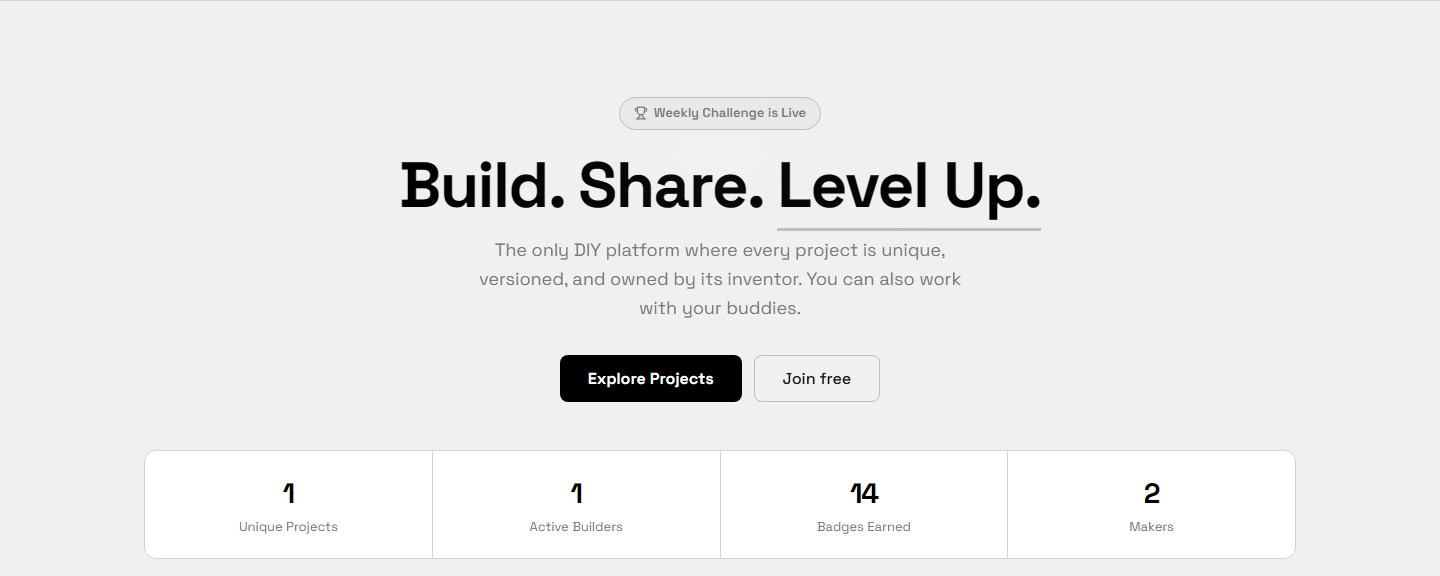
The home page opens with "Build. Share. Level Up." and four live counters: unique projects, active builders, badges earned and makers. Below them is the project browser: a card grid with category chips (Robotics, Electronics, IoT, AI and ML, 3D Printing, Programming, Cybersecurity, Other), difficulty chips, a Featured filter, a search box and a sort menu (Newest, Popular, Top quality, Oldest). "Top quality" scores each project on its steps, photos, components, description, tags, likes, views, versions and whether it is featured.
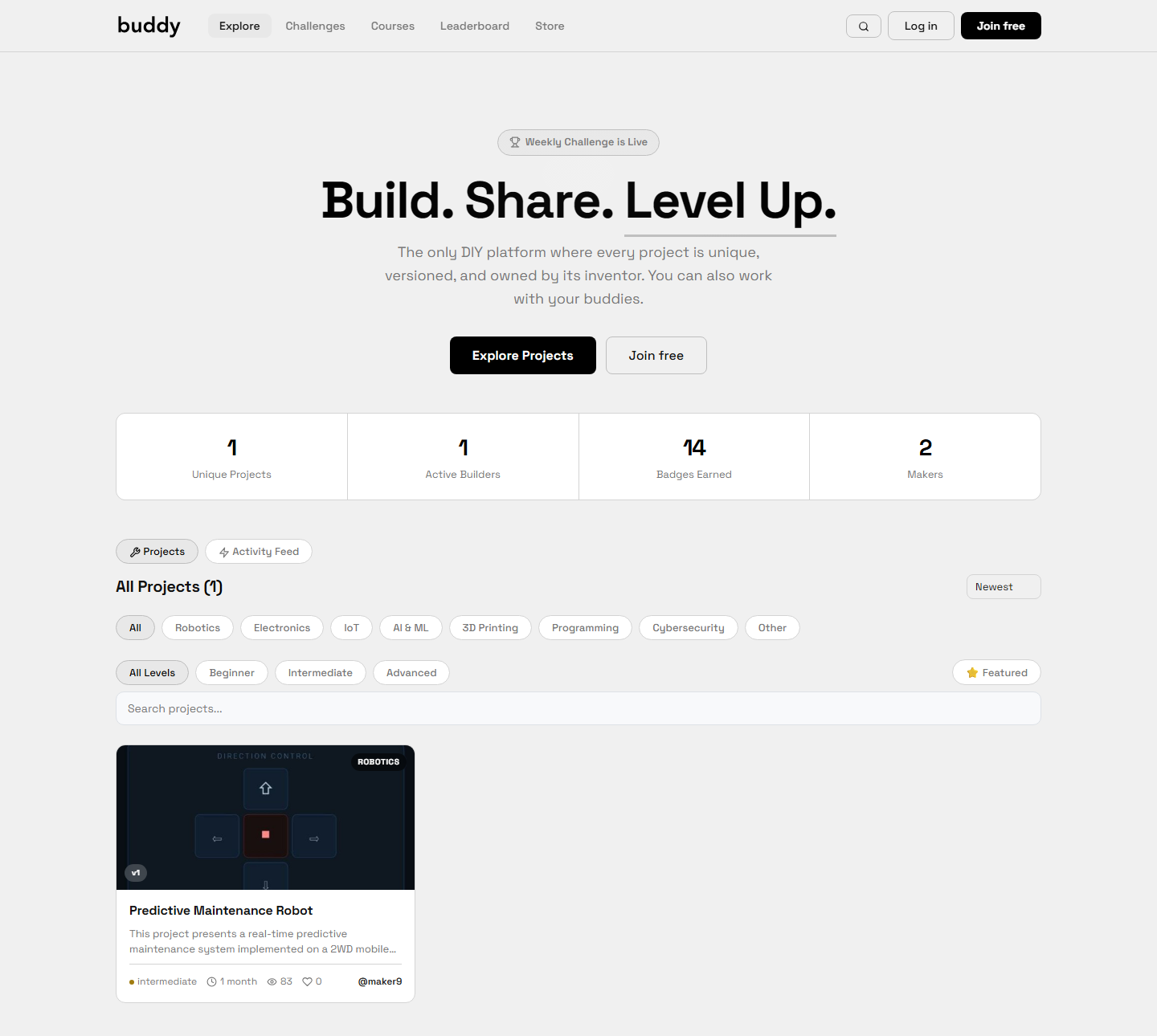
The home page also has an activity feed with "Everyone", "Following" and "For you" tabs (published, completed a build, level-up, badge, joined a team, build log update). "For you" ranks events by who the member follows, how recent they are, the event type and the member's interests. A strip of the five most active makers of the last 30 days appears once there is activity.
The project page
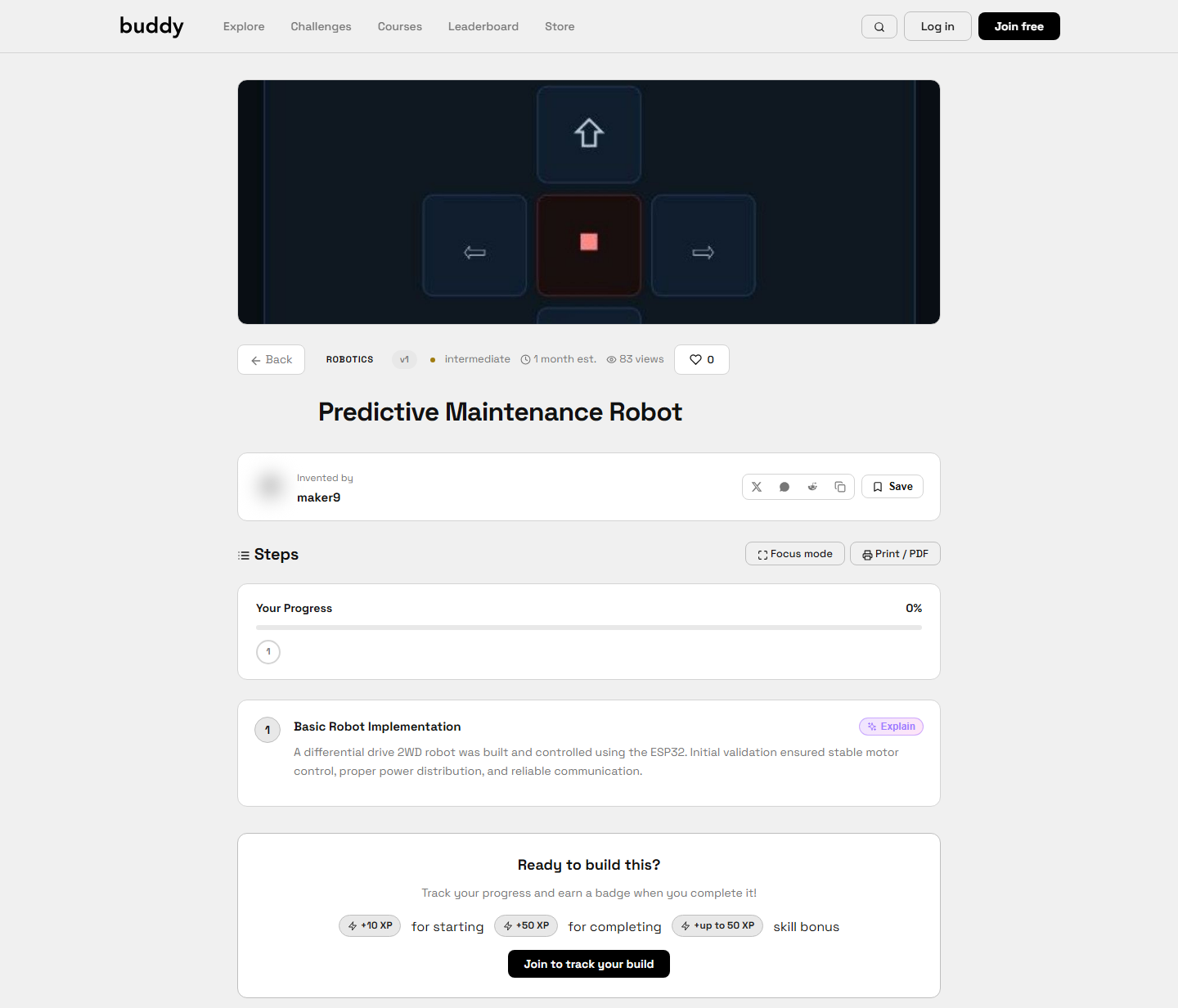
The project page is the heart of the product. Everything sits on one page:
- Header: cover banner, title, category, version badge (v1, v2...), difficulty, time, views and likes. The time is the inventor's estimate until 3 or more builders report their real hours, then it shows the median. When 3 or more builders disagree with the listed difficulty, a "felt harder" or "felt easier" note appears.
- Inventor card: inventor credit, the buddies who built it with them, a share bar (X, WhatsApp, Reddit, copy link, and the phone's own share sheet) and Save.
- Versions: a "Submit Better Version" button, the version history once a project has 2 or more versions, and a Remix tree showing who contributed each version. The inventor's credit is permanent.
- Bill of materials: each component with its price, prices written as ₹, Rs, $ or "200/-" read as rupees, an estimated total, and Robu, Robocraze and Amazon.in search buttons for parts without a buy link.
- Steps: photos plus content blocks: text, code with syntax colours and a copy button, YouTube, an interactive simulator, custom HTML and an embedded GitHub file. A progress tracker lets a reader tick off steps.
- Explain button on every step: sends the step to the AI and shows a plain-English version and a "Watch out for" list.
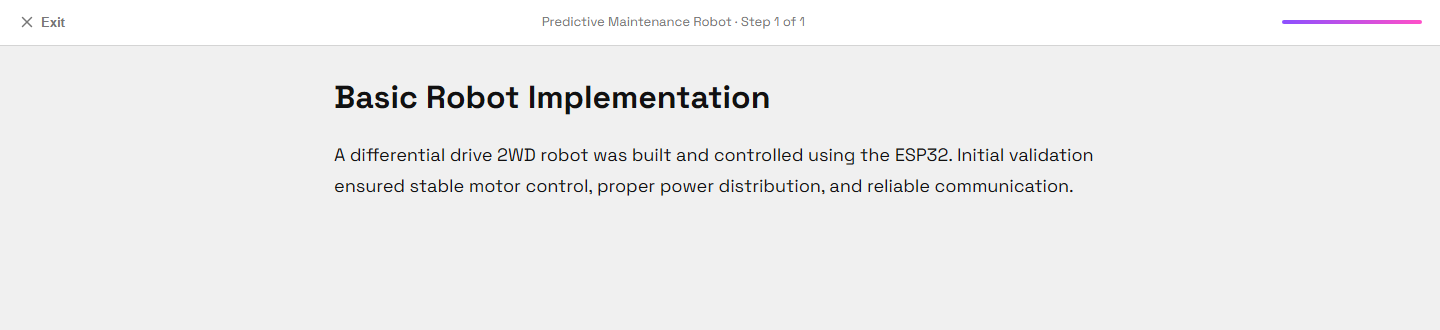
- Focus mode and print: a full-screen, large-text view with one step at a time, and a print layout that keeps only the build guide.
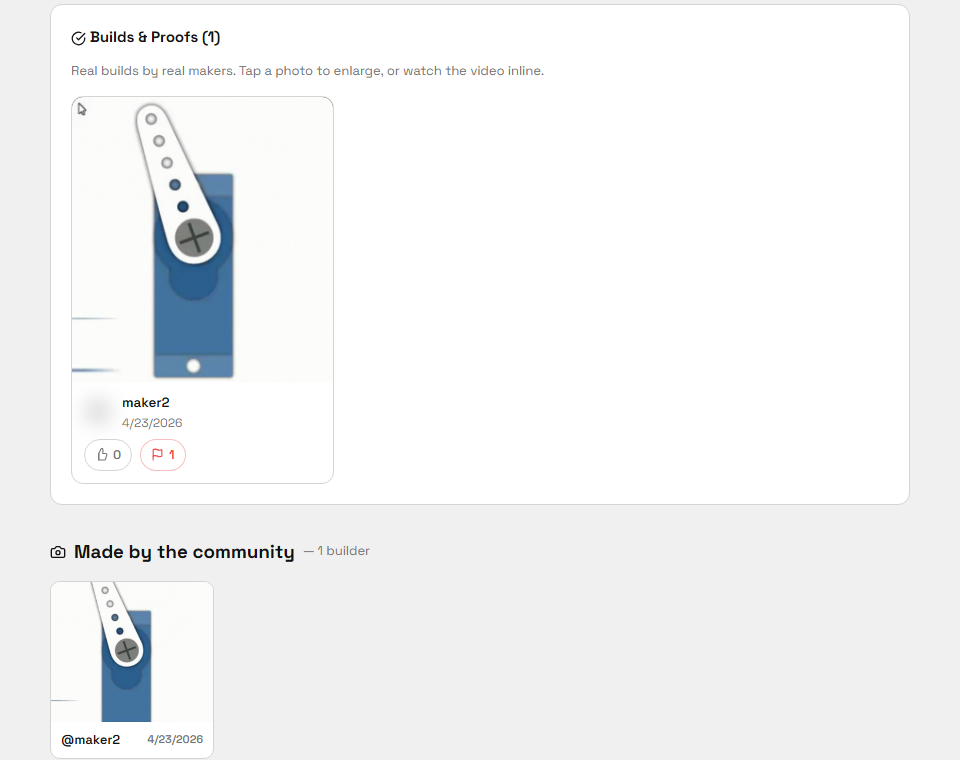
Lower on the page come Builds and Proofs (each builder's photo or video, with a cheer reaction and a "fake proof" flag; 3 fake flags alert the admins), the Made by the community gallery (with a tick on admin-verified builds), the inventor's build log, structured questions and answers with an accepted answer, comments and related projects. When 3 or more builders flag a project as thin or duplicate, a warning banner appears.
Store and how XP works
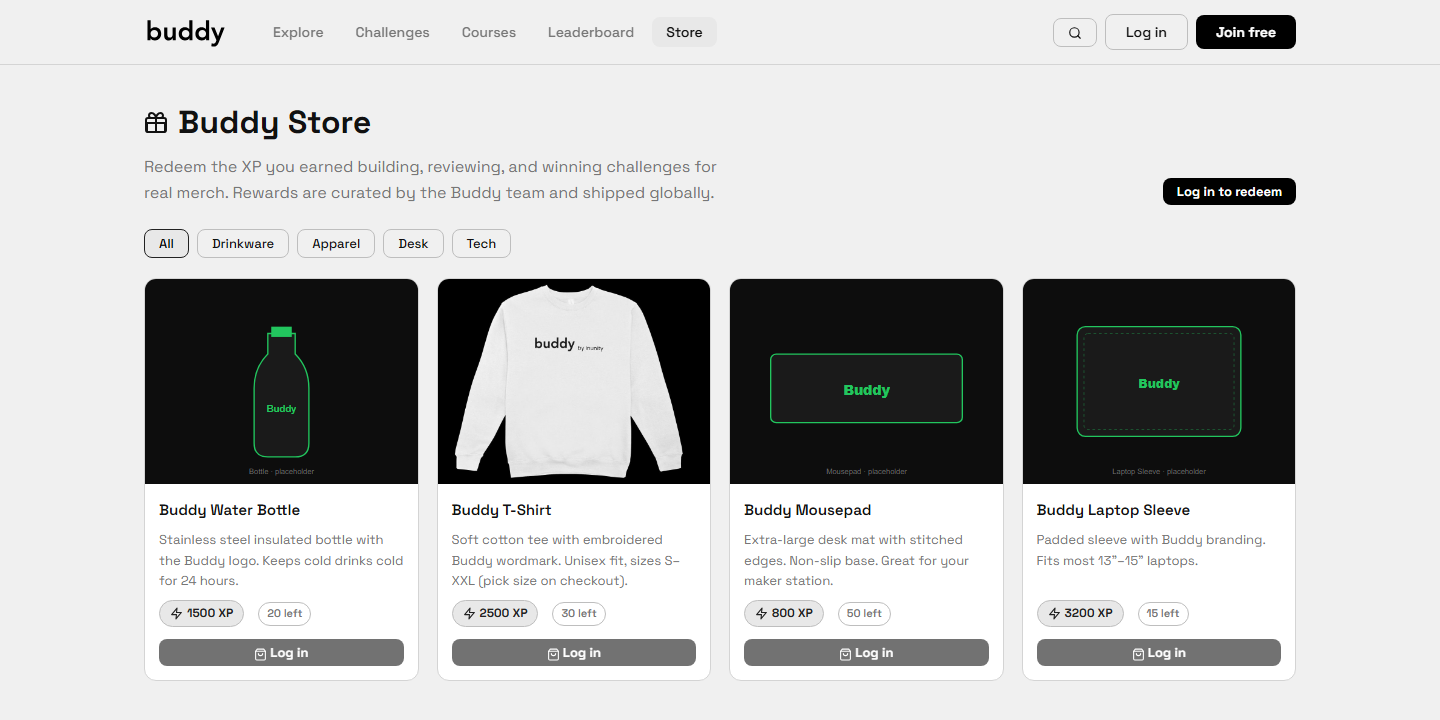
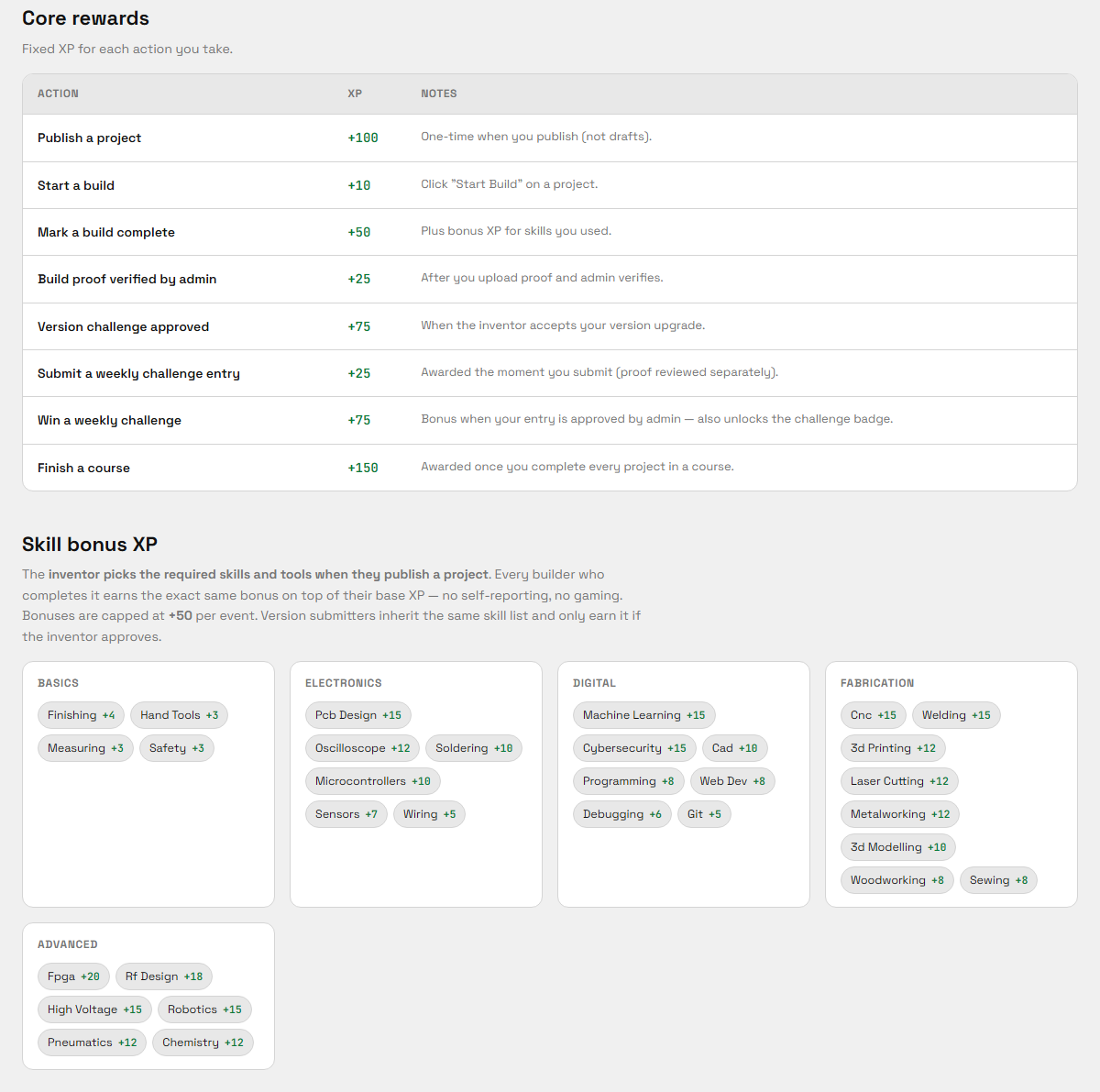
The store lists the merch (4 items with their XP price and stock left, filtered by category); logged-out visitors see "Log in to redeem". The "How XP works" page is generated from the same numbers the app uses: XP per action, the skill bonus table (31 skills, capped at +50), the 15-level ladder in 5 tiers, and the badge list.
Courses, challenges, leaderboard, teams and search
- Courses: several projects bundled into a learning path, with a progress bar and "Mark done" per lesson.
- Weekly challenges: live and past challenges with entry counts, Enter and Withdraw.
- Leaderboard: the top 50 makers by XP, with projects invented and built.
- Teams: up to 5 members, open or invite-only; the team page ranks members by the XP they earned since joining.
- Search: one box for projects, makers, courses and teams.
There are no courses, challenges or teams on the live site yet, so those pages currently show their empty state.
Profiles
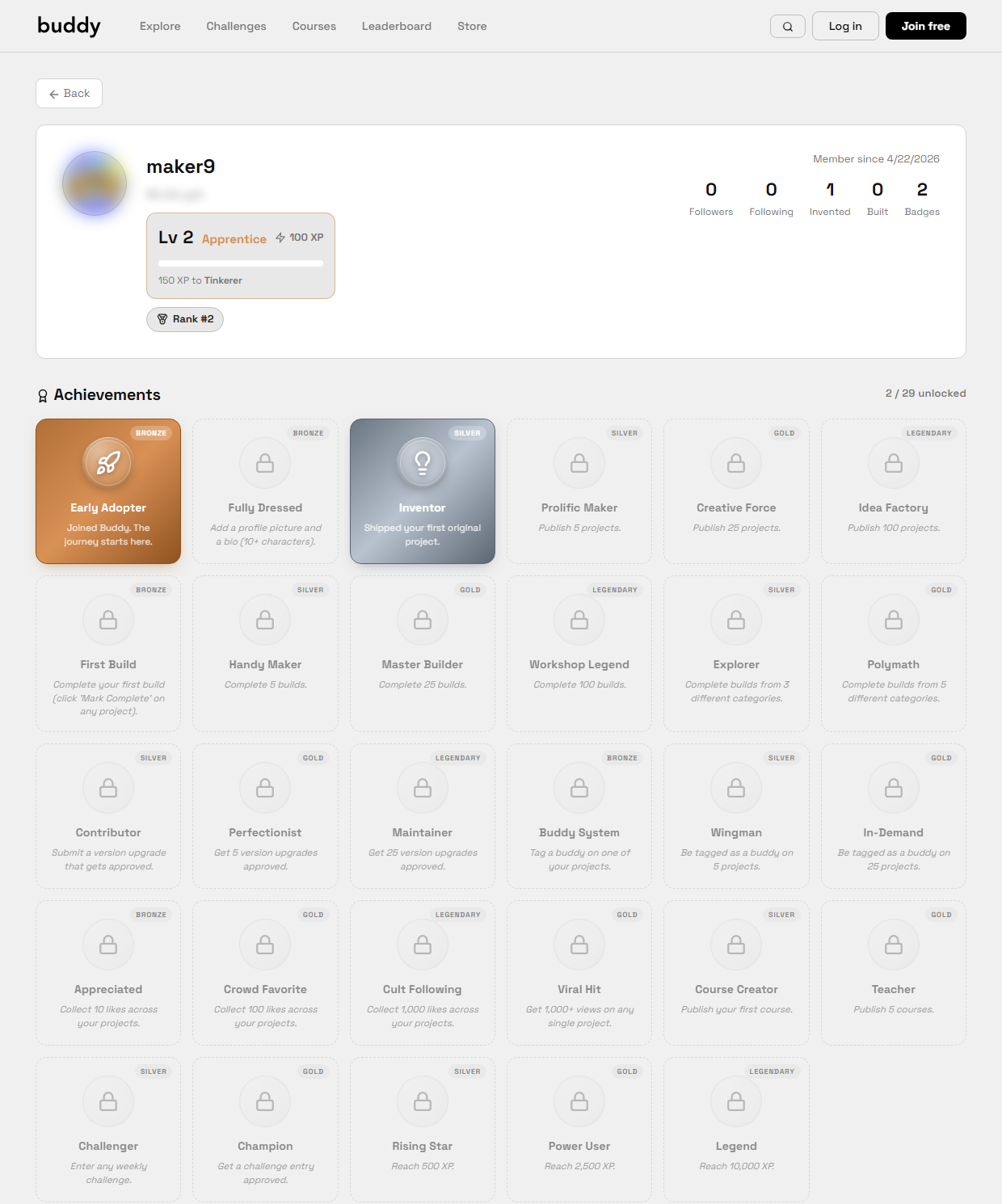
A public profile shows the avatar, bio, location and links, a level card (level name, XP and progress to the next level), streaks, rank, followers, the achievements wall (29 badges, locked ones say how to earn them), the Invented and Built tabs, and optional tools owned, tag cloud, workshop banner and a 26-week activity grid.
Sign-in, phones and search engines
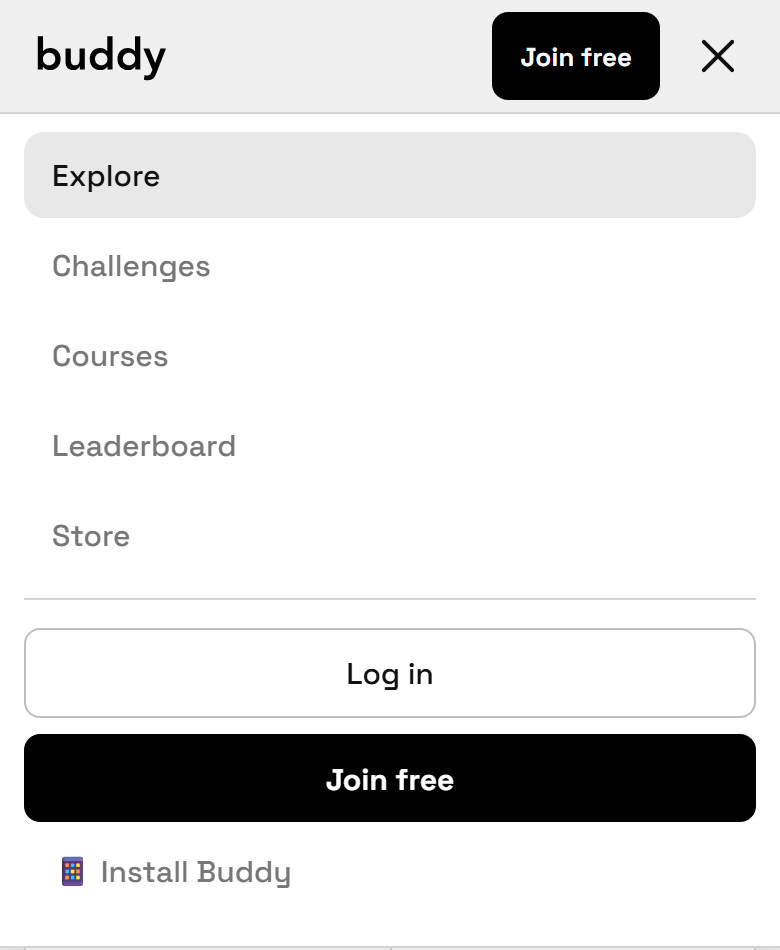
Sign-in is a modal with GitHub and Google. The first login opens a username picker and a 3-step welcome (interests, skills, people to follow). On a phone the menu has an Install Buddy button (iPhones get "Share, Add to Home Screen" instructions), and the app shell works offline. Each project page also sets its own title, description and preview image, and HowTo structured data for search engines.
Features for signed-in members
- Top bar: once signed in, the top bar shows the member's level and XP, a notification bell with an unread count, messages, saved projects and follows.
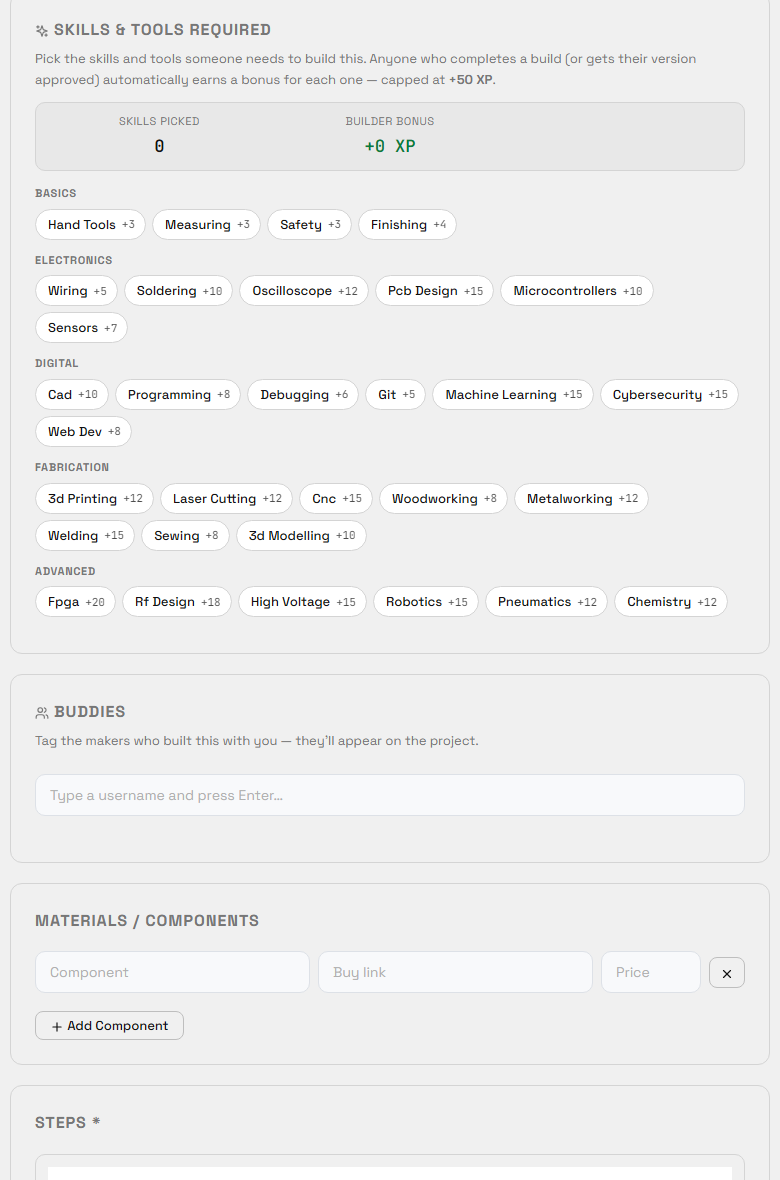
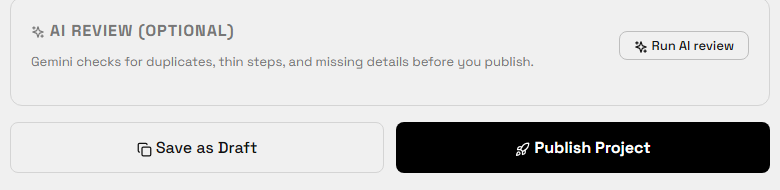
- Publish a project: project info, cover image with crop, tags, buddies, required skills, materials with buy links and prices, steps with content blocks, draft or publish, and a "course only" option. Before publishing it checks for at least one step and complete content, allows 5 publishes in 24 hours and accepts only public GitHub repositories. A project with the same title or repository as an existing one is blocked with a "challenge the inventor" button that leads to a version upgrade, and an AI review checks for duplicates, thin steps and missing details. Publishing earns +100 XP and the Inventor badge.
- Version upgrades: a pre-filled copy of the project that the challenger improves. "My Challenges" tracks each submission, and "Pending upgrades" is the inventor's review inbox. Resubmitting after "needs changes" edits the same version instead of making a new one.
- Build tracking: "I'm making this" (up to 2 active builds), then "Mark complete" opens a proof window: a photo or a YouTube link, how long it took and how hard it really was. XP: +10 to start, +50 to complete plus up to +50 skill bonus, and +25 when an admin verifies the proof.
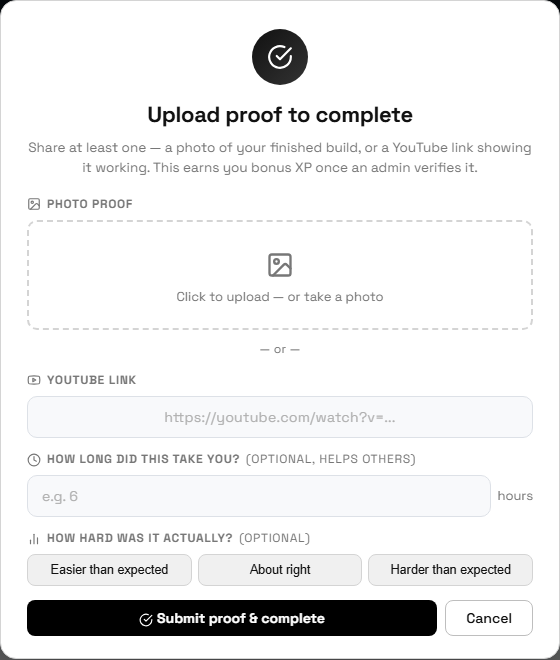
- XP, levels, badges and streaks: level-ups show a celebration banner, post to the feed and notify other members.
- Social: likes, comments, bookmarks, follow and unfollow, a notification centre with sound and push toggles, a Saved page and direct messages.
- Courses and teams: create a course by picking projects (finishing a course pays +150 XP and a badge); create, join and leave teams.
- Marketplace: redeem XP for merch with a shipping form. Stock, XP and the order are changed in one step, so two people cannot buy the last item. "My Rewards" follows each order through Pending, Approved, Shipped and Delivered, with a tracking link.
- Weekly summary: the last 7 days of stats, new badges and followers.
- Profile editing: bio, links, skills, tools owned, avatar and workshop banner, and a username change (twice a month) that updates the old name across the member's content.
- Inventors post build log updates with up to 6 photos (builders are notified), and anyone can ask and answer questions; an accepted answer pays +15 XP.
Admin features
There are four roles, enforced by the database rules: visitors can only read; members create their own content and edit only their own; the inventor of a project reviews its version upgrades, posts build logs and can delete it; and the admin flag can only be set outside the app, so nobody can make themselves an admin. The admin screenshots below come from the admin account, and the site is new, so some lists are still empty; the controls are all there.
Admin panel
The hub links to Rewards and Challenge entries and holds four sections: create a weekly challenge (title, badge label, description, week, "set as active"; only one challenge is active at a time), all challenges, pending version upgrades, and builds waiting for verification. Verifying a build gives the builder +25 XP, a verified badge and a notification.
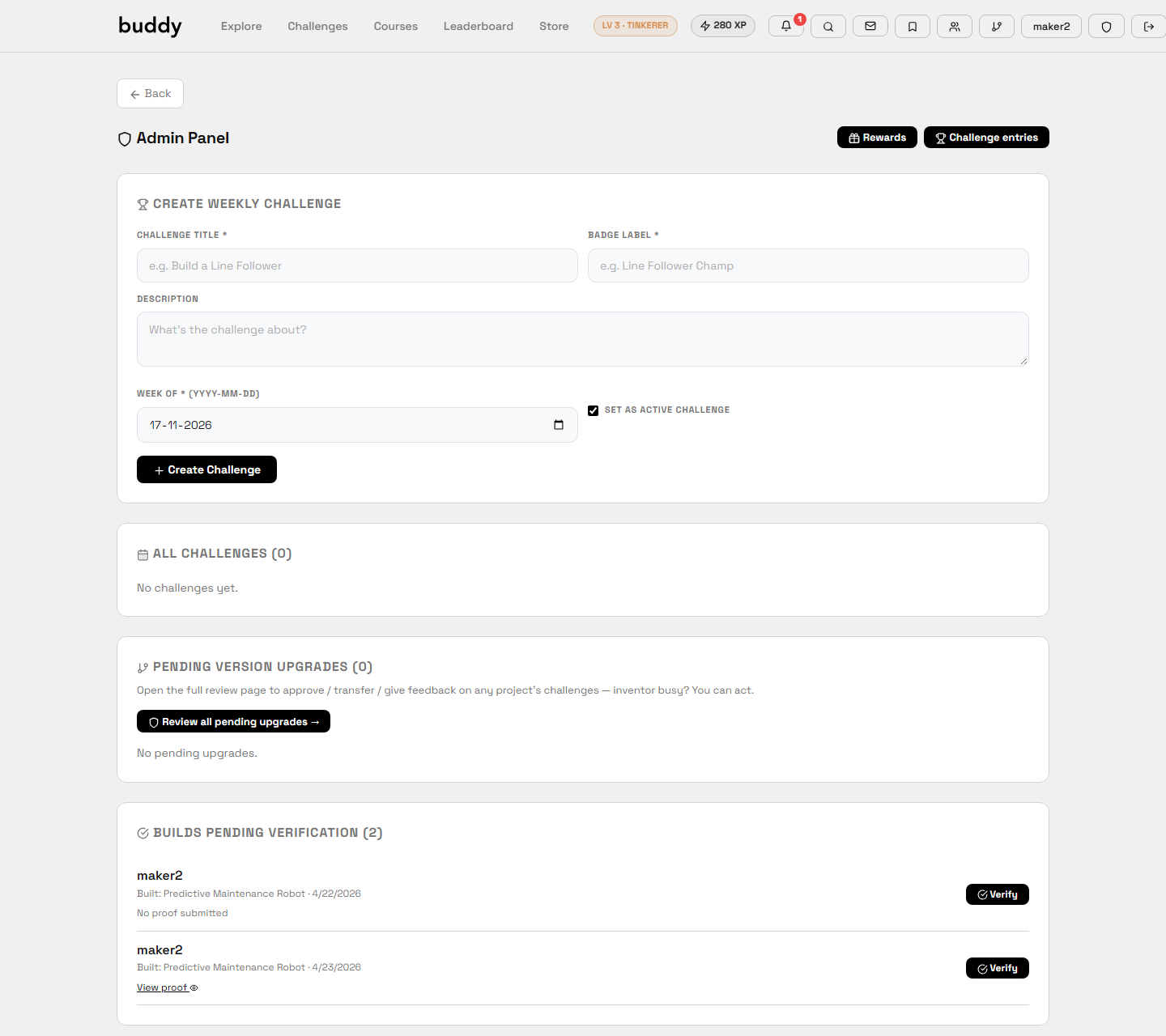
Version upgrade review
Inventors review upgrades to their own projects, and the admin sees every project, so the admin can act when an inventor is slow. There are five verdicts: approve (the project takes the new version, the submitter gets +75 XP plus the skill bonus), transfer ownership (double XP and a new inventor), it's actually different (the submitter may publish it as their own project), needs changes (with feedback) and reject. Each one sends the right notification and feed event.
Challenge entries
Approve an entry (+75 XP, the challenge badge and a notification) or reject it.
Marketplace admin
An add-reward form (name, category, description, XP cost, stock where blank means unlimited, sort order, active, and an image that is compressed on upload or a pasted link), a "seed starter catalogue" button, the catalogue with Edit, Hide and Delete, and the redemptions queue: Pending, Approved, Shipped, Delivered, with tracking ID and link, and "cancel and refund", which gives the XP back and restocks the item in one step.
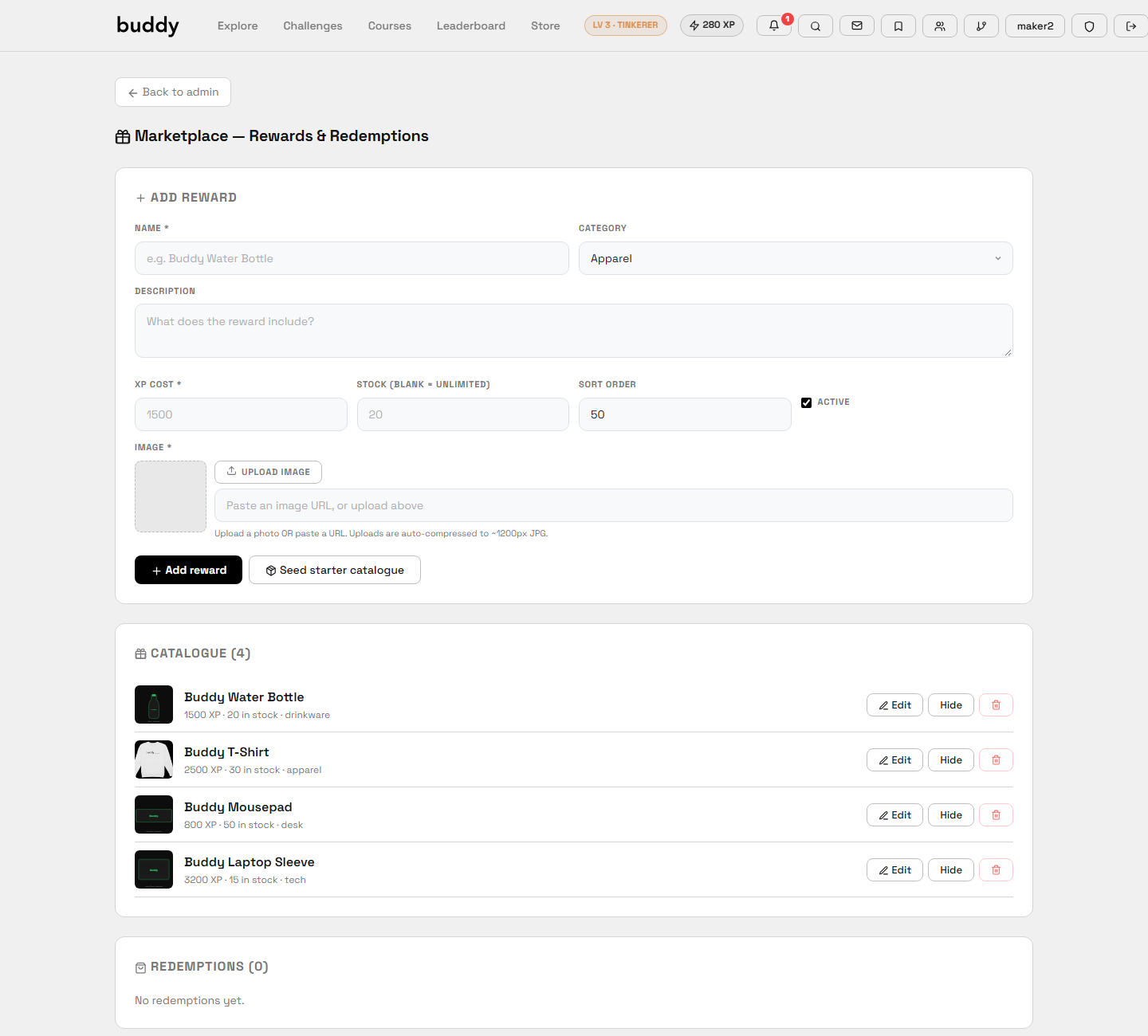
Moderation
The moderation controls sit on the project page: feature or unfeature any project, see who flagged a project and why, delete any project with all its versions, builds, likes and comments, and delete comments and answers. Admins are notified automatically when a project gets 3 quality flags or a build gets 3 "fake proof" flags.
Data model
Cloud Firestore, 27 collections. The main ones:
| Collection | What it holds |
| users, usernames | Profile, XP, skills, tools, streaks, username history; reserved usernames |
| projects | Title, description, category, difficulty, inventor, buddies, components with prices, steps with content blocks, version number, views and likes |
| versions | A full editable copy of a project submitted as an upgrade, with its status and feedback |
| builds, build_reactions | Who is building what, proof, real hours and difficulty, verification; cheers and fake-proof flags |
| badges, activities, notifications | Badges awarded, the community feed, each member's notifications |
| likes, bookmarks, follows | One document per member and item, so nothing is counted twice |
| comments | Comments on projects |
| project_flags, project_updates, project_questions, project_answers | Quality flags, build logs, questions and answers |
| challenges, challenge_entries | Weekly challenges and their entries |
| courses, course_progress | Learning paths and each member's progress |
| rewards, redemptions | The merch catalogue and orders with status and tracking |
| teams | Members with the XP each had when joining, so only XP earned since counts |
| threads, messages, push_subscriptions | Direct messages and notification subscriptions |
Problems solved
The rules and the code quietly disagreed
Bookmarks, direct message threads and messages looked fine but failed on the live site: the code wrote one field name and the security rules checked another, so Firestore silently rejected the writes. A systematic audit compared every write in the code against its rule, found all three (and a style mismatch that left a member's own messages unstyled), aligned the rules with the code and re-checked every collection.
Photos without paid storage
To stay on the free tier there is no file storage service. Images are resized and compressed in the browser and stored inside the Firestore document, with a guard so a document never goes over Firestore's 1 MB limit.
AI without leaking the key or the quota
The Gemini key lives only in a Cloudflare Worker. The Worker accepts requests only from the site, limits each visitor (30 reviews and 60 step explanations an hour) and falls back through four Gemini models when one is busy. At publish time the reviewer blocks obvious duplicates, but it never locks members out if the AI is down.
Team XP that cannot be gamed
The first team score added up members' lifetime XP, so a veteran could join and instantly inflate it. Now each member stores the XP they had when joining and only XP earned since counts; old teams were back-filled, and leaving a team removes that member's share.
Deletes and refunds that actually work
Deleting a project failed half-way for inventors, because only admins were allowed to delete its versions and builds; the rules now also allow the inventor of the parent project. Cancelling an order crashed because a database transaction wrote before it finished reading; the reads now come first. Ordering a reward (stock check, XP debit and order record) is one transaction, so two people cannot buy the last item.
Counters and XP awards blocked by the rules
Likes and views from visitors were counted nowhere, and every XP award to another member (build verified, upgrade approved, challenge won, accepted answer, refund) was denied, because members could only edit their own profile. The app hid the errors, so everything looked fine. Narrow rules fixed it: anyone may add exactly 1 view, signed-in members may change the like count by exactly 1, and another member's XP can be changed only by an admin or by a signed-in member adding between 1 and 500 XP. Nothing else in those documents became writable, and this was checked on the live site.
Stale caches after a logo change
A new logo kept showing the old one, because the service worker and the CDN had cached it. Cache-busting addresses, no-cache headers for the logo and service worker, and a new cache version on every deploy fixed it. The same audit also stopped a push subscription from carrying over to the next person who signs in on a shared device.